
-
×InformationNeed Windows 11 help?Check documents on compatibility, FAQs, upgrade information and available fixes.
Windows 11 Support Center. -
-
×InformationNeed Windows 11 help?Check documents on compatibility, FAQs, upgrade information and available fixes.
Windows 11 Support Center. -
- HP Community
- Printers
- LaserJet Printing
- Re: 59.F0 Error on M452dn

Create an account on the HP Community to personalize your profile and ask a question
Your account also allows you to connect with HP support faster, access a personal dashboard to manage all of your devices in one place, view warranty information, case status and more.

It has been a while since anyone has replied. Simply ask a new question if you would like to start the discussion again.

05-03-2018 02:40 PM
 HP Recommended
Product: M452dn
Operating System: Microsoft Windows 7 (64-bit)
I'm getting the 59.F0 Error on the M452dn.
There are several walkthroughs for cleaning the position sensor on other models, but can't find one for this one.
Does anyone have a video or walkthrough for this model of printer please?
6 REPLIES 6

05-04-2018 08:10 AM
HP Recommended
There seems to be a thread with a lot of good info on this subject here:
https://h30434.www3.hp.com/t5/Inkjet-Printing/HP-4525-59-F0-Error/td-p/5084375
Otherwise your choices are:
- Obtain a Service Manual for this printer model
- Modify an existing guide such as the following:
- Scrap the printer
Experts are not HP Employees. Experts are advanced users, administrators, technicians, engineers or business partners who volunteer their time to answer community questions.
Please mark anything that is helpful with a Kudo.
When you are done troubleshooting, please mark one of the responses as the Solution.
This feedback enhances the community by helping future readers choose between multiple similar responses.

12-11-2018
03:21 PM
- last edited on
12-12-2018
03:35 PM
by
 Cheron-Z
HP Recommended
Hi! Here's the solution https://www.youtube.com/watch?v=r8U9H7C3JqM&t=134s
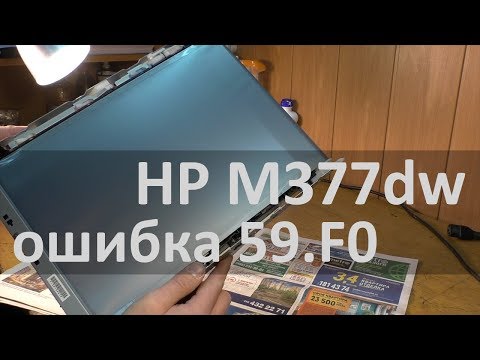
МФУ HP M377dw не работает? На дисплее сообщение с ошибкой 59.F0? Смотрите видео и сможете самостоятельно отремонтировать аппарат, а так же узнаете как разобрать МФУ и снять ленту переноса. Актуально для моделей HP Color LaserJet Pro MFP M377, M377dw, M452, M452dn, M452nw, M477, M477fdn, M477fdw ...

Be alert for scammers posting fake support phone numbers and/or email addresses on the community.
If you think you have received a fake HP Support message, please report it to us by clicking on "Flag Post".
† The opinions expressed above are the personal opinions of the authors, not of HP. By using this site, you accept the Terms of Use and Rules of Participation.


Didn't find what you were looking for?
Ask the community
† The opinions expressed above are the personal opinions of the authors, not of HP. By using this site, you accept the <a href="https://www8.hp.com/us/en/terms-of-use.html" class="udrlinesmall">Terms of Use</a> and <a href="/t5/custom/page/page-id/hp.rulespage" class="udrlinesmall"> Rules of Participation</a>.