
-
×InformationNeed Windows 11 help?Check documents on compatibility, FAQs, upgrade information and available fixes.
Windows 11 Support Center. -
-
×InformationNeed Windows 11 help?Check documents on compatibility, FAQs, upgrade information and available fixes.
Windows 11 Support Center. -
- HP Community
- Printers
- LaserJet Printing
- Re: Print to USB Cable In, However HP Smart states printer n...

Create an account on the HP Community to personalize your profile and ask a question
Your account also allows you to connect with HP support faster, access a personal dashboard to manage all of your devices in one place, view warranty information, case status and more.

09-08-2026 09:45 AM
 HP Recommended
Product: HP Color LaserJet Pro MFP 3301cdw
Operating System: Microsoft Windows 11
Hello, I started university at Rutgers. However, Rutgers does not allow people to connect wifi to personal printers. Therefore, I figured that if I used the printer to usb cable I could print what I need. However, in the print queue I am getting a printer error message and HP Smart stating that my printer is not connected despite the cable being in? I am unsure of what to do in this situation, I thought if I used the cable that I could print. Can someone help?
Solved! Go to Solution.
1 ACCEPTED SOLUTION
Accepted Solutions


09-08-2026 04:09 PM
HP Recommended
Best option is to use the WIFI direct option on the printer. That has no requirement to connect to anything other than the printer directly from your computer wirelessly. This does not require anything from the University.
If you find the information provided useful or solves your problems, help other users find the solution easier by marking my post as an accepted solution. Clicking "yes" on "was this reply helpful" also increases the chances that this solution will help others.
I am a volunteer, offering my knowledge to support fellow users, I do not work for HP nor speak for HP.




I am a volunteer, offering my knowledge to support fellow users, I do not work for HP nor speak for HP.
5 REPLIES 5
09-08-2026 04:09 PM
HP Recommended
Best option is to use the WIFI direct option on the printer. That has no requirement to connect to anything other than the printer directly from your computer wirelessly. This does not require anything from the University.
If you find the information provided useful or solves your problems, help other users find the solution easier by marking my post as an accepted solution. Clicking "yes" on "was this reply helpful" also increases the chances that this solution will help others.
I am a volunteer, offering my knowledge to support fellow users, I do not work for HP nor speak for HP.
I am a volunteer, offering my knowledge to support fellow users, I do not work for HP nor speak for HP.
09-08-2026 04:32 PM
HP Recommended
I tried to state this but Rutgers does not allow personal printers on the wi-fi. That is why I was trying to use the printer to USB cable however the printer was not recognizing it as connected that was the whole issue. The point kind of flew over your head. That's not to be rude it's just a moot point.
09-08-2026 06:16 PM
HP Recommended
I provided a solution and you will note I stated that the printer will not be connected to Rugter's wifi,
https://www.youtube.com/watch?v=BEdwaOKxTvo
Also refer to page 28 of the user guide here https://kaas.hpcloud.hp.com/pdf-public/pdf_7579882_en-US-1.pdf
If you find the information provided useful or solves your problems, help other users find the solution easier by marking my post as an accepted solution. Clicking "yes" on "was this reply helpful" also increases the chances that this solution will help others.
I am a volunteer, offering my knowledge to support fellow users, I do not work for HP nor speak for HP.
I am a volunteer, offering my knowledge to support fellow users, I do not work for HP nor speak for HP.
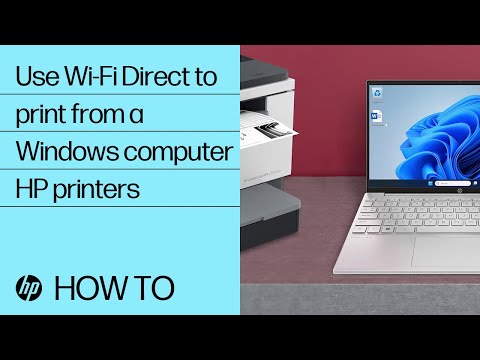
Learn how to use Wi-Fi Direct to print directly from your computer to printer without the use of internet. This includes how to access the Wi-Fi Direct username and password, and connect to the printer. This video applies to computers running Windows 10 and 11. For other helpful videos go to ...


Be alert for scammers posting fake support phone numbers and/or email addresses on the community.
If you think you have received a fake HP Support message, please report it to us by clicking on "Flag Post".
† The opinions expressed above are the personal opinions of the authors, not of HP. By using this site, you accept the Terms of Use and Rules of Participation.


Didn't find what you were looking for?
Ask the community
† The opinions expressed above are the personal opinions of the authors, not of HP. By using this site, you accept the <a href="https://www8.hp.com/us/en/terms-of-use.html" class="udrlinesmall">Terms of Use</a> and <a href="/t5/custom/page/page-id/hp.rulespage" class="udrlinesmall"> Rules of Participation</a>.