-
×InformationNeed Windows 11 help?Check documents on compatibility, FAQs, upgrade information and available fixes.
Windows 11 Support Center. -

-
×InformationNeed Windows 11 help?Check documents on compatibility, FAQs, upgrade information and available fixes.
Windows 11 Support Center. -
- HP Community
- Notebooks
- Notebook Hardware and Upgrade Questions
- Dr-1000 Notebook hardware upgrade

Create an account on the HP Community to personalize your profile and ask a question
02-22-2021 07:25 PM
I want to upgrade RAM and m.2 SSD on my laptop (model: 15s-dr1000tu) but I am not able to find the max supported by the motherboard. I tried to search for the motherboard data sheet and also unable to find it.
Is there someplace to check this or can some one share the specs for below points:
1.) What is the max RAM support by this model, and max Frequency that it can support. Currently it has 8gb-2666 Samsung RAM.
2.) Can it support 1TB m.2 nvme ssd, currently it has a 256 GB m.2 ssd with sata port.
Solved! Go to Solution.
Accepted Solutions
02-22-2021 09:04 PM
Its specs
https://support.hp.com/au-en/document/c06493962
1. RAM: It has 8 GB DDR4-2666 SDRAM (1 x 8 GB) now. You can upgrade to 32GB (2 x 16GB) or 64GB (2 x 32GB) using the following compatible RAM (will run at 2666MHz)
(a) 32GB: https://www.crucial.com/memory/ddr4/bl2k16g32c16s4b/ct18519304
or https://www.crucial.com/memory/ddr4/ct2k16g4sfra32a/ct18686115
or https://www.crucial.com/memory/ddr4/ct2k16g4sfra266/ct18856263
(b) 64GB: https://www.crucial.com/memory/ddr4/ct2k32g4sfd832a/ct18519371
or https://www.crucial.com/memory/ddr4/bl2k32g32c16s4b/ct18519405
or https://www.crucial.com/memory/ddr4/ct2k32g4sfd8266/ct18519376
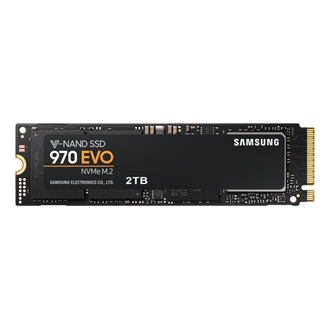
2. STORAGE: The specs says it has 1 TB 5400 rpm SATA but you say it has 256 GB m.2 ssd. You can upgrade to 1TB or 2TB of M.2 NVMe SSD using same brand of the existing drive or
https://www.samsung.com/au/memory-storage/970-evo-nvme-m2-ssd/MZ-V7E2T0BW/
https://www.crucial.com/products/ssd/crucial-p2-ssd
Or similar from reputable vendors.
One example (compatible drive, can use smaller/larger capacity)
https://www.crucial.com/ssd/p5/ct1000p5ssd8/ct18519388
Regards.
***
**Click the KUDOS thumb up on the left to say 'Thanks'**
Make it easier for other people to find solutions by marking a Reply 'Accept as Solution' if it solves your problem.
02-22-2021 09:04 PM
Its specs
https://support.hp.com/au-en/document/c06493962
1. RAM: It has 8 GB DDR4-2666 SDRAM (1 x 8 GB) now. You can upgrade to 32GB (2 x 16GB) or 64GB (2 x 32GB) using the following compatible RAM (will run at 2666MHz)
(a) 32GB: https://www.crucial.com/memory/ddr4/bl2k16g32c16s4b/ct18519304
or https://www.crucial.com/memory/ddr4/ct2k16g4sfra32a/ct18686115
or https://www.crucial.com/memory/ddr4/ct2k16g4sfra266/ct18856263
(b) 64GB: https://www.crucial.com/memory/ddr4/ct2k32g4sfd832a/ct18519371
or https://www.crucial.com/memory/ddr4/bl2k32g32c16s4b/ct18519405
or https://www.crucial.com/memory/ddr4/ct2k32g4sfd8266/ct18519376
2. STORAGE: The specs says it has 1 TB 5400 rpm SATA but you say it has 256 GB m.2 ssd. You can upgrade to 1TB or 2TB of M.2 NVMe SSD using same brand of the existing drive or
https://www.samsung.com/au/memory-storage/970-evo-nvme-m2-ssd/MZ-V7E2T0BW/
https://www.crucial.com/products/ssd/crucial-p2-ssd
Or similar from reputable vendors.
One example (compatible drive, can use smaller/larger capacity)
https://www.crucial.com/ssd/p5/ct1000p5ssd8/ct18519388
Regards.
***
**Click the KUDOS thumb up on the left to say 'Thanks'**
Make it easier for other people to find solutions by marking a Reply 'Accept as Solution' if it solves your problem.