• ×
    Information
    Need Windows 11 help?
    Check documents on compatibility, FAQs, upgrade information and available fixes.
    Windows 11 Support Center.
  • post a message
  • ×
    Information
    Need Windows 11 help?
    Check documents on compatibility, FAQs, upgrade information and available fixes.
    Windows 11 Support Center.
  • post a message
Guidelines
Seize the moment! nominate yourself or a tech enthusiast you admire & join the HP Community Experts!
Common problems for Battery
We would like to share some of the most frequently asked questions about: Battery Reports, Hold a charge, Test and Calibrating Battery . Check out this link: Is your notebook plugged in and not charging?
HP Recommended
Probook 440 G1
Microsoft Windows 10 (64-bit)

Hello,

I've been trying to use built-in fingerprint device in Probook 440 G1 but its not working at all in windows 10 or 7.


Here what I've done so far: 

1. Activated/Checked Fingerprint device from BIOS (BIOS version 1.40 as latest)

2. Installed Synaptic Fingerprint driver (version: 4.5.307.0 Rev.A) as provided by HP

3. Installed HP Client Security Manager (version: 8.3.17.2042 Rev.A) as provided by HP
4. After above steps, I opened HP Client Security Manager application and provided windows user password to signin

5. Then selected Fingerprint Enroll option where the application window shows the synaptic driver version correctly as shown in pc Device Manager (please check attachment image No-3)

6. After all of the above steps, still HP Client Security Manager shows "The fingerprint reader is not connected, Connect reader"


I have repeated these steps several times including several restart of PC while removing and installing of Fingerprint driver and HPCSM application but still no luck. I've done with googling and did'nt find any proper solution for this scenario. My question is if fingerprint device is showing in Device Manager then why HP Client Security Manager  is failing to detect the device 


Image-1

1.BIOS.png


Image-2

2.Driver.png


Image-3

3.HPCSM.png


4 REPLIES 4
HP Recommended

why nobody answering 
i have same problem here with my HP probook 450 G1 
and i have tried this steps before but not working -_- 
very bad assistant of HP 

HP Recommended

Hello Ahmed,

Though I didn't get any helping post on this issue from this HP Forum, The last thing I tried was to reset/restore the BIOS settings which byforce resets the Biometric settings as well, and then those above steps works fine, even after restoring the BIOS I didn't even needed to install any third party finger print manager or driver because window 10 has built in fingerprint driver and I used windows hello/fingerprint option to login. for Windows 7 (i dont remember clearly) a driver may be required but thats all, these windows 10/7 has built-in login option with fingerprint if the pc has any built-n fingerprint device. 


You may try Restore Default Bios Settings and see if it works.

HP Recommended

great news to hear

but i didn't know the steps to reset/restore the BIOS settings 
can you tell me steps to do and make  Fingerprint work 
i use last virson of w10 which called full creator and my HP is probook 450 G1
i appreciate your help

by the Way is it the Way !!
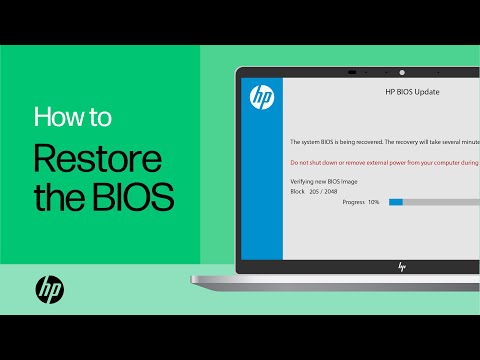
https://www.youtube.com/watch?v=qpiGUojtr3E


In this video, you will see how to restore the BIOS on your HP computer. Many HP computers allow you to recover the last known working version of the BIOS from the hard drive in case of an issue. Follow the simple steps in this video to restore your BIOS with ease. Chapters: 00:00 Introduction ...
HP Recommended

Thank you for your technical review,

fingerprint works with windows 10 default settings without any additional software.

it works quite fast than expected for a early optical type reader.

thank you again for your answer.

† The opinions expressed above are the personal opinions of the authors, not of HP. By using this site, you accept the <a href="https://www8.hp.com/us/en/terms-of-use.html" class="udrlinesmall">Terms of Use</a> and <a href="/t5/custom/page/page-id/hp.rulespage" class="udrlinesmall"> Rules of Participation</a>.