• ×
    Information
    Need Windows 11 help?
    Check documents on compatibility, FAQs, upgrade information and available fixes.
    Windows 11 Support Center.
  • post a message
  • ×
    Information
    Need Windows 11 help?
    Check documents on compatibility, FAQs, upgrade information and available fixes.
    Windows 11 Support Center.
  • post a message
Guidelines

Featured blog article:

Common problems for Battery
We would like to share some of the most frequently asked questions about: Battery Reports, Hold a charge, Test and Calibrating Battery . Check out this link: Is your notebook plugged in and not charging?

HP Recommended
HP Laptop - 15-dw2137nb
Microsoft Windows 11

Hello HP Community,


I would appreciate your help identifying the correct original HP replacement parts and available storage upgrade options for my laptop.


Laptop Details:
Model: HP Laptop 15-dw2137nb
Product Number: 1Q0L9EA#UUG
Processor: Intel Core i7-1065G7
RAM: 40 GB DDR4 (upgraded)
Storage: 512 GB M.2 NVMe SSD
Body Color: Silver
Keyboard: Belgian AZERTY, backlit
Display: 15.6-inch Full HD, non-touch


Bottom Cover and Palmrest Replacement

I need to replace the silver bottom cover and the silver upper palmrest casing.

My existing keyboard and touchpad are working perfectly, so I would prefer to reuse them.

Could someone please confirm the exact original HP spare-part numbers for these components?

Is the palmrest available separately without the keyboard, or must I purchase the complete keyboard and palmrest assembly?

I would also appreciate recommendations for authorized HP spare-parts suppliers that ship to Belgium.


Storage Upgrade

My laptop currently has a 512 GB M.2 NVMe SSD.

I would like to know:

Can I upgrade the existing SSD to 1 TB or 2 TB?

Can I install a second internal 2.5-inch SATA SSD alongside the existing NVMe SSD?

Would I need an additional SATA cable, connector or mounting bracket?

Are there any BIOS or hardware limitations on SSD capacity?

I would prefer adding a second internal drive rather than replacing my existing SSD, if possible.


Display Bezel

I found HP spare-part number L63608-001 for the display bezel.

Could someone please confirm whether this part is fully compatible with my HP 15-dw2137nb?

I have already checked HP PartSurfer, but it does not provide a complete list of orderable spare parts for my laptop.

I would appreciate help from HP experts or anyone familiar with this model.

Thank you in advance for your assistance.

Best regards,
Rahul

1 REPLY 1
HP Recommended

Hi  @rhlvrm,
 
Welcome to the HP Support Community!

Thanks for reaching out!


I understand your concern and I’m glad to see you've already researched the available parts and upgrade options.


Based on the information you've shared and the HP parts reference provided, the palmrest assembly on this model is typically not supplied as a palmrest-only component. The entire top cover assembly with keyboard is replaced as a single unit.


For a Natural Silver model with a backlit keyboard, the listed spare part is:

L52022-001 – Top cover with keyboard, Natural Silver, backlit


Since your notebook uses a Belgian AZERTY keyboard layout, the final regional suffix may vary. Kindly verify the exact keyboard language before ordering.


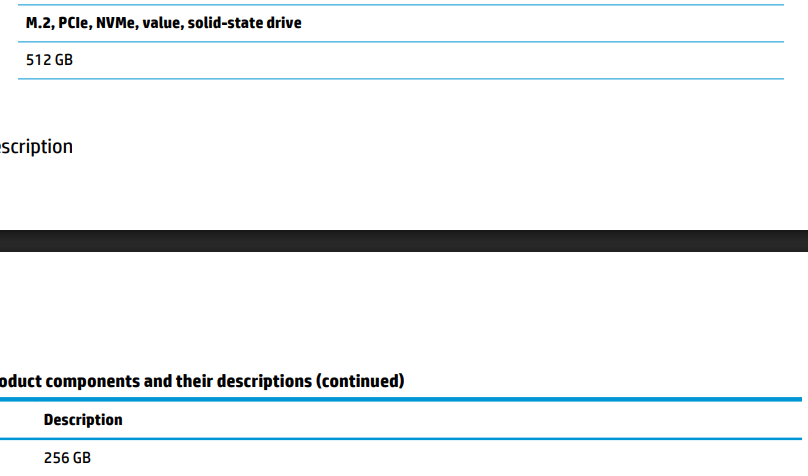
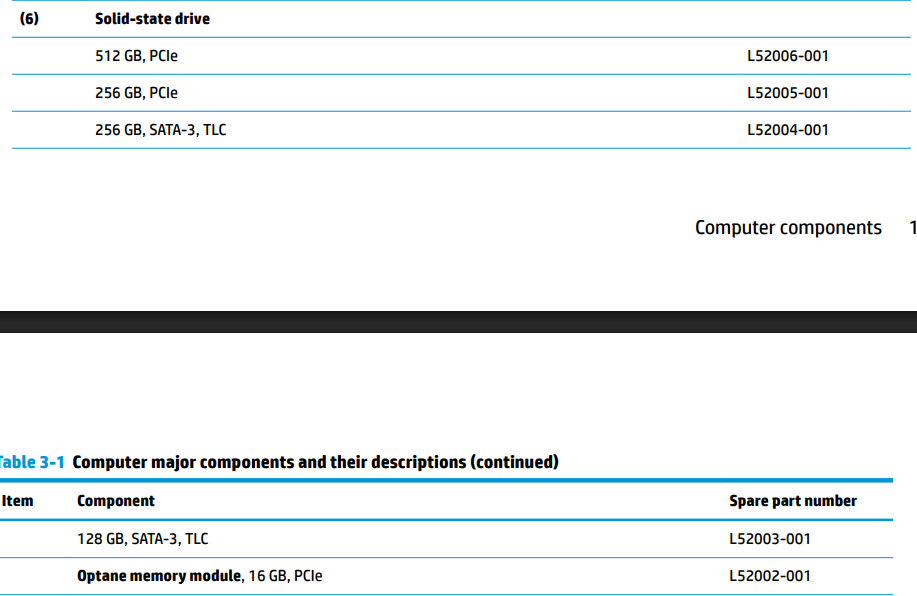
Your HP 15-dw series supports an M.2 NVMe SSD, and many configurations are capable of supporting larger-capacity drives.


If the 2.5-inch bay is available, you may also need:

  • SATA ribbon cable
  • SATA connector/interposer
  • Drive mounting bracket or caddy

The required accessories depend on how your specific system configuration was originally built.


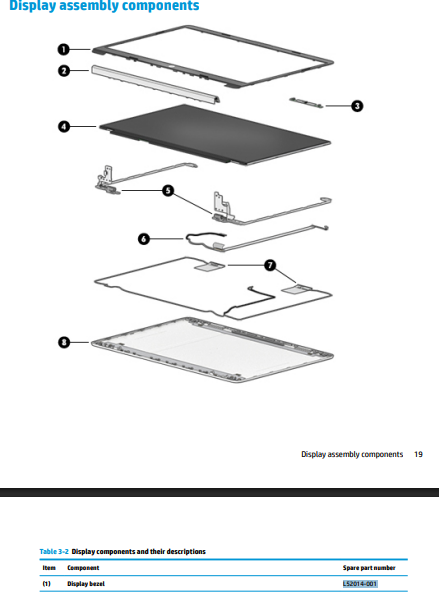
The display bezel part number L52014-001 appears to correspond to certain HP 15-dw configurations. However, I would recommend verifying it against your specific serial number or maintenance guide to ensure full compatibility before ordering.


You may find the following HP resources useful: HP Computer Hardware Maintenance and Service Guide (contains part locations and replacement procedures): Click here


Kindly follow this link to locate the nearest HP service center:    https://support.hp.com/us-en/help/service-center


I hope this helps. 

I'm an HP Employee.


If this reply helped resolve your issue, please select the Accept as Solution as it helps others in the community quickly find the answer they’re looking for.


And if you found this reply helpful, clicking Yes below is a great way to let us know we’re providing the support you need, as it encourages us to keep improving and sharing helpful guidance.

† The opinions expressed above are the personal opinions of the authors, not of HP. By using this site, you accept the <a href="https://www8.hp.com/us/en/terms-of-use.html" class="udrlinesmall">Terms of Use</a> and <a href="/t5/custom/page/page-id/hp.rulespage" class="udrlinesmall"> Rules of Participation</a>.
-->