-
×InformationNeed Windows 11 help?Check documents on compatibility, FAQs, upgrade information and available fixes.
Windows 11 Support Center. -

-
×InformationNeed Windows 11 help?Check documents on compatibility, FAQs, upgrade information and available fixes.
Windows 11 Support Center. -
- HP Community
- Notebooks
- Notebook Hardware and Upgrade Questions
- Question about free RAM and SSD slot

Create an account on the HP Community to personalize your profile and ask a question
06-25-2020 03:18 PM
Hello, I want to ask if is there any free slot on ram. If yes what is max amount of GB because in manual is 8. Second is, if there is any free slot on ssd, if yes what type of it. (M.2 SATA or NVMe or else)
Thanks
Solved! Go to Solution.
Accepted Solutions
06-25-2020 03:42 PM
Its specs
https://support.hp.com/hr-en/document/c06074150
1. RAM: It has 8 GB DDR4-2400 SDRAM (1 x 8 GB) and supports 32GB of RAM (2 x 16GB) max. You can upgrade to
(a) 16GB: add same existing 8GB to slot 2 or using the following compatible RAM
https://www.crucial.com/memory/ddr4/ct8g4sfs824a/ct13546649
(b) 32GB: install 16GB each to both slot using the following compatible RAM
https://www.crucial.com/memory/ddr4/ct2k16g4sfd824a/ct14458017
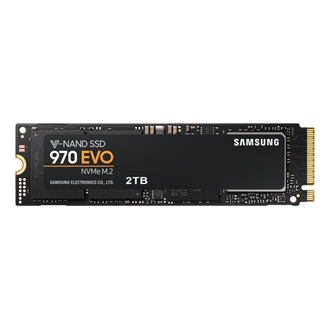
2. STORAGE: It has 1 TB 5400 rpm SATA now. You can add M.2 NMVe SSD using
https://www.samsung.com/au/memory-storage/970-evo-nvme-m2-ssd/MZ-V7E2T0BW/
https://www.crucial.com/products/ssd/crucial-p2-ssd
Or similar from reputable vendors.
One example
https://www.crucial.com/ssd/p2/ct500p2ssd8/ct17228244
Regards.
***
**Click the KUDOS thumb up on the left to say 'Thanks'**
Make it easier for other people to find solutions by marking a Reply 'Accept as Solution' if it solves your problem.
06-25-2020 03:42 PM
Its specs
https://support.hp.com/hr-en/document/c06074150
1. RAM: It has 8 GB DDR4-2400 SDRAM (1 x 8 GB) and supports 32GB of RAM (2 x 16GB) max. You can upgrade to
(a) 16GB: add same existing 8GB to slot 2 or using the following compatible RAM
https://www.crucial.com/memory/ddr4/ct8g4sfs824a/ct13546649
(b) 32GB: install 16GB each to both slot using the following compatible RAM
https://www.crucial.com/memory/ddr4/ct2k16g4sfd824a/ct14458017
2. STORAGE: It has 1 TB 5400 rpm SATA now. You can add M.2 NMVe SSD using
https://www.samsung.com/au/memory-storage/970-evo-nvme-m2-ssd/MZ-V7E2T0BW/
https://www.crucial.com/products/ssd/crucial-p2-ssd
Or similar from reputable vendors.
One example
https://www.crucial.com/ssd/p2/ct500p2ssd8/ct17228244
Regards.
***
**Click the KUDOS thumb up on the left to say 'Thanks'**
Make it easier for other people to find solutions by marking a Reply 'Accept as Solution' if it solves your problem.