• ×
    Information
    Need Windows 11 help?
    Check documents on compatibility, FAQs, upgrade information and available fixes.
    Windows 11 Support Center.
  • post a message
  • ×
    Information
    Need Windows 11 help?
    Check documents on compatibility, FAQs, upgrade information and available fixes.
    Windows 11 Support Center.
  • post a message
Guidelines
Seize the moment! nominate yourself or a tech enthusiast you admire & join the HP Community Experts!
Common problems for Battery
We would like to share some of the most frequently asked questions about: Battery Reports, Hold a charge, Test and Calibrating Battery . Check out this link: Is your notebook plugged in and not charging?
HP Recommended
HP Pavillion Gaming 15-dk1035nr
Microsoft Windows 10 (64-bit)

I recently bought this new gaming laptop and have quickly run out of space to download games. I have spent hours trying to figure out what I need to buy to upgrade my storage space in order to not have to uninstall games to download new games. I am pretty sure I need more hard drive space? I currently have 256 GB PCIe® NVMe™ M.2 SSD. Can someone please direct me to compatible hardware upgrades? I have been trying to learn and understand more about my computer, but it's a  lot of information to research and I don't want to waste time or money getting/doing the wrong thing.


And for future reference, do all the HP Pavilion Gaming 15 laptops have the same compatibility as far as hardware is concerned? There are many different variations in model numbers..  For example, If I want to upgrade another piece of hardware later on,  would something compatible with a,  (for example), Gaming 15-akxxx laptop fit in my laptop?


Thank you for your time and sharing your wisdom!

2 REPLIES 2
HP Recommended

@Echo547 


Its specs

         https://support.hp.com/au-en/document/c06880086


It has  256 GB PCIe® NVMe™ M.2 SSD. You can add 2TB 2.5" HDD/SSD to your machine but you ned 2 parts

  • The hard drive cable is available using spare part number L56898-001
  • The hard drive brackets are not available as a spare part         (this is the killer)               

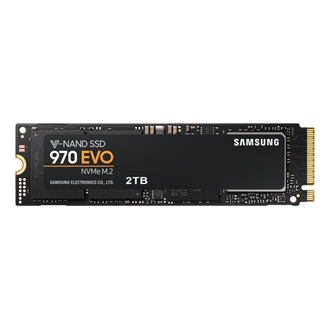
Therefore the best option now is to upgrade existing 256 GB PCIe® NVMe™ M.2 SSD to 2TB NVMe SSD using

                  https://www.samsung.com/au/memory-storage/970-evo-nvme-m2-ssd/MZ-V7E2T0BW/

                  https://www.crucial.com/products/ssd/crucial-p2-ssd

        Or similar from reputable vendors.
                    One example (compatible drive, can use smaller/larger capacity)

                           https://www.crucial.com/ssd/p5/ct2000p5ssd8/ct19141453


Regards.


Regards.


BH
***
**Click the KUDOS thumb up on the left to say 'Thanks'**
Make it easier for other people to find solutions by marking a Reply 'Accept as Solution' if it solves your problem.


HP Recommended

How do I know if I need new hard drive or new SSD? Or is that the same thing? 


When I try to load a game it says I'm out is disk drive space.


And a silly question but I just want to triple check, I could also get a 1Tb instead of a 2TB, right? 

What steps do i need to take before removing the old ssd and putting in the new one?


Thank You!

† The opinions expressed above are the personal opinions of the authors, not of HP. By using this site, you accept the <a href="https://www8.hp.com/us/en/terms-of-use.html" class="udrlinesmall">Terms of Use</a> and <a href="/t5/custom/page/page-id/hp.rulespage" class="udrlinesmall"> Rules of Participation</a>.