• ×
    Information
    Need Windows 11 help?
    Check documents on compatibility, FAQs, upgrade information and available fixes.
    Windows 11 Support Center.
  • post a message
  • ×
    Information
    Need Windows 11 help?
    Check documents on compatibility, FAQs, upgrade information and available fixes.
    Windows 11 Support Center.
  • post a message
Guidelines
Webcam Not Working? Advanced Fixes for HP Notebooks! Click here to view the instructions!
Common problems for Battery
We would like to share some of the most frequently asked questions about: Battery Reports, Hold a charge, Test and Calibrating Battery . Check out this link: Is your notebook plugged in and not charging?
HP Recommended
Microsoft Windows 10 (64-bit)

need help on how to turn on

camera on my laptop

1 REPLY 1
HP Recommended

Hi @Gunning1,


Welcome to the HP Support Community


I understand you are facing an issue with your HP Product. Not to worry I will help you to get a resolution to resolve the issue.


To assist better:

  • May I have the exact model name of the product? Refer to this document for steps to find the product details. Do not share any of your personal information such as serial, phone number, email ID, etc.

While you respond to that, please follow the below steps:


Method 1: Enable / Disable Camera Using Windows 10 Settings

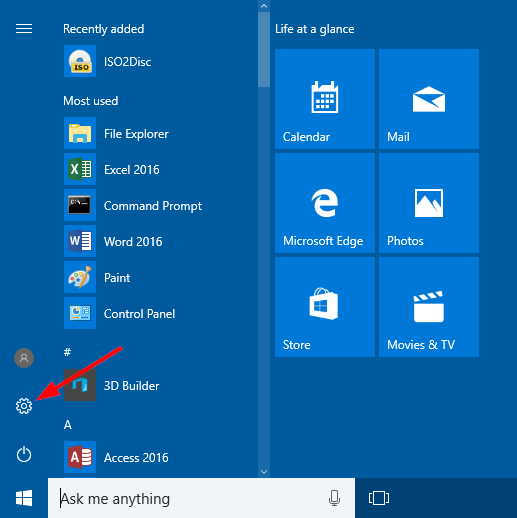
  1. Open the Settings app by pressing the Windows + I shortcut key, or clicking the Settings icon from the Start Menu in Windows 10.

open-settings-via-start-menu

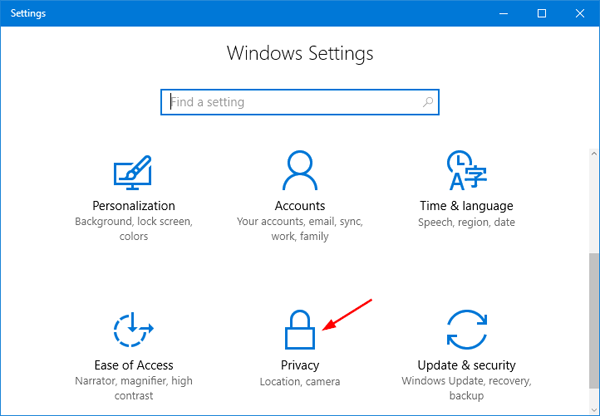
  1. From the Settings window, click Privacy.

privacy-settings

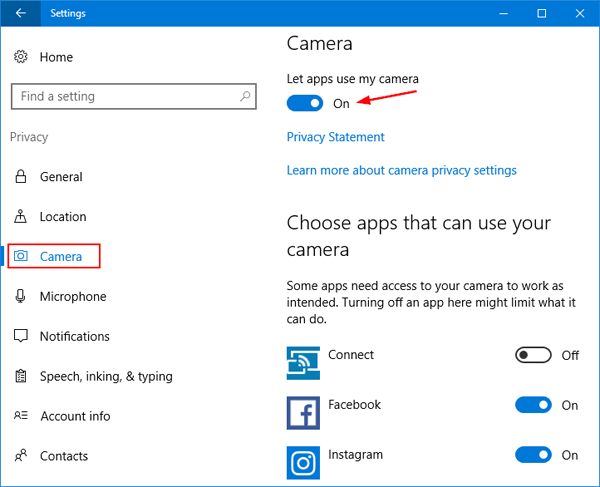
  1. Choose Camera in the left pane. You’ll see an option that says “Let apps use my camera“. Slide the toggle to On and select which of the apps underneath can use your camera, or toggle Off to prevent all apps from accessing your camera.

let-apps-use-camera


Make sure it is on and the app which you use should also have access. 


Please refer to this document: HP PCs - Troubleshoot the webcam (Windows 11)

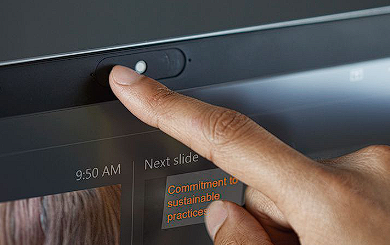
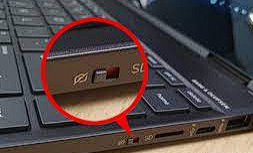
Also, check if there are any privacy switch is off. ( This varies on different models)


Examples:


Hope this helps! Keep me posted. 


Please click “Accepted Solution” if you feel my post solved your issue, it will help others find the solution. Click the “Kudos/Thumbs Up" on the bottom right to say “Thanks” for helping!


ANAND_ANDY
I am an HP Employee

† The opinions expressed above are the personal opinions of the authors, not of HP. By using this site, you accept the <a href="https://www8.hp.com/us/en/terms-of-use.html" class="udrlinesmall">Terms of Use</a> and <a href="/t5/custom/page/page-id/hp.rulespage" class="udrlinesmall"> Rules of Participation</a>.