
-
×InformationNeed Windows 11 help?Check documents on compatibility, FAQs, upgrade information and available fixes.
Windows 11 Support Center. -
-
×InformationNeed Windows 11 help?Check documents on compatibility, FAQs, upgrade information and available fixes.
Windows 11 Support Center. -
- HP Community
- Notebooks
- Notebook Operating System and Recovery
- Re: Bios update loop

Create an account on the HP Community to personalize your profile and ask a question
Your account also allows you to connect with HP support faster, access a personal dashboard to manage all of your devices in one place, view warranty information, case status and more.
Check out our WINDOWS 11 Support Center info about: OPTIMIZATION, KNOWN ISSUES, FAQs, VIDEOS AND MORE.

It has been a while since anyone has replied. Simply ask a new question if you would like to start the discussion again.

09-05-2022
02:21 PM
- last edited on
09-05-2022
02:37 PM
by
 MayS
MayS
 HP Recommended
Product: HP Pavilion - 15-cw1598sa
Operating System: Microsoft Windows 11
Hi all,
I recently had a faulty cooling fan replaced on my laptop and all appeared well but on each boot up, there was a warning that the fan had a fault. I checked if there was a bios update and it seemed so, so I downloaded this and set the system to update.
Now, I'm stuck with the bios update loop several others have described in the community. The bios updates, then cannot verify. It tries twice, then restarts and repeats; update, no verification (x2), restart. I can't interrupt the process with f10 or windows key V or B.
Has anyone actually resolved this issue? The laptop is a Pavilion 15-cwxxxxxx. It's barely 18 months old and hasn't really had much use.
Thanks in advance.
9 REPLIES 9

09-05-2022 06:11 PM
HP Recommended
Hello @GB991
Sorry to hear that you are having problems ... I would like to help you.
(1) Power off computer
(2) Disconnect charger
(3) Press and hold <power> button for 30 seconds
(4) Connect charger
(5) Follow the HP standard procedure
https://www.youtube.com/watch?v=qpiGUojtr3E
(6) Please report your results
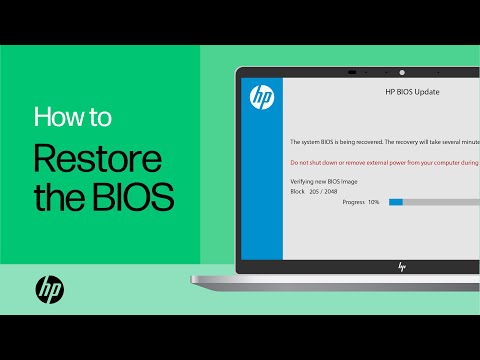
Shop official HP computer accessories: https://www.hp.com/us-en/shop/vwa/accessories-88342--1 In this video, you will see how to restore the BIOS on your HP computer. Many HP computers allow you to recover the last known working version of the BIOS from the hard drive in case of an issue. Follow ...
09-06-2022 03:36 AM
HP Recommended
Hello,
Thanks for replying. I'd already reported that this doesn't work in my initial enquiry. I tried it again anyway and am still getting the same issue that upon startup, the laptop opens the HP BIOS Update screen, rewrites the BIOS then cannot verify it. It then reports the error and offers to restart. Upon restarting, it goes back to the start of this process again ad nauseam.
As I said too in my initial post, the heat from the charger being plugged in and charging the battery is slightly worrying now that the replacement fan is not running.
I appreciate this might be a complete reset and loss of personal data on this machine, but I'd be grateful for any alternative suggestions you have, or guidance on how to reset the machine if that is sadly the only option.
Thanks,
Gordon
09-06-2022 05:18 AM
HP Recommended
Hello @GB991
HP warranty valid -> Contact HP Support for service repair
HP warranty expired:
HP Pavilion - 15-cw1598sa Product Specifications
Hard drive | 512 GB PCIe® NVMe™ M.2 SSD |
--->>> The solid state disk can be removed to access the data later.
Page 49 Component replacement procedures
Do you need more help ?
Kind regards
09-06-2022 05:39 AM
HP Recommended
Hi again,
So - can I confirm that you think there is nothing further I can try and I should start taking it to pieces in order to salvage my personal data? If so, can you suggest the best method for then reinstalling the necessary BIOS and OS?
Does feel a bit extreme for what was a fan failure here.
Gordon
09-06-2022 07:30 AM - edited 09-06-2022 07:41 AM
HP Recommended
Hello @GB991
You made a mistake. Instead of checking the fan problem (disassembling the notebook), you did a BIOS update, which went wrong. Now you have 2 problems.
Kind regards
09-06-2022 07:35 AM
HP Recommended
Hi,
Odd tone to take for someone 'trying' to help.
Also, you're wrong. As I said in the first post, the fan was replaced, which, as you'll well know, involved taking the notebook apart. The new fan worked. The laptop worked; the only issue was the BIOS now reported that the fan wasn't working even though it was. Therefore I looked at the guidance on the HP site for updating the BIOS, followed that and here we are.
Gordon
09-06-2022 07:49 AM
HP Recommended
Hello @GB991
Yes, you have replaced the fan. But I don't know exactly what you did and what could have gone wrong. It is strange that the BIOS suddenly does not recognize the fan. We are now trying to solve the problems:
(1) Download BIOS file ( with another computer )
HP Notebook System BIOS Update (AMD Processors) | F.48 Rev.A | 22.4 MB | Apr 27, 2022 | Download |
(2) --->>>> BIOS Recovery Reinstall with USB
(3) Please report your results
09-12-2022 12:57 PM
HP Recommended
Hi,
Apologies for the delayed response; I tried this and it didn't work; still looping so I handed it back to the technical repair agent who installed the fan and they can't get out of the loop either.
I am out of warranty, but now appear to have a machine that has been 'bricked' by solely following HP's guidance on installing that April 2022 BIOS update. Before I started this process, the machine was working absolutely fine, but just had the fan recognition error on each boot up process which wasn't a huge inconvenience and was certainly preferable to what is now an expensive coaster it appears.
I'd be really grateful if there are any other suggestions on what to do here and apologies for sounding ungrateful; but this shouldn't have been difficult and shouldn't have rendered a machine that is less than 2 year old inoperable.
Thanks again for reading,
Gordon
09-12-2022 01:50 PM
HP Recommended
Hello @GB991
| That's the way it is with electrical technology, either it works or it doesn't... |
This is the last solution
You could order a pre-programmed BIOS chip on the Internet and have it soldered in.
Good luck

Be alert for scammers posting fake support phone numbers and/or email addresses on the community.
If you think you have received a fake HP Support message, please report it to us by clicking on "Flag Post".
† The opinions expressed above are the personal opinions of the authors, not of HP. By using this site, you accept the Terms of Use and Rules of Participation.


Didn't find what you were looking for?
Ask the community
† The opinions expressed above are the personal opinions of the authors, not of HP. By using this site, you accept the <a href="https://www8.hp.com/us/en/terms-of-use.html" class="udrlinesmall">Terms of Use</a> and <a href="/t5/custom/page/page-id/hp.rulespage" class="udrlinesmall"> Rules of Participation</a>.