-
×InformationNeed Windows 11 help?Check documents on compatibility, FAQs, upgrade information and available fixes.
Windows 11 Support Center. -

-
×InformationNeed Windows 11 help?Check documents on compatibility, FAQs, upgrade information and available fixes.
Windows 11 Support Center. -
- HP Community
- Notebooks
- Notebook Operating System and Recovery
- Failed BIOS update

Create an account on the HP Community to personalize your profile and ask a question
09-29-2021 10:08 AM
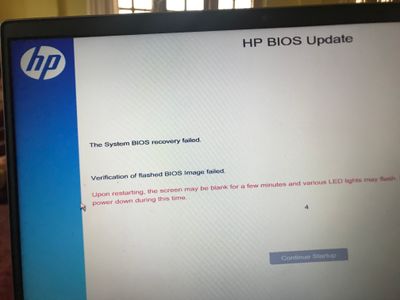
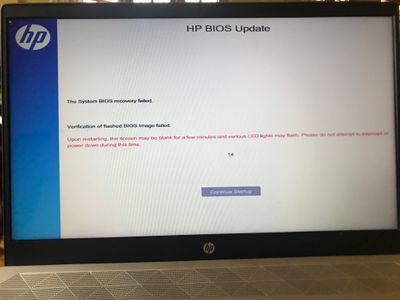
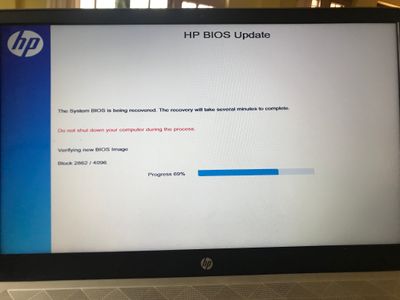
I updated BIOS as prompted by HP assistant but as it went through its setup stages. My screen even flickered for almost or over a minute as prompted I imagined it to be a regular process. After that it restarted but the BIOS update failed and my laptop now continuously performer BIOS update/recovery in a loop. It says writing BIOS image then verifies but fails to verify and then restarts and starts the same step again. I have tried restarting. Then cold/powerbooting, followed that with press and hold win+b + power button hold 2-3 sec, and press hold win+v +power button hold 2-3. After trying each of above mentioned options it keeps going back to the same BIOS recovery loop.
I then also tried power and F1,F2,F8,F9,F12 button still keeps taking to the same recovery loop.
I am not able to access boot menu at all as I have already made a recovery USB stick (bootable) by downloading HP cloud recovery app.
is there a specific way or any way I can acces boot me ur so I can boot my laptop with the help of USB stick I made?
10-05-2021 09:00 AM - edited 10-05-2021 09:01 AM
I have not found any solution to the issue. I had multiple support sessions with HPSUPPORTASSISTANT (via WhatsApp) but they weren’t able to solve it and advised me to take it to service center. I personally had to drop it to a third party repair center they haven’t been able to pinpoint the issue yet. They say SSD card is fine but if the swap it for a new one the display doesn’t work, with the same SSD it keeps going on the same loop. So it’s been a frustrating experience. Unfortunately where I am there is only third party authorised repair centre so they say it will take at least couple of months for warranty claim for any replacement parts (which I am really annoyed about. I could have courierd my laptop instead to designated country for quicker turnaround time.)
it would be handy if you could share the trouble shooting/repair done on your laptop if you have your repair done quicker and earlier. I could probably share that information with the repair center here.