
-
×InformationNeed Windows 11 help?Check documents on compatibility, FAQs, upgrade information and available fixes.
Windows 11 Support Center. -
-
×InformationNeed Windows 11 help?Check documents on compatibility, FAQs, upgrade information and available fixes.
Windows 11 Support Center. -
- HP Community
- Notebooks
- Notebook Operating System and Recovery
- Re: Windows 10 does not install on new SSD

Create an account on the HP Community to personalize your profile and ask a question
Your account also allows you to connect with HP support faster, access a personal dashboard to manage all of your devices in one place, view warranty information, case status and more.
Check out our WINDOWS 11 Support Center info about: OPTIMIZATION, KNOWN ISSUES, FAQs, VIDEOS AND MORE.

It has been a while since anyone has replied. Simply ask a new question if you would like to start the discussion again.

08-27-2020 03:04 AM - edited 08-27-2020 03:15 AM
 HP Recommended
Product: HP ENVY x360 Laptop - 15m-ee0013dx
Operating System: Microsoft Windows 10 (64-bit)
Hello all,
I've installed a new SSD (Western Digital SN550 1TB High-Performance M.2 PCIe NVME SSD - Blue) ,
WIndows 10 installer does not like the partitions and diskpart does not show the disk (only the usb installer)
I've tried the usb created from the original windows installed on the ssd that came with the laptop, I've also tried the usb installer generated by WoeUsb on Linux.
I've successfully installed Linux as always (Manjaro).
Any ideas ? any drivers I need to have during the installation ?
thanks
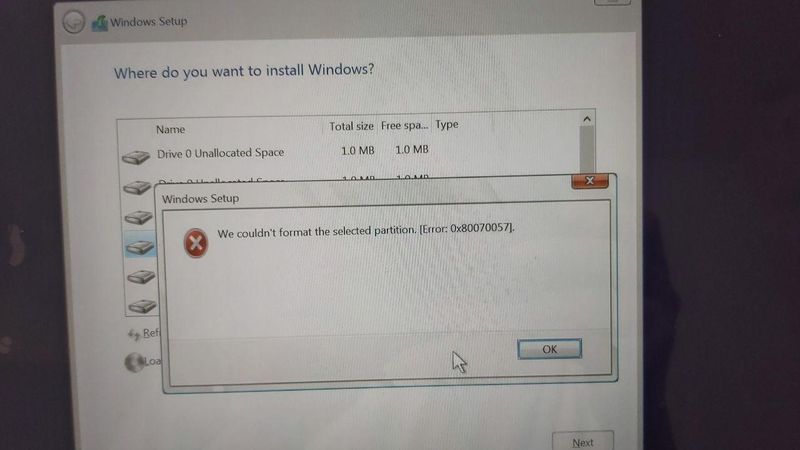
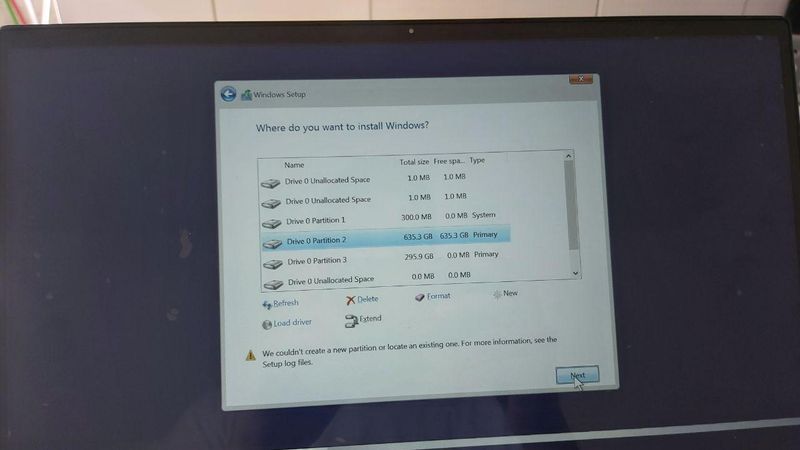
8 REPLIES 8


08-27-2020 07:33 AM - edited 08-27-2020 07:34 AM
HP Recommended
Hi:
What I would try would be to use another Windows PC with W7 64 bit or newer, and use the cloud recovery tool to create a bootable USB recovery drive that will reinstall W10, the drivers and the software that originally came with your notebook.
Here is an info link for how to use that utility...
https://support.hp.com/us-en/document/c06162205
You can see if your notebook is supported by the cloud recovery tool at the link below.
http://support.hp.cloud-recovery.s3-website-us-west-1.amazonaws.com/
Why do you have all of those partitions on a new SSD?
It should be completely empty with the max amount of unallocated space -- some 930 GB.
08-28-2020 01:15 AM
HP Recommended
Hi Paul,
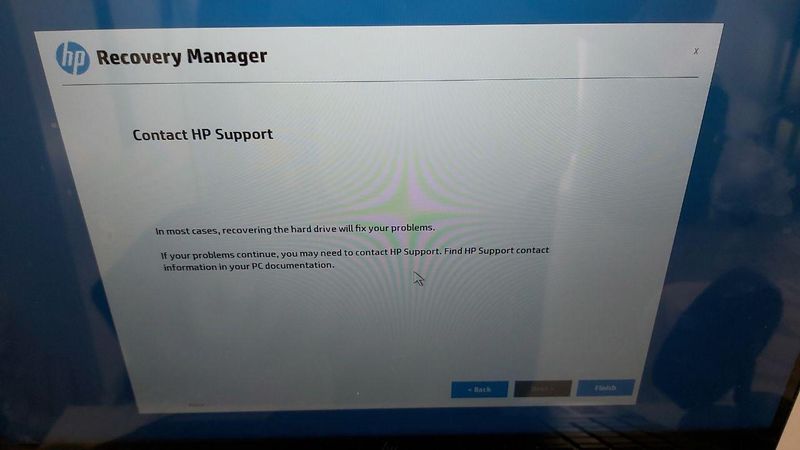
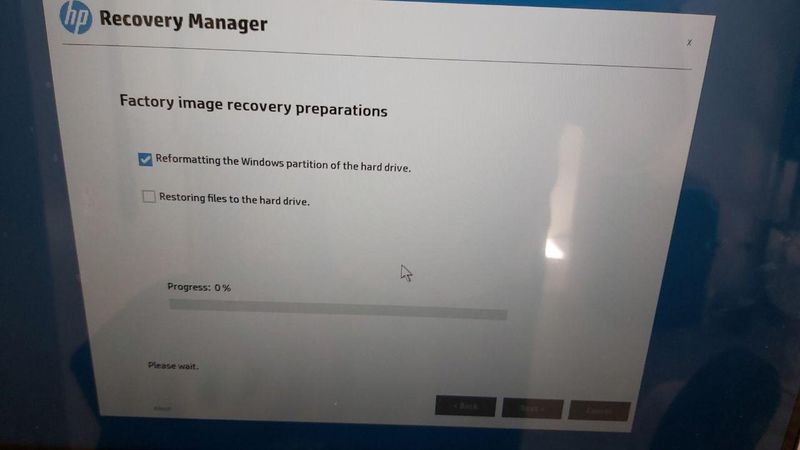
After using the HP Recovery Tool and generating the usb , I get those errors now :
1- failed to get disk size
2- please enable acceleration etc.. (my model is Ryzen 5 4500u and not Intel)
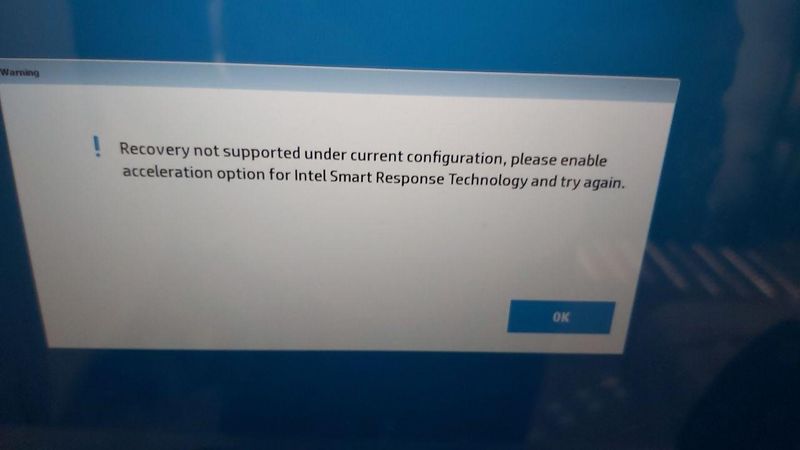
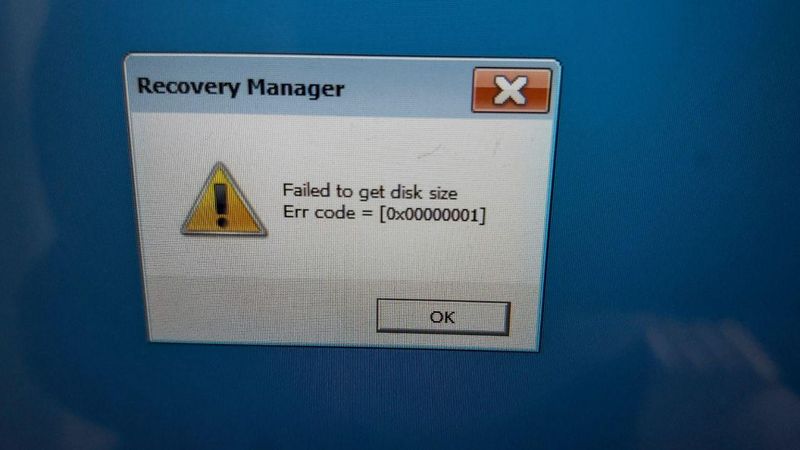
any ideas ?
08-28-2020 07:08 AM
HP Recommended
Unfortunately, I wouldn't know what to do about that problem.
Have you used the Microsoft media creation tool to create a bootable W10 installer and see if you can install W10 that way?
https://www.microsoft.com/en-us/software-download/windows10
That would be the only suggestion I can offer.
Follow these steps to create installation media (USB flash drive or DVD) you can use to install a new copy of Windows 10, perform a clean installation, or reinstall Windows 10. Before you download the tool make sure you have: An internet connection (internet service provider fees may apply) ...
08-28-2020 11:53 AM
HP Recommended
I've used a live linux usb to clone the old ssd (using a case) and it booted successfully (used dd to clone all ssd) , but after 1 min it started to crash and reboot,
It seems the issue is in the biod or hardware is not able to handle a 1 tb nvme (https://www.amazon.de/gp/product/B07YFFX5MD/ref=ppx_yo_dt_b_asin_image_o00_s00?ie=UTF8&psc=1).
I saw on other boards with the intel version of envxy x360 they had to disable intel boost to avoid this issue of ssd errors. this is very disapponting 😞

Steigern Sie die Leistung Ihres PCs mit der WD Blue SN550 NVMe SSD und freuen Sie sich über geringe Latenz und kurze Ladezeiten. Die interne SSD bietet schnelle Übertragungsgeschwindigkeiten von bis zu 2.600 MB/s (2 TB). Ob bei der Arbeit, beim kreativen Workflow, entspannten Gamingsessions oder ...

Be alert for scammers posting fake support phone numbers and/or email addresses on the community.
If you think you have received a fake HP Support message, please report it to us by clicking on "Flag Post".
† The opinions expressed above are the personal opinions of the authors, not of HP. By using this site, you accept the Terms of Use and Rules of Participation.


Didn't find what you were looking for?
Ask the community
† The opinions expressed above are the personal opinions of the authors, not of HP. By using this site, you accept the <a href="https://www8.hp.com/us/en/terms-of-use.html" class="udrlinesmall">Terms of Use</a> and <a href="/t5/custom/page/page-id/hp.rulespage" class="udrlinesmall"> Rules of Participation</a>.