• ×
    Information
    Need Windows 11 help?
    Check documents on compatibility, FAQs, upgrade information and available fixes.
    Windows 11 Support Center.
  • post a message
  • ×
    Information
    Need Windows 11 help?
    Check documents on compatibility, FAQs, upgrade information and available fixes.
    Windows 11 Support Center.
  • post a message
Guidelines
Stop the Jumping Cursor! Quick Fixes for HP EliteBook Folio 1040 G1Click here to view the instructions!
Check out our WINDOWS 11 Support Center info about: OPTIMIZATION, KNOWN ISSUES, FAQs, VIDEOS AND MORE.
HP Recommended
HP Notebook - 15-bs186tx
Microsoft Windows 10 (64-bit)

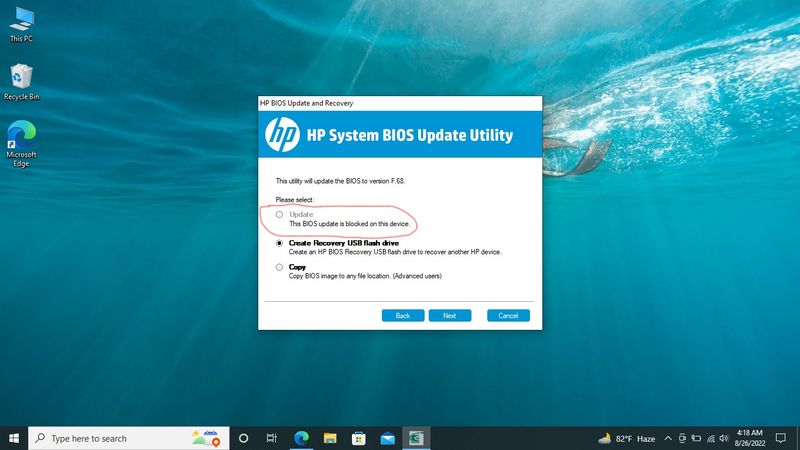
I've been facing some performance issue for long time. And now  Bios & Drivers update have become essential I thought. I haven't updated  Bios since I brought my laptop. So it will be First Time. And now here is the problem......Screenshot (154).jpg


Now, I donno what to do. Please, help me.

5 REPLIES 5
HP Recommended

Hello @Marufur 

Sorry to hear that you are having problems ... I would like to help you.

(1) Install/Update

HP PC Hardware Diagnostics UEFI

7.6.2.0 Rev.A42.7 MBJun 12, 2020Download


(2) HP system bios utility

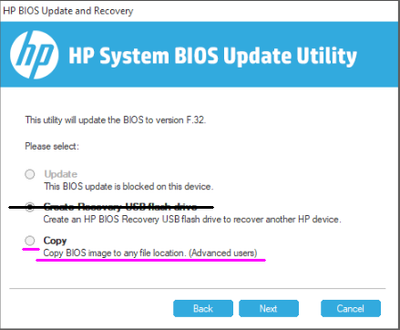
- Select "copy BIOS image to any file location (Advanced users)" and let utility copy files to <USB flash drive> ...

- Wait until the process is completed successfully and then exit the utility.


ub6424_0-1661470725338.png


(3) BIOS update

Shutdown computer and wait five seconds

- Power on the computer and then immediately press the [ESC] key repeatedly until the Startup Menu opens

- Press <F2>

- <HP PC Hardware Diagnostics UEFI> will be launched

- Select Firmware Management then BIOS Update

- Select BIOS Image To Apply and using file navigator apply bios file from <USB flash drive>

- BIOS update proccess should start and finish ... follow instructions


(4Please report your results

HP Recommended

Thanks for your instruction. 

just one more question , can it be done without usb flash drive? i mean can Hard Drive partition be used?

HP Recommended

@Marufur wrote:

Thanks for your instruction. 

just one more question , can it be done without usb flash drive? i mean can Hard Drive partition be used?


Try it ...

Please report your results

HP Recommended

After updating, at the restarting process laptop got stuck on black screen. I plucked out, turned  off  and on, but nothing changes. 

HP Recommended

Hello @Marufur 


(1) Power off computer

(2Disconnect charger

(3Press and hold <power> button for 30 seconds

(4Connect charger

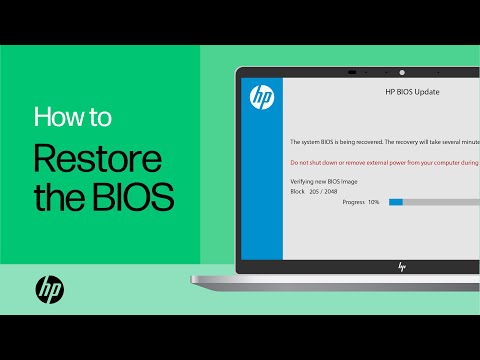
(5) Follow the HP standard procedure

 https://www.youtube.com/watch?v=qpiGUojtr3E

(6) Please report your results

† The opinions expressed above are the personal opinions of the authors, not of HP. By using this site, you accept the <a href="https://www8.hp.com/us/en/terms-of-use.html" class="udrlinesmall">Terms of Use</a> and <a href="/t5/custom/page/page-id/hp.rulespage" class="udrlinesmall"> Rules of Participation</a>.