
-
×InformationNeed Windows 11 help?Check documents on compatibility, FAQs, upgrade information and available fixes.
Windows 11 Support Center. -
-
×InformationNeed Windows 11 help?Check documents on compatibility, FAQs, upgrade information and available fixes.
Windows 11 Support Center. -
- HP Community
- Printers
- Printer Setup, Software & Drivers
- Re: HP LaserJet cp1025nw Catalina Drivers

Create an account on the HP Community to personalize your profile and ask a question
Your account also allows you to connect with HP support faster, access a personal dashboard to manage all of your devices in one place, view warranty information, case status and more.
Check some of the most frequent questions about Instant Ink: HP INSTANT INK, HP+ PLANS: INK AND TONER.
Check out our WINDOWS 11 Support Center info about: OPTIMIZATION, KNOWN ISSUES, FAQs AND MORE.

It has been a while since anyone has replied. Simply ask a new question if you would like to start the discussion again.


04-13-2020 03:39 PM
 HP Recommended
Run the disk utility on your computer-
1. Open Finder: Applications > Utilities > Disk Utility. Open it.
2. Select your Macintosh HD on the left side, then click Repair Disk Permissions along the bottom.
3. Let it finish (20 minutes or so), then close Disk Utility.
Now, try installing the printer on the computer.
Keep me posted!

04-13-2020 04:56 PM
HP Recommended
"Repair Disk Permissions" is not a feature available in Catalina. See Apple documentation: https://support.apple.com/en-us/HT201560.
I am asking you a direct question and I would appreciate you actually answering it: Are you able to contact engineering to ask when HP plans to release drivers to support Mac OSx Catalina for HP cp 1025nw ?
04-15-2020 11:05 AM
HP Recommended
try the below steps
-
Open a supported Web browser and then enter the printer's IP address or hostname in the address/URL field to open the Embedded Web Server (EWS).
NOTE:
If the web browser displays a message indicating that accessing the website might not be safe, select the option to continue to the website. Accessing this website will not harm the computer.
-
Click the Networking tab, click TCP/IP Settings, and then click Network Identification.
-
click on airprint and check if it's enabled, if already enabled restart your computer and printer and check if the airprint shows up.
Keep me posted!
06-13-2020 10:23 PM
HP Recommended
Hi,
I had the same problem. The reason is you CP1025 printer is not connected to your wifi network. I was able to connect mine by installing the printer first to a window base computer, Because HP do not seem to have a driver for IOS. I got my window 10 driver from https://support.hp.com/us-en/drivers/selfservice/hp-laserjet-pro-cp1025-color-printer-series/4052955...
When installing, place your printer close to your wifi router to get the best connection. Install your window base driver by selecting "wireless" as you preferred connection, It will then search for the CP1025 but might not find it, It will ask you to connect your CP1025 and computer using a USB printer cable to search for the printer, Press the blue wifi button on the top CP1025 printer and hold around 5 second until a blue wifi icon light turn on. The computer will then be able to find the printer and ask is you will connect it to your wifi. Follow the instruction until it fully installed. The printer is then connected to your wifi network.
Go back to your mac and add the printer, It will then be listed in the choice of printer you can install. Select "airprint" under the heading "use" drop down menu.
Hope it will also work for you,
08-06-2020 12:59 PM
HP Recommended
I have the identical issue with my MBP and Catalina.
So, firstly to clear up the AirPrint confusion not appearing on the add printer operation, the CP1025NW is NOT AirPrint compatible according to the Apple page: https://support.apple.com/en-us/HT201311
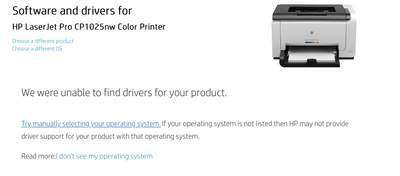
Secondly, the link to HP printer drivers for "Software and drivers for HP LaserJet Pro CP1025nw Color Printer" returns "We were unable to find drivers for your product." Manually trying to select OS and version, well there is no option for Catalina, ie: 10.15.
Thus, only question is: does HP have the intention to update the driver for CP1025NW for Catalina, or do I just throw a perfectly good printer in the trash.

08-29-2020 04:54 PM
HP Recommended
I have the same problem and find it hard to believe that HP will not upgrade their drivers for this printer with iOS Catalina . I know it is a fairly old printer but will probably have to go to trash but the lack of new drivers will mean a new printer and most likely not an HP .
please resolve and give me confidence again

Be alert for scammers posting fake support phone numbers and/or email addresses on the community.
If you think you have received a fake HP Support message, please report it to us by clicking on "Flag Post".
† The opinions expressed above are the personal opinions of the authors, not of HP. By using this site, you accept the Terms of Use and Rules of Participation.


Didn't find what you were looking for?
Ask the community
† The opinions expressed above are the personal opinions of the authors, not of HP. By using this site, you accept the <a href="https://www8.hp.com/us/en/terms-of-use.html" class="udrlinesmall">Terms of Use</a> and <a href="/t5/custom/page/page-id/hp.rulespage" class="udrlinesmall"> Rules of Participation</a>.