• ×
    Information
    Need Windows 11 help?
    Check documents on compatibility, FAQs, upgrade information and available fixes.
    Windows 11 Support Center.
  • post a message
  • ×
    Information
    Need Windows 11 help?
    Check documents on compatibility, FAQs, upgrade information and available fixes.
    Windows 11 Support Center.
  • post a message
Guidelines
Seize the moment! nominate yourself or a tech enthusiast you admire & join the HP Community Experts!
Check some of the most frequent questions about Instant Ink: HP INSTANT INK, HP+ PLANS: INK AND TONER.


Check out our WINDOWS 11 Support Center info about: OPTIMIZATION, KNOWN ISSUES, FAQs AND MORE.
HP Recommended
HP Smart Tank 6001 All-in-One
macOS 15.0 Sequoia

I just bought an HP Smart Tank 6001. In setting up the hardware, I was having trouble getting the test print to work, so I moved on to the wifi setup. I finally got the test to print, but was unable to connect the printer to the wifi because I'm on a college campus with guest/public wifi. I then decided to use my phone's hotspot for the wifi connection, which seemed to work. However, on my HP app, the printer still says the setup is unfinished. When I try to finish it, it pulls up the tutorial on how to put ink in the printer, which I've already done. I cannot get past this stage of the setup. I have deleted and re-added the printer multiple times, turned it off, unplugged it, etc. I've even gone through the motions of putting ink in, thinking it would have some way to sense that. On the app, it says my ink levels are full, but it still gives me the ink setup page. I have no idea what to do or how to get past it. I can't find any other info on this issue, and the AI Support won't load. It's after 8 pm here, so I can't contact HP Support until tomorrow. Does anyone have any idea how to fix this? Should I do a hard reset of the printer? If I did the hard reset, would the printer still sense that it has ink in it? I've been trying to figure out this setup for two hours now. I am so tired.

1 REPLY 1
HP Recommended

Hi @lunerune,

1. Hotspot could not work, because it only provides basic Wifi capacity, and lacks full operations needed to use your printer in a network.


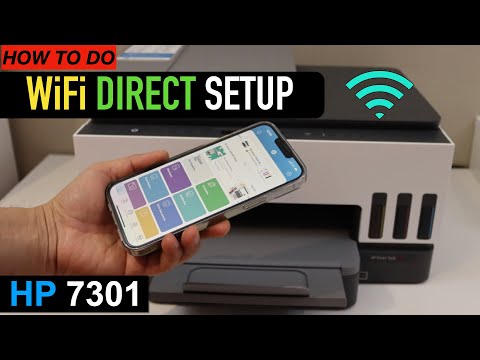
2. For alternative you can use your printer in a Wifi Direct setup configuration, following steps from the next video:

>> https://www.youtube.com/watch?v=fEjDYhCz1r8


3. Another option, if you have your printer next to you, maybe it is better to use printer connected directly with a USB cable.

  • ferRX_0-1769853014648.png

* Click YES   to say thank you, 

* Click Accepted as Solution when question is answered.

Best regards,

ferRX.

dodecaedroh.gif


@ferRX / I am a volunteer posting answers on my own time.
This video shows the process to do the WiFi Direct Setup of your HP Smart Tank 7301 printer. Welcome To My Youtube Channel - Copy Print Scan https://www.youtube.com/c/CopyPrintScanChannel
† The opinions expressed above are the personal opinions of the authors, not of HP. By using this site, you accept the <a href="https://www8.hp.com/us/en/terms-of-use.html" class="udrlinesmall">Terms of Use</a> and <a href="/t5/custom/page/page-id/hp.rulespage" class="udrlinesmall"> Rules of Participation</a>.