• ×
    Information
    Need Windows 11 help?
    Check documents on compatibility, FAQs, upgrade information and available fixes.
    Windows 11 Support Center.
  • post a message
  • ×
    Information
    Need Windows 11 help?
    Check documents on compatibility, FAQs, upgrade information and available fixes.
    Windows 11 Support Center.
  • post a message
Guidelines
Join the HP Community Solve‑a‑thon | Help Others & Share Your Solutions | Live on Zoom | 2:30 PM to 2:30 AM IST | Every Wednesday Click here to know more
Check some of the most frequent questions about Instant Ink: HP INSTANT INK, HP+ PLANS: INK AND TONER.


Check out our WINDOWS 11 Support Center info about: OPTIMIZATION, KNOWN ISSUES, FAQs AND MORE.
HP Recommended

MS wiped out my old printer drivers for 3201dw.  I have repeatedly tried to download drivers from the HP website but they DO NOT INSTALL.  They DO download, but refuse to install.  They DO NOT show as installed apps on that screen.   I am now trying to do an "MS  IPP driver" install but keep running into a wall.  When I get to the prompt for "host or IP", i don't know how to respond.  The configuration report I (accidentally) printed suggests the host as "HPI16D5A89, and the IP or URL as 192.168.223.1.  MS does not like EITHER of those responses.  I have no idea where to find the  info it WILL accept.   I looked in the user manual and can't find anything useful.   The manual is "not the best".  It should have a step by step, screen by screen set of directions and it doesn't.  The postage stamp size "display screen" does not help.  The printer worked perfectly UNTIL MS removed the old drivers.  Now I am lost, and the simple fixes don't work.  E can follow directions, but the term "Navigate to...." doesn't do much for me.  If I was THAT smart I wouldn't need help!

Thanks in advance to anyone who can help.  But assume I know "next to nothing" and need explicit clear step by step instructions.  cheers.

1 REPLY 1
HP Recommended

Hi @Dooner1 

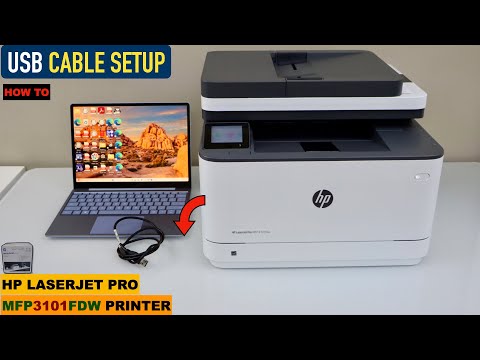
Please follow steps from the next video to setup your printer:

>> https://www.youtube.com/watch?v=ZVuksPFGWYw

* Click YES   to say thank you, 

* Click Accepted as Solution when question is answered.

Best regards,

ferRX.

dodecaedroh.gif


@ferRX / I am a volunteer posting answers on my own time.
This video reviews how to do a USB Cable setup of your HP Laserjet Pro MFP3101fdw all-in-one printer with Windows XP, VISTA, 8, 9, 10 or 11, and Mac OS. This printer is an HP Laserjet Pro MFP3101- 3108fdw series laser printer. See how to do the printing and scanning. Welcome To My Youtube Channel
† The opinions expressed above are the personal opinions of the authors, not of HP. By using this site, you accept the <a href="https://www8.hp.com/us/en/terms-of-use.html" class="udrlinesmall">Terms of Use</a> and <a href="/t5/custom/page/page-id/hp.rulespage" class="udrlinesmall"> Rules of Participation</a>.