-
×InformationNeed Windows 11 help?Check documents on compatibility, FAQs, upgrade information and available fixes.
Windows 11 Support Center. -

-
×InformationNeed Windows 11 help?Check documents on compatibility, FAQs, upgrade information and available fixes.
Windows 11 Support Center. -
- HP Community
- Printers
- Printer Setup, Software & Drivers
- OSX HP Deskjet F4500 printer Wifi settings

Create an account on the HP Community to personalize your profile and ask a question
08-04-2020 03:18 AM
Hello,
I tried to connect my printer to the Wifi in several options
- iOS App HP Smart
- Printer driver on OSX
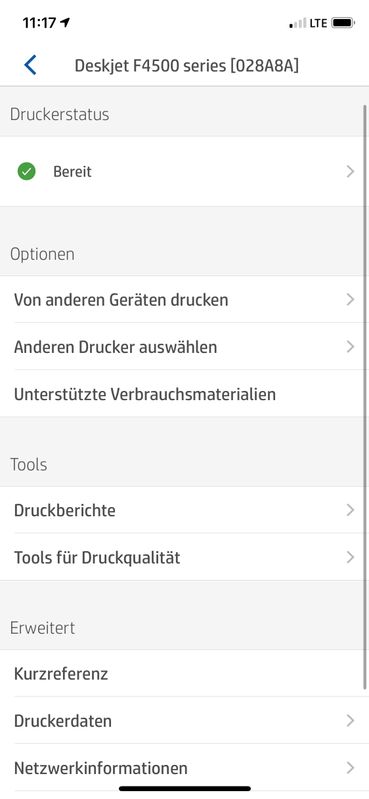
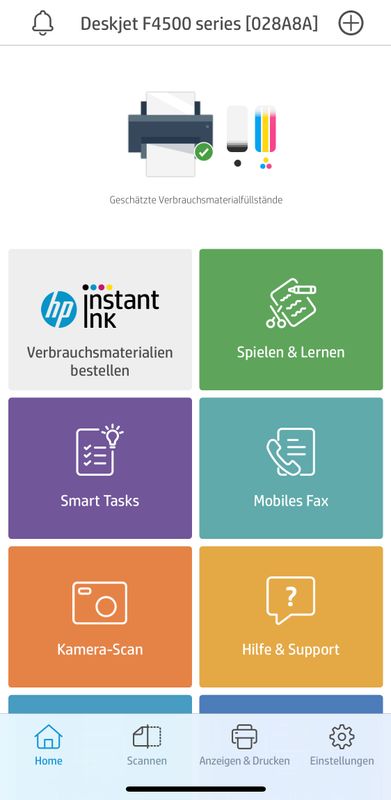
But I am only able to print If I connect to the printer by cable and did not find any possibility to change the wifi settings inside my printer. Also not in the HP Smart APP:
Hopefully you can help me to change the WifiSettings.
08-06-2020 04:00 PM
@nachbarshund, Welcome to HP Support Community!
Refer to the document Connect to a Wireless HP Printer for help. If the printer is on network and you're unable to print from the computer, we can isolate the issue further.
To be able to assist you better, I would like to know the following:
- Are the printer and PC connected to the same network?
- Is your router dual-band enabled i.e., both 2.4GHz and 5GHz?
- What is the distance between the router and the printer?
- Is there any antivirus software installed on your computer?
- Could you perform a ping test using the Mac Network Utility and let me know the results?
Use the printer IP address to perform a ping test, the printer IP can be located by selecting the wireless icon on the printer display.
The wireless status menu on your Mac should also give us quite a lot of information that would help us identify the issue. You can press and hold option-click the WiFi icon and then use shift-command-5 to take the screenshot. Press the space bar when the icon turns into a camera. Share the ping test results and the screenshot with us.
Also, check with your Internet service provider if your router is able to forward 'Bonjour packets'.
Bonjour locates devices such as printers, other computers, and the services that those devices offer on a local network using multicast Domain Name System (mDNS) service records. The software comes built-in with Apple's macOS and iOS operating systems.
Keep me posted for further assistance.
Please click “Accepted Solution” if you feel my post solved your issue, it will help others find the solution. Click the “Kudos/Thumbs Up" on the bottom right to say “Thanks” for helping!
TEJ1602
I am an HP Employee