• ×
    Information
    Need Windows 11 help?
    Check documents on compatibility, FAQs, upgrade information and available fixes.
    Windows 11 Support Center.
  • post a message
  • ×
    Information
    Need Windows 11 help?
    Check documents on compatibility, FAQs, upgrade information and available fixes.
    Windows 11 Support Center.
  • post a message
Guidelines
Join the HP Community Solve‑a‑thon | Help Others & Share Your Solutions | Live on Zoom | 2:30 PM to 2:30 AM IST | Every Wednesday Click here to know more
Check some of the most frequent questions about Instant Ink: HP INSTANT INK, HP+ PLANS: INK AND TONER.


Check out our WINDOWS 11 Support Center info about: OPTIMIZATION, KNOWN ISSUES, FAQs AND MORE.
HP Recommended

I've been using my HP OfficeJet Pro 8025 for several years now on Windows 10 and it has worked well. The March update for Windows 10, however, seems to have deleted the PCL-3 driver for the device. So, I've tried to reinstall, using the current driver installation software both from the Window store  (HP Start) and from HP's driver site (https://ftp.hp.com/pub/softlib/software13/printers/OJP8020/HPEasyStart-13.6.5-OJP8020_49_11_4670_1_W...). I've also tried the HP Print and Scan Doctor. No matter which I choose, the final result is always a Windows error stating that the PCL-3 driver doesn't exist. The scanner for the printer appears in the Printers list in Settings, but the printer itself displays the missing driver error. If I run the HP Smart program from the Windows store, I can see the printer and its properties. I can also see the printer's properties by visiting its internal management web service with a browser, but there's no print queue available for the Print command in any application. I don't seem to have the original installation CD any more. I moved recently and I either threw it out or it's hidden away in a box somewhere and I can't locate it. Any suggestions?

4 REPLIES 4
HP Recommended

Hi @ThinIce 

Please install the next driver for your printer:

>> https://ftp.hp.com/pub/softlib/software13/printers/COL93199/win-x64-pcl3-drv.exe


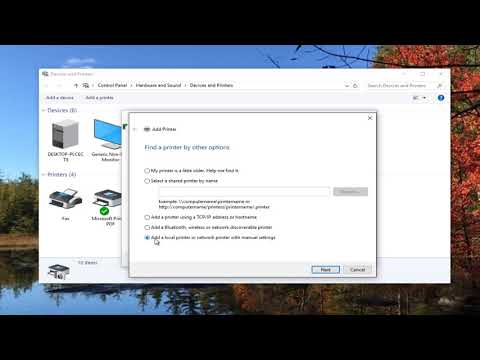
Once installed that driver you may need to Add printer in the Control Panel > Settings > Printers > select Add printer.

>> https://www.youtube.com/watch?v=daexOAez5To

* Click YES   to say thank you, 

* Click Accepted as Solution when question is answered.

Best regards,

ferRX.

dodecaedroh.gif


@ferRX / I am a volunteer posting answers on my own time.
HP Recommended

Alas, your suggestion did not help. Same error.

HP Recommended

Hi @ThinIce 

Ok, if that driver doesn't work then try to install the next driver:

* Click YES   to say thank you, 

* Click Accepted as Solution when question is answered.

Best regards,

ferRX.

dodecaedroh.gif


@ferRX / I am a volunteer posting answers on my own time.
HP Recommended

I appreciate your trying to help, but since I have no idea who you are and because the link you supplied is not an HP server, I'm not going to take the chance that it is not legitimate.


I'm also the user "ThinIce" above. I had lost track of my original credentials for this community and created a new account.

† The opinions expressed above are the personal opinions of the authors, not of HP. By using this site, you accept the <a href="https://www8.hp.com/us/en/terms-of-use.html" class="udrlinesmall">Terms of Use</a> and <a href="/t5/custom/page/page-id/hp.rulespage" class="udrlinesmall"> Rules of Participation</a>.