
-
×InformationNeed Windows 11 help?Check documents on compatibility, FAQs, upgrade information and available fixes.
Windows 11 Support Center. -
-
×InformationNeed Windows 11 help?Check documents on compatibility, FAQs, upgrade information and available fixes.
Windows 11 Support Center. -
- HP Community
- Printers
- Printer Setup, Software & Drivers
- Printer Apps

Create an account on the HP Community to personalize your profile and ask a question
Your account also allows you to connect with HP support faster, access a personal dashboard to manage all of your devices in one place, view warranty information, case status and more.
Check some of the most frequent questions about Instant Ink: HP INSTANT INK, HP+ PLANS: INK AND TONER.
Check out our WINDOWS 11 Support Center info about: OPTIMIZATION, KNOWN ISSUES, FAQs AND MORE.

It has been a while since anyone has replied. Simply ask a new question if you would like to start the discussion again.

02-22-2020 06:23 PM
 HP Recommended
Product: Hp 8503
y printer display has an app option. When I click on it I get it takes me to where I can print some forms and calendars. I click on forms and it says connecting then print. But nothing happens. Nothing prints. What am I doing wrong.
5 REPLIES 5

02-22-2020 06:54 PM - edited 02-22-2020 06:55 PM
HP Recommended
Hello,
What is the exact model of your printer (e.g. CB747A)?
To locate this Product Number P/N: this document.
In order to help you solve this issue, please update the printer firmware as follows:
- In the printer front panel display, touch the Wireless icon (
 ) to retrieve the printer's IP address.
 - Launch a web page, and then type this address in the address bar, and press Enter key. The printer Web interface opens.
- Click Tools, and then develop Printer Updates, and then Firmware Updates.
- Click the Check Now button to install the latest firmware update.
Don't hesitate to contact us in case of need.
Best regards,
I'm not an HP employee. Did this message answer your question? Include it below as an Accept As Solution! Did you find this message useful? Click on the thumbs up set to give a Compliment! Follow us on Facebook Assistance customers HP.

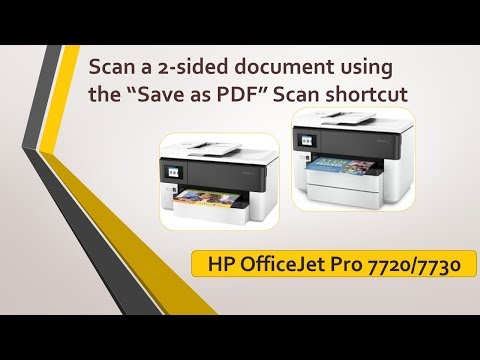
Click on the link to subscribe and get the latest video uploads: https://goo.gl/y4Rcn1 This tutorial shows how to scan a 2-sided document using the "Save as PDF" scan shortcut on the HP OfficeJet Pro 7730 printer. The HP full feature software must be installed in order to use the HP Scan. The ...
02-22-2020 07:20 PM - edited 02-22-2020 07:21 PM
HP Recommended
Thanks for your return,
Have you checked if the printer firmware is up to date?
If that is not the case, please follow the procedure in my previous message if the printer is network-connected.
To set up Web Services using the embedded web server
- From the printer control panel, touch or swipe down the tab at the top of the screen to open the Dashboard, and then touch Wireless icon () to retrieve the printer's IP address.
- Click the Web Services tab.
- In the Web Services Settings section, click Setup , click Continue, and follow the onscreen instructions to accept the terms of use.
- If prompted, choose to allow the printer to check for and install printer updates.
- When the printer is connected to the server, the printer prints an information page. Follow the instructions on the information page to finish the setup.
Do not hesitate to contact us in case of need.
Best regards,
I'm not an HP employee. Did this message answer your question? Include it below as an Accept As Solution! Did you find this message useful? Click on the thumbs up set to give a Compliment! Follow us on Facebook Assistance customers HP.
Click on the link to subscribe and get the latest video uploads: https://goo.gl/y4Rcn1 This tutorial shows how to scan a 2-sided document using the "Save as PDF" scan shortcut on the HP OfficeJet Pro 7730 printer. The HP full feature software must be installed in order to use the HP Scan. The ...
02-23-2020 08:11 AM - edited 02-23-2020 08:16 AM
HP Recommended
Hello and thanks for your return,
What is your web browser (e.g. Google Chrome, Mozilla Firefox)?
Click on OK.
If it's Google Chrome: Click the Advanced settings button, and then Continue to printer IP address (not sure).
If it's Mozilla Firefox: Click the Advanced... button, and then Accept the Risk and Continue button.
It won't damage the computer so you can trust it.
Then, continue with the procedure I sent you earlier..
Do not hesitate to contact us in case of need.
Best regards,
I'm not an HP employee. Did this message answer your question? Include it below as an Accept As Solution! Did you find this message useful? Click on the thumbs up set to give a Compliment! Follow us on Facebook Assistance customers HP.

Be alert for scammers posting fake support phone numbers and/or email addresses on the community.
If you think you have received a fake HP Support message, please report it to us by clicking on "Flag Post".
† The opinions expressed above are the personal opinions of the authors, not of HP. By using this site, you accept the Terms of Use and Rules of Participation.


Didn't find what you were looking for?
Ask the community
† The opinions expressed above are the personal opinions of the authors, not of HP. By using this site, you accept the <a href="https://www8.hp.com/us/en/terms-of-use.html" class="udrlinesmall">Terms of Use</a> and <a href="/t5/custom/page/page-id/hp.rulespage" class="udrlinesmall"> Rules of Participation</a>.