• ×
    Information
    Need Windows 11 help?
    Check documents on compatibility, FAQs, upgrade information and available fixes.
    Windows 11 Support Center.
  • post a message
  • ×
    Information
    Need Windows 11 help?
    Check documents on compatibility, FAQs, upgrade information and available fixes.
    Windows 11 Support Center.
  • post a message
Guidelines
Seize the moment! nominate yourself or a tech enthusiast you admire & join the HP Community Experts!
Check some of the most frequent questions about Instant Ink: HP INSTANT INK, HP+ PLANS: INK AND TONER.


Check out our WINDOWS 11 Support Center info about: OPTIMIZATION, KNOWN ISSUES, FAQs AND MORE.
HP Recommended
HP Deskjet 2630
macOS 10.14 Mojave

My printer is online, but when i open HP Smart it show my old printer, and of cause that is offline. How do i remove the old printer?

1 REPLY 1
HP Recommended

@Michaelangelo77, Welcome to HP Support Community!


Follow the steps mentioned below in sequence:


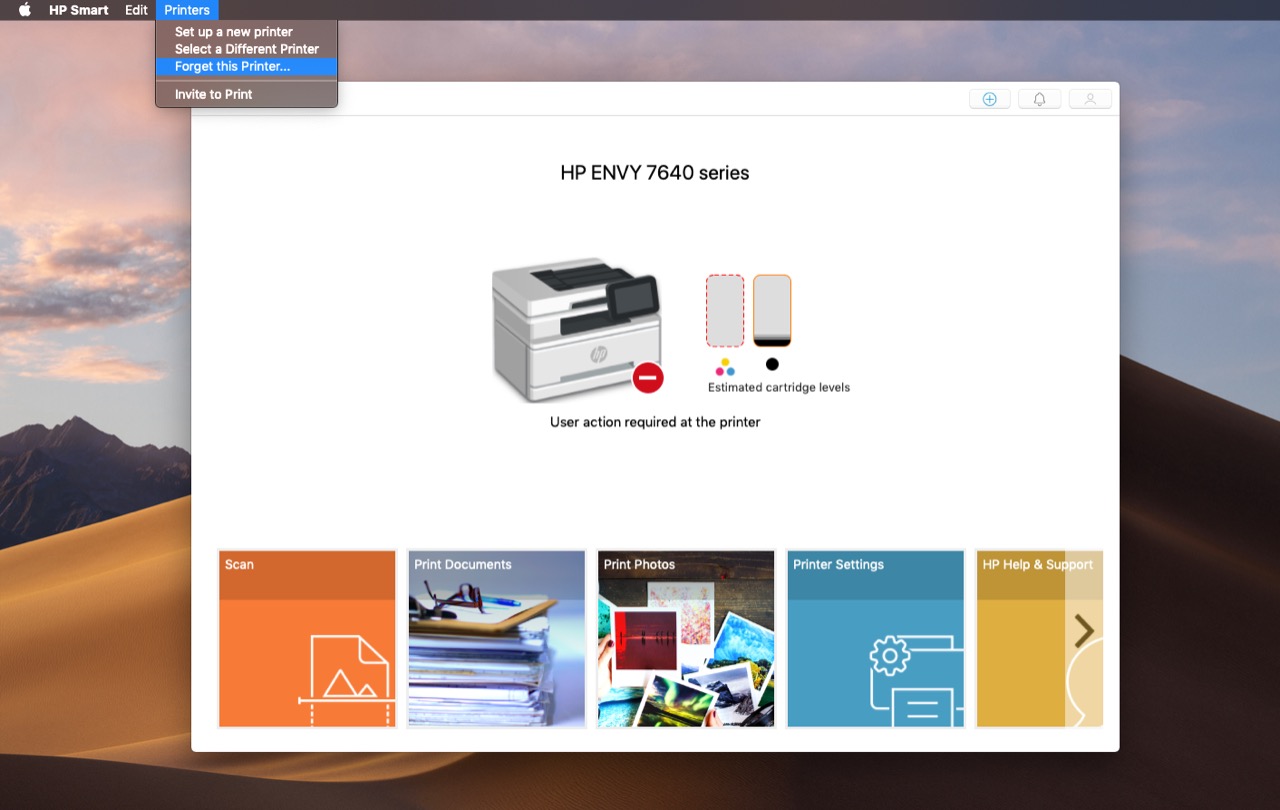
1. Open the HP Smart App and tap on the Printers tab > Select Forget this printer.


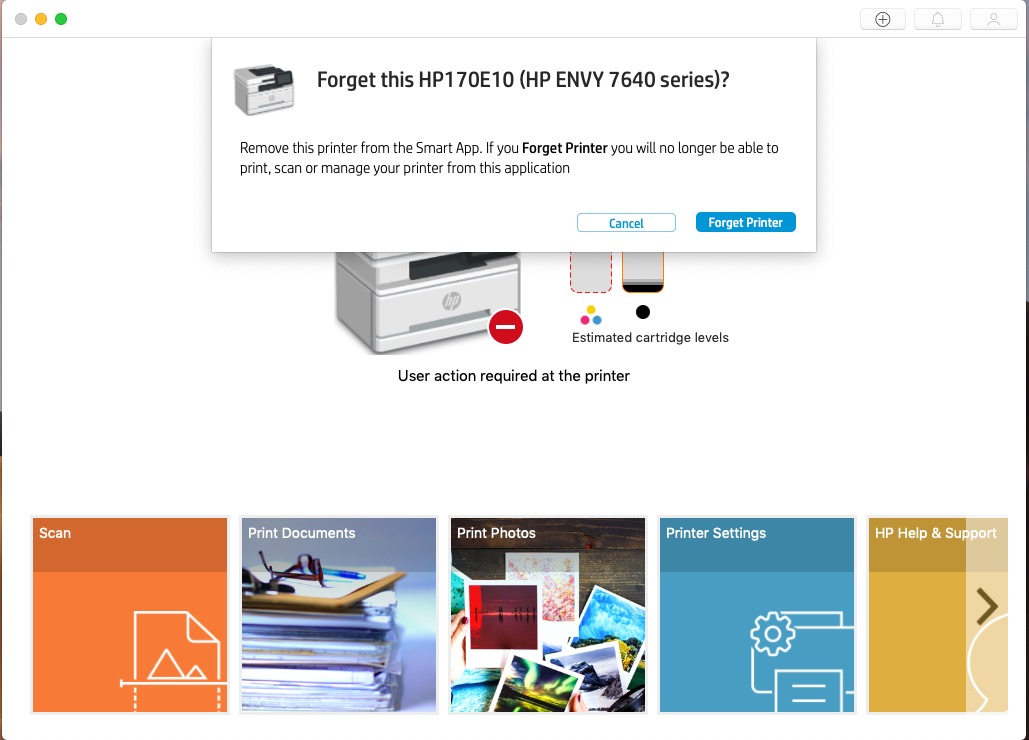
2. You will get a pop-up window with two buttons- Cancel and Forget Printer > Select Forget Printer


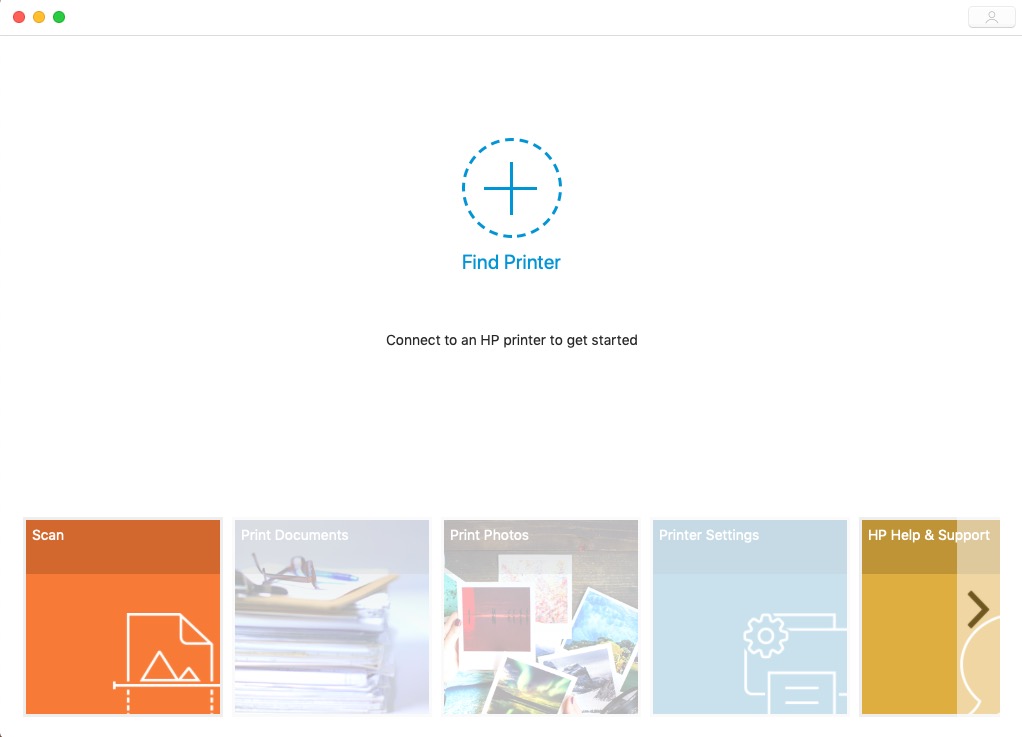
3. Now you'll see the add printer option on your HP Smart App. Ensure that your printer and the Mac are on the same network.

Click on the + symbol and follow the on-screen instructions to complete the setup.


Let me know if this helps.

Cheers 🙂


Please click “Accept as Solution” if you feel my post solved your issue, it will help others find the solution. Click the “Kudos/Thumbs Up" on the bottom right to say “Thanks” for helping!

TEJ1602
I am an HP Employee

† The opinions expressed above are the personal opinions of the authors, not of HP. By using this site, you accept the <a href="https://www8.hp.com/us/en/terms-of-use.html" class="udrlinesmall">Terms of Use</a> and <a href="/t5/custom/page/page-id/hp.rulespage" class="udrlinesmall"> Rules of Participation</a>.