• ×
    Information
    Need Windows 11 help?
    Check documents on compatibility, FAQs, upgrade information and available fixes.
    Windows 11 Support Center.
  • post a message
  • ×
    Information
    Need Windows 11 help?
    Check documents on compatibility, FAQs, upgrade information and available fixes.
    Windows 11 Support Center.
  • post a message
Guidelines
Seize the moment! nominate yourself or a tech enthusiast you admire & join the HP Community Experts!
Check some of the most frequent questions about Instant Ink: HP INSTANT INK, HP+ PLANS: INK AND TONER.


Check out our WINDOWS 11 Support Center info about: OPTIMIZATION, KNOWN ISSUES, FAQs AND MORE.
HP Recommended
HP Smart Tank 7305 All-in-One
Microsoft Windows 10 (64-bit)

Hi, I have pulled most of my hair out this last fortnight trying to set up my printer in HP Smart. I initially set the printer up on the network, but then printing was falling over with errors on big prints. SO I deleted the printer and HP Smart software, shut down the printer and computer and restarted and connected to the USB. Windows finds the printer ok and printers ok, but I want to use the scanner, etc, hence I installed HP Smart, but it fails to detect the printer. I have uninstalled printers and software multiple times, restarted the printer and computer the same. Each time Windows finds the printer and sets it up. It also says on the Windows Printer that there is a Printer App available. But each time I run HP Smart, it goes through searching for printers, but cannot find it. I have removed the USB cable, I have restarted the printer and re-inserted the USB cable, but the HP Smart will not find the printer, no matter how many times I tell it to search. Please, can someone save my sanity? 

1 ACCEPTED SOLUTION

Accepted Solutions
HP Recommended

Hi @Oldgrumblebum , mate,

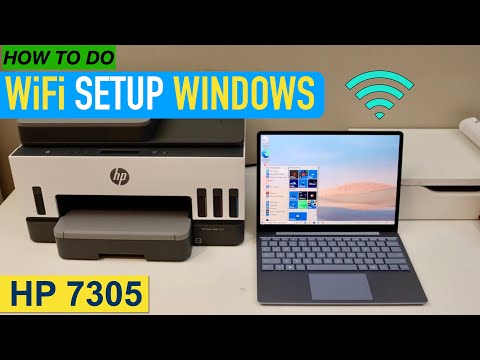
Please follow steps from the next video:

>> https://www.youtube.com/watch?v=wMQO7XnpFAg

* Click YES   to say thank you, 

* Click Accepted as Solution when question is answered.

Best regards,

ferRX.

dodecaedroh.gif


@ferRX / I am a volunteer posting answers on my own time.

View solution in original post

3 REPLIES 3
HP Recommended

Hi @Oldgrumblebum , mate,

Please follow steps from the next video:

>> https://www.youtube.com/watch?v=wMQO7XnpFAg

* Click YES   to say thank you, 

* Click Accepted as Solution when question is answered.

Best regards,

ferRX.

dodecaedroh.gif


@ferRX / I am a volunteer posting answers on my own time.
HP Recommended

Thank you, finally got it sorted. To me, the whole process seems very strange. Before the HP Smart software can work/connect to a printer, the printer needs to be connected to a network, and then the software will easily find the USB printer. So if you didn't have a wireless or wired network, you can't use the printer with the HP Smart, and it can only be used as a standalone USB printer, other than through Windows. Oh, well, it is working, so thanks.

HP Recommended

Great 🙂 , nice to know that now is working and is solved !

Best regards,

ferRX.

dodecaedroh.gif


@ferRX / I am a volunteer posting answers on my own time.
† The opinions expressed above are the personal opinions of the authors, not of HP. By using this site, you accept the <a href="https://www8.hp.com/us/en/terms-of-use.html" class="udrlinesmall">Terms of Use</a> and <a href="/t5/custom/page/page-id/hp.rulespage" class="udrlinesmall"> Rules of Participation</a>.