• ×
    Information
    Need Windows 11 help?
    Check documents on compatibility, FAQs, upgrade information and available fixes.
    Windows 11 Support Center.
  • post a message
  • ×
    Information
    Need Windows 11 help?
    Check documents on compatibility, FAQs, upgrade information and available fixes.
    Windows 11 Support Center.
  • post a message
Guidelines
Join the HP Community Solve‑a‑thon | Help Others & Share Your Solutions | Live on Zoom | 2:30 PM to 2:30 AM IST | Every Wednesday Click here to know more
Common problems for Connectivity Issues
We would like to share some of the most frequently asked questions about Printer Wi-Fi, Connectivity Issues and Offline Status. Check out this link: HP printer is offline or unavailable.

HP Recommended
HP OfficeJet 8015e All-in-One Printer

I tried the HP app, I tried connecting from my computer, I tried everything and NO MATTER WHAT, it is impossible for my printer to connect to the internet. Because I have HP+ this means I cannot print. Can I remove HP+?? It is absolute garbage. My printer is a pile of garbage now  because of HP+.

My printer does not show up when the HP app checks for printers. When I click “my printer is not listed”, it tells me to connect my phone to wifi even though my phone IS ALREADY CONNECTED to wifi. Underneath it talks about flashing blue light or solid blue light, but my printer has NO BLUE LIGHT AT ALL.


My printer CANNOT PRINT. I disconnected and tried to reset everything because no matter what, the printer would say “error, cannot print”. That is when I ran into this pile of issues. I think this printer is completely broken. All the help forums’ responses are written by garbage AI that doesn’t answer anything. To the person or employee who plans to reply to this, please do not use AI to write your response. Is my printer permanently broken? If so, am I entitled to a free replacement? 

1 REPLY 1
HP Recommended

Hi @qfcbv 

1.  First check that the option for Wireless is set to ON,

go to printer front panel and the Wifi (blue) LED will be right below the Power LED (white).


  • ferRX_0-1787913067600.png


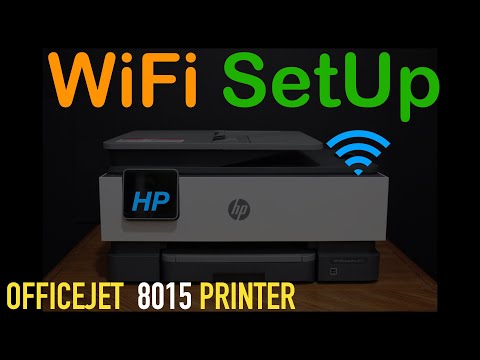
2. Also you can check the steps for setting up Wireless connection in the next video:

* Click Accepted as Solution when question is answered.

ferRX.

_

@ferRX / I am a volunteer posting answers.

>> HP app replaces HP Smart

This video reviews the step-by-step method to do the WiFi SetUp of your HP OfficeJet 8015 All-in-one printer. You learn how to connect this printer with the Wireless network of your home or office. You learn how to use the control panel and select the network setting and troubleshoot the problems
† The opinions expressed above are the personal opinions of the authors, not of HP. By using this site, you accept the <a href="https://www8.hp.com/us/en/terms-of-use.html" class="udrlinesmall">Terms of Use</a> and <a href="/t5/custom/page/page-id/hp.rulespage" class="udrlinesmall"> Rules of Participation</a>.
-->