• ×
    Information
    Need Windows 11 help?
    Check documents on compatibility, FAQs, upgrade information and available fixes.
    Windows 11 Support Center.
  • post a message
  • ×
    Information
    Need Windows 11 help?
    Check documents on compatibility, FAQs, upgrade information and available fixes.
    Windows 11 Support Center.
  • post a message
Guidelines
Seize the moment! nominate yourself or a tech enthusiast you admire & join the HP Community Experts!
Common problems for Connectivity Issues
We would like to share some of the most frequently asked questions about Printer Wi-Fi, Connectivity Issues and Offline Status. Check out this link: HP printer is offline or unavailable.
HP Recommended
Microsoft Windows 11

Help please, I changed the EWS password that came with the printer, and now, i cannot login with the new password i assigned. The old PIN/Password won't work either. Perhaps I wrote down the new password incorrectly....?  Not sure. If I need to do a full reset, not a problem. But I cannot find out how to do this. Printer is a HP Laserjet M209dw

5 REPLIES 5
HP Recommended

@printer_nut


Welcome to the HP support community.


I understand that you want to reset the EWS password, I am glad to assist you.


Resetting the printer's network settings to its factory default settings erases the embedded Web server (EWS) administrator password.

Follow these steps to reset the printer to the factory default settings:-


Login to the EWS page with the default credentials and change the password.

Username: admin

Password: "leave it blank"


Let me know how it goes.

To thank me for my efforts to help you, please mark my post as an accepted solution so that it benefits several others.

Cheers.

Sandytechy20
I am an HP Employee

HP Recommended

Hi, I tried "admin" with a blank password, and it was not accepted.  Note that I have not yet 'factory reset' the printer. I do not know how to do that. 

HP Recommended

I tried these steps yesterday (from the HP User Guide), but no luck in resetting the pwd to 'blank'.:


To restore network settings to default settings
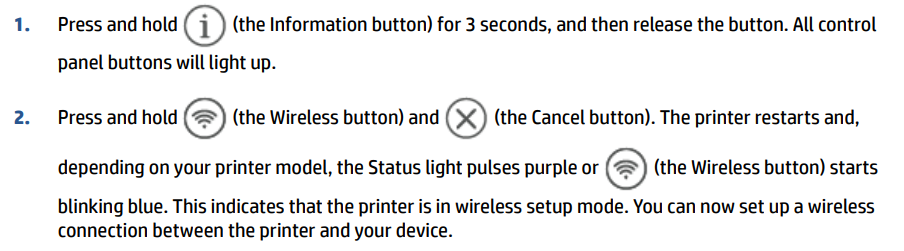
1.Press and hold (the Information button) for 3 seconds, and then release the button. All control panel buttons will light up.
2.Press and hold (the Wireless button) and (the Cancel button). The printer restarts and, depending on your printer model, the Status light pulses purple or (the Wireless button) starts blinking blue. This indicates that the printer is in wireless setup mode. You can now set up a wireless connection between the printer and your device.

HP Recommended

I tried the steps you mentioned. I was able to directly connect wirelessly to the printer. When I tried to access EWS at the printers default address of 192.168.223.1, I was able to see the HOME page of EWS. When I clicked on "Product Security", I was presented with the EWS login page. I tried 'admin' and left password blank, but that was not accepted. So I still cannot access my printer via EWS.

HP Recommended

@printer_nut


This might require one on one interaction to fix the issue.

I am sending you a private message with the steps to talk to HP support.

Please check the mailbox icon at the top-right corner of this screen.


I hope this helps resolve this issue completely.

Cheers.

Sandytechy20
I am an HP Employee

† The opinions expressed above are the personal opinions of the authors, not of HP. By using this site, you accept the <a href="https://www8.hp.com/us/en/terms-of-use.html" class="udrlinesmall">Terms of Use</a> and <a href="/t5/custom/page/page-id/hp.rulespage" class="udrlinesmall"> Rules of Participation</a>.