• ×
    Information
    Need Windows 11 help?
    Check documents on compatibility, FAQs, upgrade information and available fixes.
    Windows 11 Support Center.
  • post a message
  • ×
    Information
    Need Windows 11 help?
    Check documents on compatibility, FAQs, upgrade information and available fixes.
    Windows 11 Support Center.
  • post a message
Guidelines
Join the HP Community Solve‑a‑thon | Help Others & Share Your Solutions | Live on Zoom | 2:30 PM to 2:30 AM IST | Every Wednesday Click here to know more
Common problems HP Solution Center not working : Adobe Flash Player Error and Unable to scan
We would like to share some of the most frequently asked questions about HP Solution Center not working : Adobe Flash Player Error and Unable to Scan.
HP Recommended
HP 3050
Microsoft Windows 10 (64-bit)

I've lost my scanning icon.  PITA to scan now.  Can't activate it unless I use the  print and scan DR.  There's always something gone south after a windows upgrade.

1 ACCEPTED SOLUTION

Accepted Solutions
HP Recommended

Hi,

Thanks for using the HP Support Community.


Please refer to this resource on how to create a scan shortcut:

https://www.youtube.com/watch?v=HqHf2xQhYJ8


Hope that helps!

I am an HP Employee. Although I am speaking for myself and not for HP.
Click Helpful = Yes to say Thank You.
Question / Concern Answered, Click "Accept as Solution"

View solution in original post

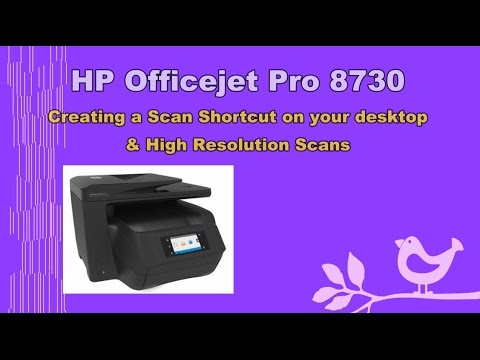
Click on the link to subscribe and get the latest video uploads: https://goo.gl/y4Rcn1 This tutorial shows you how to create a Scan shortcut on the desktop of a Windows 10 computer. It also shows you how to Create a Scan Shortcut on "High Resolution Photo Scans" This is applicable and not limited
2 REPLIES 2
HP Recommended

Hi,

Thanks for using the HP Support Community.


Please refer to this resource on how to create a scan shortcut:

https://www.youtube.com/watch?v=HqHf2xQhYJ8


Hope that helps!

I am an HP Employee. Although I am speaking for myself and not for HP.
Click Helpful = Yes to say Thank You.
Question / Concern Answered, Click "Accept as Solution"
Click on the link to subscribe and get the latest video uploads: https://goo.gl/y4Rcn1 This tutorial shows you how to create a Scan shortcut on the desktop of a Windows 10 computer. It also shows you how to Create a Scan Shortcut on "High Resolution Photo Scans" This is applicable and not limited
HP Recommended

Thanks it worked even tho the hi res section was moot on this printer.  The icon is back!

† The opinions expressed above are the personal opinions of the authors, not of HP. By using this site, you accept the <a href="https://www8.hp.com/us/en/terms-of-use.html" class="udrlinesmall">Terms of Use</a> and <a href="/t5/custom/page/page-id/hp.rulespage" class="udrlinesmall"> Rules of Participation</a>.