• ×
    Information
    Need Windows 11 help?
    Check documents on compatibility, FAQs, upgrade information and available fixes.
    Windows 11 Support Center.
  • post a message
  • ×
    Information
    Need Windows 11 help?
    Check documents on compatibility, FAQs, upgrade information and available fixes.
    Windows 11 Support Center.
  • post a message
Guidelines
Seize the moment! nominate yourself or a tech enthusiast you admire & join the HP Community Experts!
Archived This topic has been archived. Information and links in this thread may no longer be available or relevant. If you have a question create a new topic by clicking here and select the appropriate board.

HP Recommended

Hello


I use a calculator HP 48SX.

The date and time is wrong.

When I will set date and time following message come:

Empty catalog.


I use to set date and time following commands


Blue arrow right

TIME


What is wrong?


Please give help.


By using this with calculator 48GX it works well.


Jochen

1 ACCEPTED SOLUTION

Accepted Solutions
HP Recommended


Hi!, jochen2:


Welcome, to Forum !.


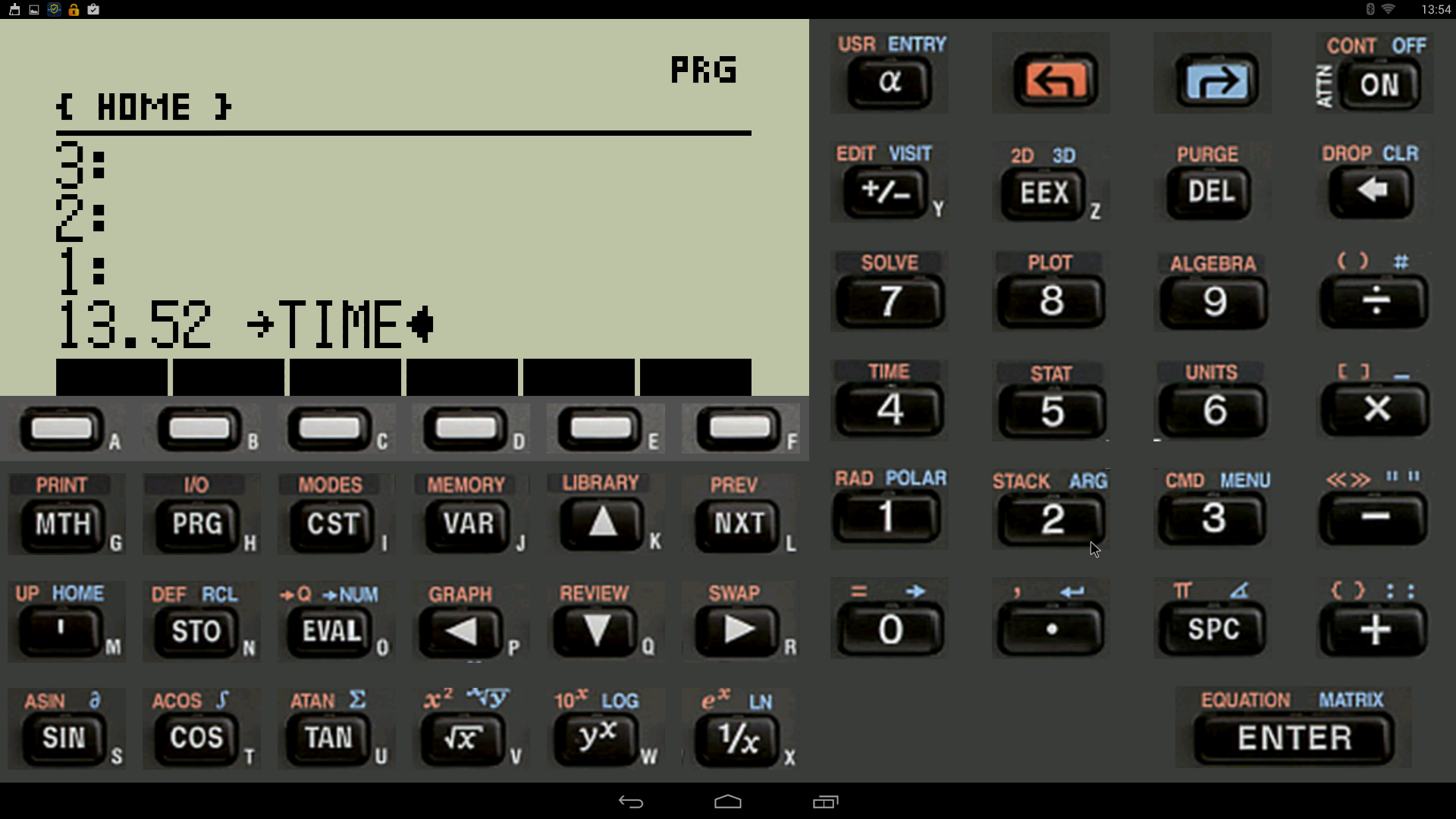
Example of time ... 13.52 ->TIME ... and press ENTER key


Screenshot_2015-08-10-13-54-30.png


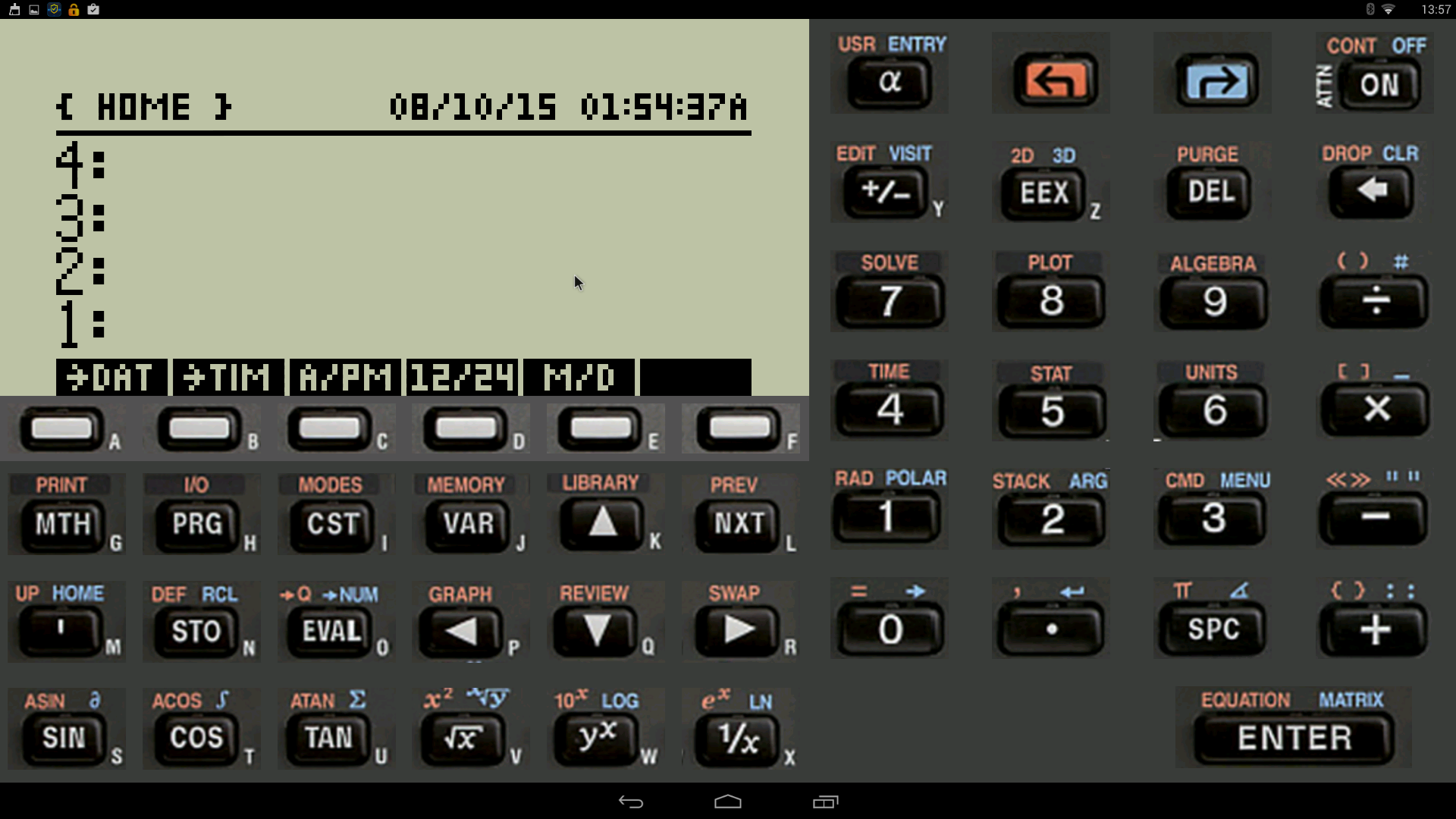
You can change the form, of see (A/PM, 12/24, M/D).


Screenshot_2015-08-10-13-57-26.png


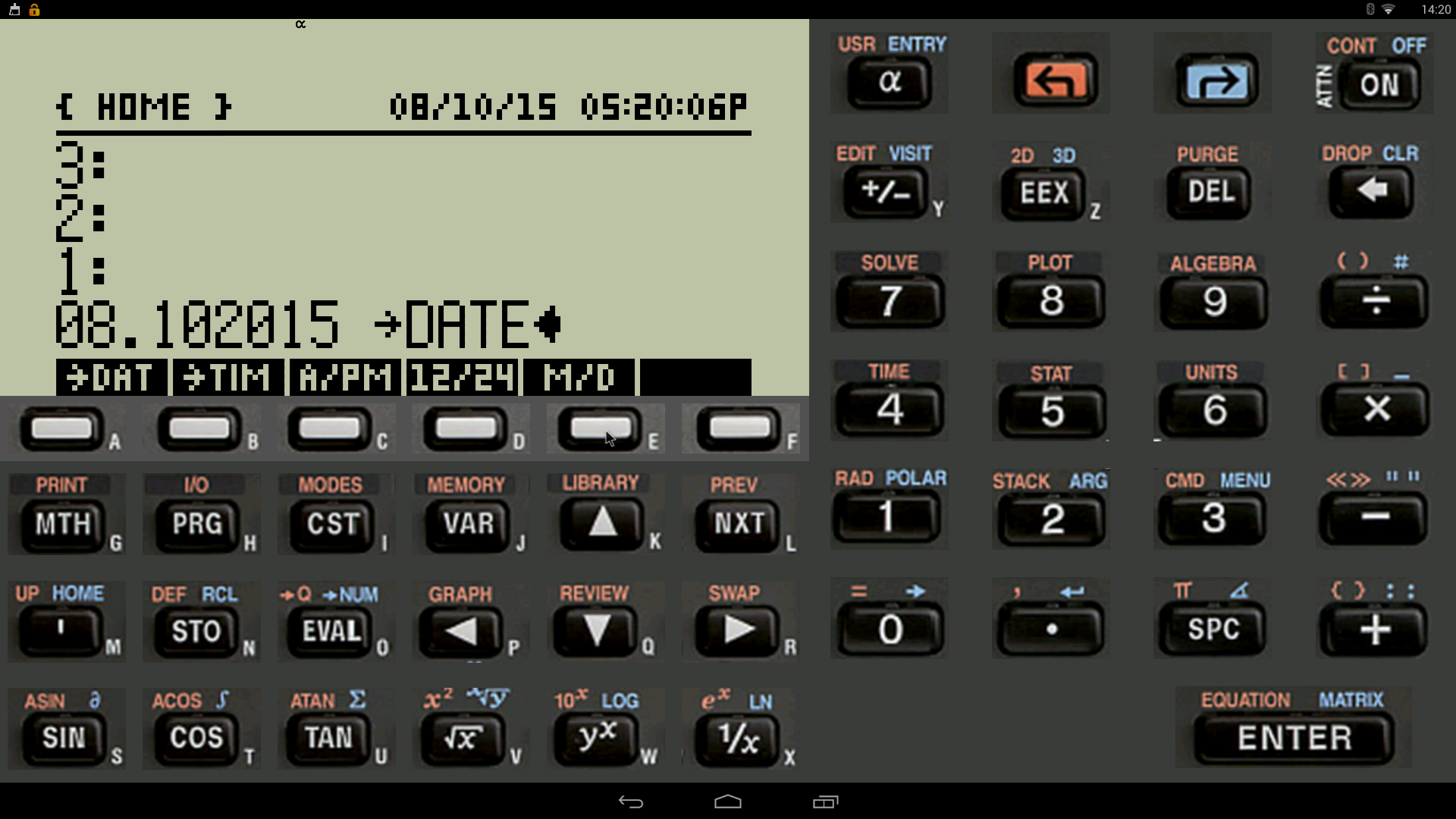
For change or set DATE ... 08.102015 -->DATE ... and press ENTER key


Screenshot_2015-08-10-14-20-13.png

Kind Regards !.
Have a nice day !.
@Maké (Technical Advisor Premium - HP Program Top Contributor).
Provost in HP Spanish Public Forum ... https://h30467.www3.hp.com/

View solution in original post

3 REPLIES 3
HP Recommended


Hi!, jochen2:


Welcome, to Forum !.


Example of time ... 13.52 ->TIME ... and press ENTER key


Screenshot_2015-08-10-13-54-30.png


You can change the form, of see (A/PM, 12/24, M/D).


Screenshot_2015-08-10-13-57-26.png


For change or set DATE ... 08.102015 -->DATE ... and press ENTER key


Screenshot_2015-08-10-14-20-13.png

Kind Regards !.
Have a nice day !.
@Maké (Technical Advisor Premium - HP Program Top Contributor).
Provost in HP Spanish Public Forum ... https://h30467.www3.hp.com/
HP Recommended

Hello Make


Thanks for feedback.


With HP48GX I must use following comand set time or date.


Right arrow + TIME

Than come a window with:


a) Browse alarms...

b) Set alarms...

c) Set time , date...


This don't come by HP48 SX.


Jochen

HP Recommended

@Make


Your solution was right. I found it now.

The manual which I found in www described it wrong.


Jochen 

Archived This topic has been archived. Information and links in this thread may no longer be available or relevant. If you have a question create a new topic by clicking here and select the appropriate board.
† The opinions expressed above are the personal opinions of the authors, not of HP. By using this site, you accept the <a href="https://www8.hp.com/us/en/terms-of-use.html" class="udrlinesmall">Terms of Use</a> and <a href="/t5/custom/page/page-id/hp.rulespage" class="udrlinesmall"> Rules of Participation</a>.