• ×
    Information
    Need Windows 11 help?
    Check documents on compatibility, FAQs, upgrade information and available fixes.
    Windows 11 Support Center.
  • ×
    Information
    Need Windows 11 help?
    Check documents on compatibility, FAQs, upgrade information and available fixes.
    Windows 11 Support Center.
Guidelines
Seize the moment! nominate yourself or a tech enthusiast you admire & join the HP Community Experts!
HP Recommended
ProBook 4340s
Microsoft Windows 10 (64-bit)

Hello,


That seems after upgrading to Windows 10 Creators Update some HP laptops have issues.

One of issues is brightness keys stop function.

In my case Fn+F2 and Fn+F3 key combinations not change brightness anymore under Windows however when in BIOS setting this keys are working fine.


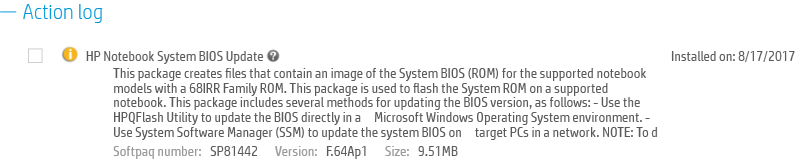
BIOS was updated:


BIOS Update.png


Intel HD Graphics driver was updated also:

HD Graphics Driver.png


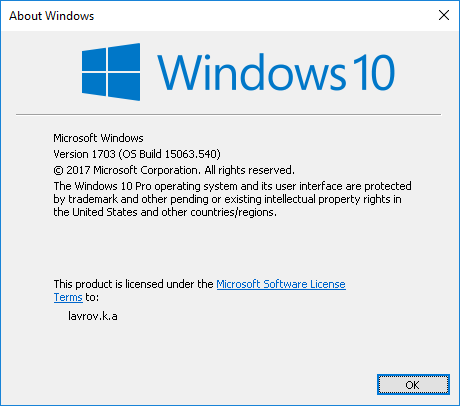
Here is Winver screen:

Win 10.png


'Generic P n P monitor' was not disabled also.


I would be happy to get this issue fixed. Any suggestion?


Thanks,


Konstantin Lavrov

Who Me Too'd this topic
† The opinions expressed above are the personal opinions of the authors, not of HP. By using this site, you accept the <a href="https://www8.hp.com/us/en/terms-of-use.html" class="udrlinesmall">Terms of Use</a> and <a href="/t5/custom/page/page-id/hp.rulespage" class="udrlinesmall"> Rules of Participation</a>.