Sorry, there was an error with your nomination, please try again.
Required fields can't be empty, please try again.
Create an account on the HP Community to personalize your profile and ask a question
Your account also allows you to connect with HP support faster, access a personal dashboard to manage all of your devices in one place, view warranty information, case status and more.
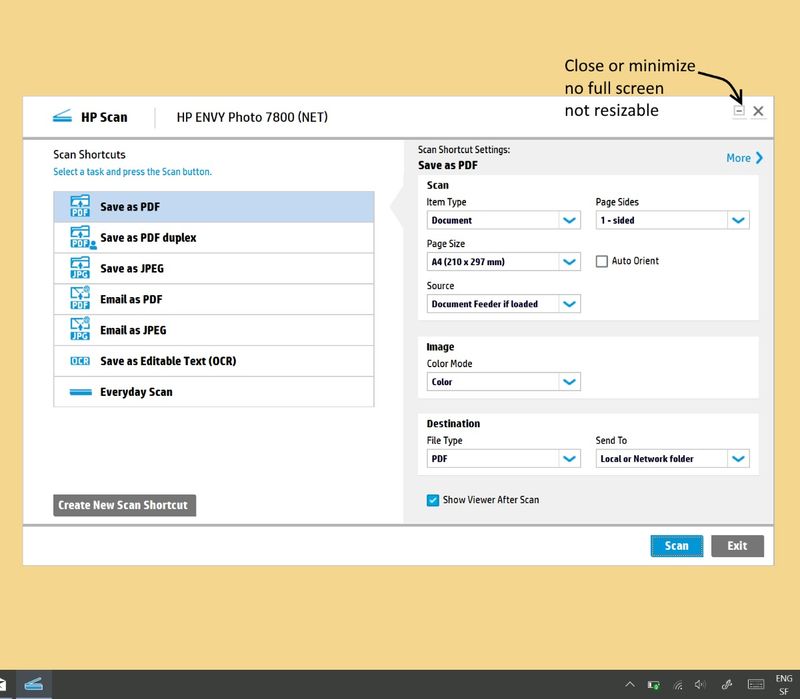
Hi. When scanning using the HP Scan software I'd like to resize or maximize the program's window in order to better be able to see the scan previews and apply cropping or other editing functions.
It is very frustrating that my only options are to use a predetermined size of that window, which is too small, or to minimize the entire window to the taskbar. WIN+Arrow up doesn't work either.
Why does the HP Scan software not allow us to maximize the window? Is there any workaround to this?