Do you need help resolving ACPI Errors ACPI\VEN_BOOT&DEV_0000 and ACPI\VEN_PRP&DEV_0001 on HP Chromebook G2? Click here for the troubleshooting steps.
Create an account on the HP Community to personalize your profile and ask a question
Your account also allows you to connect with HP support faster, access a personal dashboard to manage all of your devices in one place, view warranty information, case status and more.
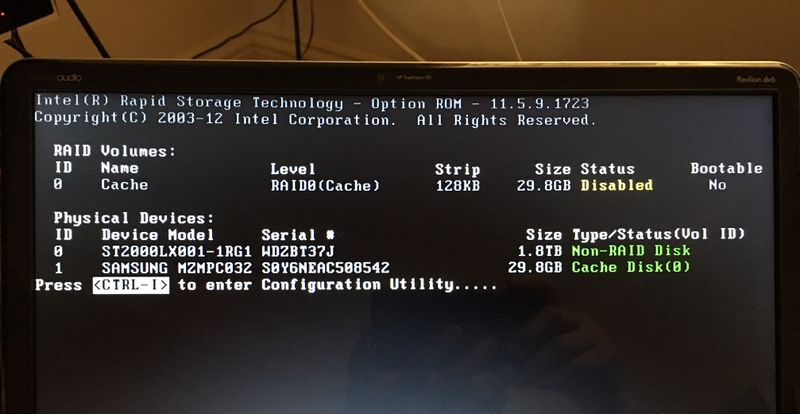
Recently after upgrading my HP dv6 laptop (Windows 7) HDD to a Seagate 2TB SSHD (solid state hybride drive), each time during bootup, the following "Intel Rapid Storage Technology" screen shows up first. It has something to do with RAID that I totally don't understand. What should I do next on this screen in order to properly set up and maximize the the function of the hybrid drive? Would appreciate a step-by-step instruction. Thank you.