Here is the solution to resolve the Realtek 8852BE-V Choya WiFi Disconnection Issue Click here to view the instructions!
Create an account on the HP Community to personalize your profile and ask a question
Your account also allows you to connect with HP support faster, access a personal dashboard to manage all of your devices in one place, view warranty information, case status and more.
I purchased this laptop last week and ever since have been having issues with wifi connectivity. The WLAN card (RTL8821CE) connects fine to my bt home hub (v5), however connectivity is very intermittent. I have run windows update, gone to HP website and upgraded driver to latest version (2023.66.1222.2017), but I still lose connectivity intermittently on a very regular basis.
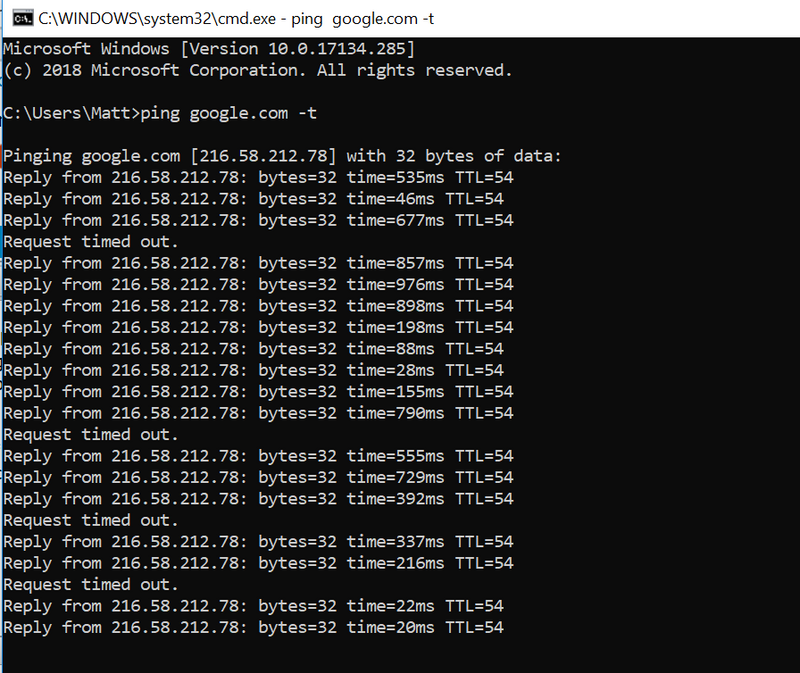
I have my dell laptop sat next to the HP, both have full signal strength to bt router in same room no more than 2mtrs away from devices. I run a ping google.com -t on both devices, the dell stays connected, no dropped pings, response time stays consistently around 30ms. I have attached the same command output from the HP below, reponse times all over the place and regular dropped pings.
I
I have disabled power saving on the network card, disabled IPV6, searched realtek website directly but can't find any later drivers to download. I have set laptop to high performance mode and tried both on battery and on mains power. I have also carried out the same test using my phone as mobile hotspot to eliminate the BT home hub and had exactly the same issue. Getting seriously tempted to take this device back to the shop and get a refund but apart from the network issues it's exactly what I'm after so would rather get it working if possible. I have also updated the BIOS, Chipset etc and all other drivers from HP website, whether network related or not, and have also done a recovery to native win 10 64 bit and repeated all of the above so that I don't have all the HP bloatware installed, still the same problem persists rendering this thing pretty much unusable.