Do you need help resolving ACPI Errors ACPI\VEN_BOOT&DEV_0000 and ACPI\VEN_PRP&DEV_0001 on HP Chromebook G2? Click here for the troubleshooting steps.
Create an account on the HP Community to personalize your profile and ask a question
Your account also allows you to connect with HP support faster, access a personal dashboard to manage all of your devices in one place, view warranty information, case status and more.
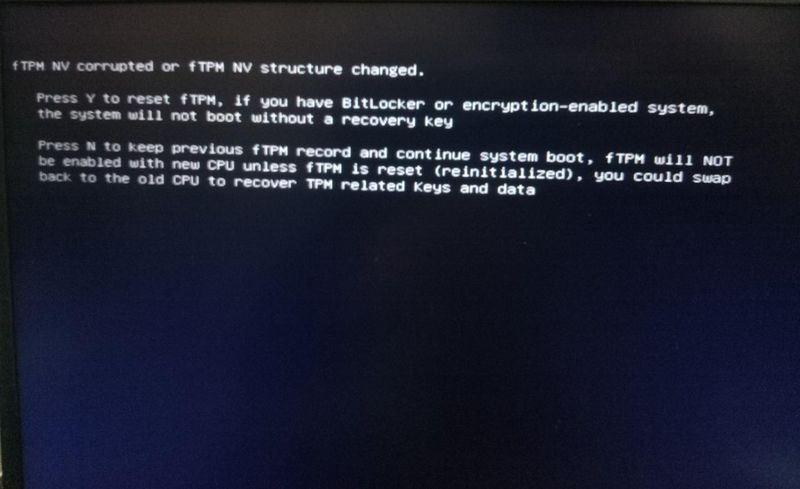
When I switch on my laptop it shows me this message- f TPM NV corrupted or f TPM NV structure changed. Press Y to reset f TPM, if you have BitLocker or encryption -enabled system,the system will not boot without a recovery key. Press N to keep previous f TPM record and continue system boot,F TPM will NOT be enabled with new CPU unless f TPM is reset (reinitialized),You could swap back to old CPU to recover TPM related keys and date. As I don't have any BitLocker key I press N but I wanted to solve this problem please help