Sorry, there was an error with your nomination, please try again.
Required fields can't be empty, please try again.
Create an account on the HP Community to personalize your profile and ask a question
Your account also allows you to connect with HP support faster, access a personal dashboard to manage all of your devices in one place, view warranty information, case status and more.
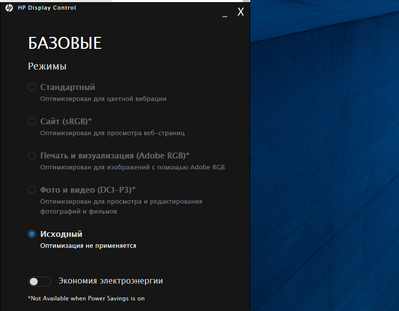
haven`t found any information about how works this app.
The "problem?" is that i can choose different display options only when laptop working on battery (as i guess it is using Intel graphics at this moment). But when it is plugged in, as you can see on the screenshot, there is no any options and display colors becoming a bit dimmed like a raw photo. How can i use different options?