Sorry, there was an error with your nomination, please try again.
Required fields can't be empty, please try again.
Create an account on the HP Community to personalize your profile and ask a question
Your account also allows you to connect with HP support faster, access a personal dashboard to manage all of your devices in one place, view warranty information, case status and more.
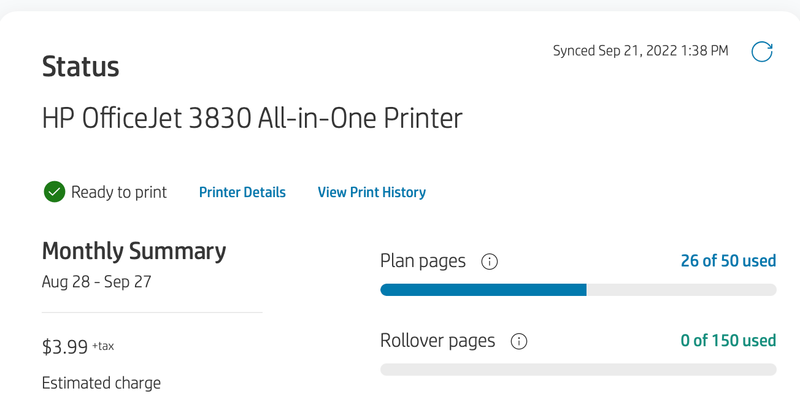
I have an OfficeJet 3830 and have an HP Instant Ink Plan. However, I am noticing that my printed pages status does not change even after I have printed a few pages. If I go to Printer History and count the number of pages there, it is 29 (instead of 26 as shown here). If this number is not updating, I will run out of ink - which already happened (that's how I discovered the problem). I have synced the printer a few times with no changes. Also, the printer is working fine. See screenshot below.