
-
×InformationNeed Windows 11 help?Check documents on compatibility, FAQs, upgrade information and available fixes.
Windows 11 Support Center. -
-
×InformationNeed Windows 11 help?Check documents on compatibility, FAQs, upgrade information and available fixes.
Windows 11 Support Center. -
- HP Community
- Desktops
- Desktop Boot and Lockup
- Re: Desktop not starting up

Create an account on the HP Community to personalize your profile and ask a question
Your account also allows you to connect with HP support faster, access a personal dashboard to manage all of your devices in one place, view warranty information, case status and more.

It has been a while since anyone has replied. Simply ask a new question if you would like to start the discussion again.

08-14-2022 05:03 AM - edited 08-14-2022 05:06 AM
 HP Recommended
Operating System: Microsoft Windows 10 (32-bit)
Desktop is not starting up.. following error pops up. 0xc00000e9
I am able to open in safe mode.. I tried restarting to go to the choose an option page and tried resetting the PC.. but once it restarts, I am running into the same automatic repair page on an infinite loop and getting the same error..stopcode: critical process died.. Not able to boot the OS.. please let me know how to proceed.
11 REPLIES 11

08-14-2022 05:15 AM
HP Recommended
Hello @EA007
Sorry to hear that you are having problems ... I would like to help you.
Before you do anything else ...
(1) Test your hardware Using the HP PC Hardware Diagnostics (UEFI)
https://support.hp.com/us-en/document/c04499777
See how it works:
https://www.youtube.com/watch?v=14GKIpGPNRM
(2) Please report your results

This video shows how to test your HP computer hardware using HP PC Hardware Diagnostics UEFI. If you suspect that your computer has hardware issues, follow the steps in this video to isolate and identify them using the HP PC Diagnostics UEFI. Chapters: 00:00 Introduction 00:18 Download and install
08-14-2022 11:39 PM
HP Recommended
Thanks for replying
I tried the link that you have shared, When I am pressing f2, no uefi menu is coming.
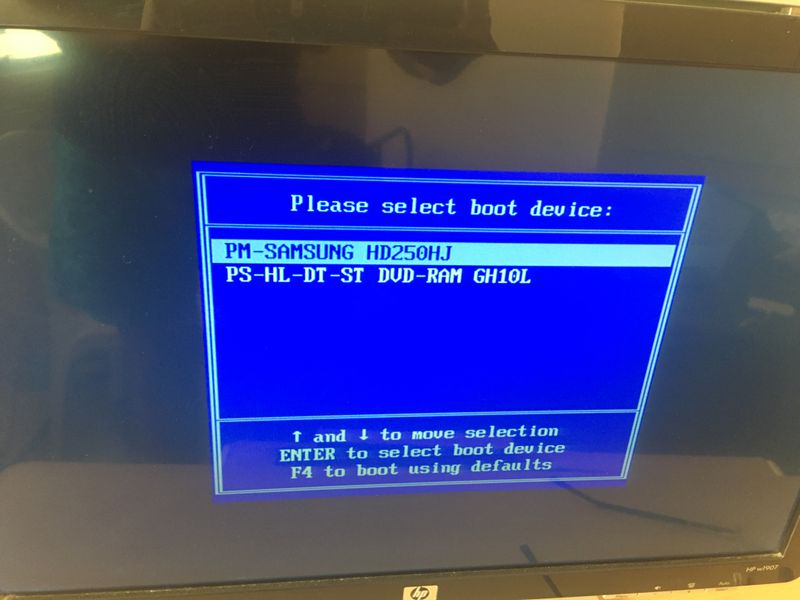
What I am seeing(after pressing f2) is the option for booting, I clicked my hard drive and then again it keeps loading, now I am not able to go to the automatic repair page as well.
08-15-2022 02:00 AM
HP Recommended
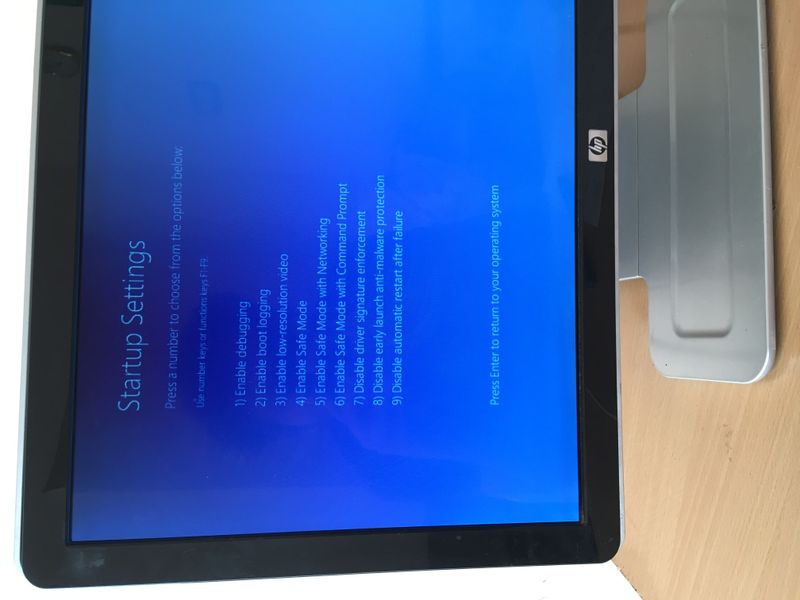
Just wanted to add a few things. During startup, it's showing imminent hard disk failure. So I tried booting via safe mode and checked the disk status. wmic disk drive get status - everything was OK. There was no failure. but I am not able to boot windows 10 normally (without safe mode). It keeps on loading for hours and hours. I tried Advanced Restart -> troubleshooting -> reset without keeping files. It is not resetting. Again the win logo appears and it keeps on loading for hours and hours
08-15-2022 02:32 AM
HP Recommended
@EA007 wrote:<picture>
This is windows <startup menu>
Try again:
- Turn off computer and wait five seconds
- Turn on computer, and then immediately press [ESC] key repeatedly until the Startup Menu opens
What do you see ?


Be alert for scammers posting fake support phone numbers and/or email addresses on the community.
If you think you have received a fake HP Support message, please report it to us by clicking on "Flag Post".
† The opinions expressed above are the personal opinions of the authors, not of HP. By using this site, you accept the Terms of Use and Rules of Participation.


Didn't find what you were looking for?
Ask the community
† The opinions expressed above are the personal opinions of the authors, not of HP. By using this site, you accept the <a href="https://www8.hp.com/us/en/terms-of-use.html" class="udrlinesmall">Terms of Use</a> and <a href="/t5/custom/page/page-id/hp.rulespage" class="udrlinesmall"> Rules of Participation</a>.