
-
×InformationNeed Windows 11 help?Check documents on compatibility, FAQs, upgrade information and available fixes.
Windows 11 Support Center. -
-
×InformationNeed Windows 11 help?Check documents on compatibility, FAQs, upgrade information and available fixes.
Windows 11 Support Center. -
- HP Community
- Software
- HP Workspace
- Re: Replace Linux MInt with Windows

Create an account on the HP Community to personalize your profile and ask a question
Your account also allows you to connect with HP support faster, access a personal dashboard to manage all of your devices in one place, view warranty information, case status and more.

It has been a while since anyone has replied. Simply ask a new question if you would like to start the discussion again.

12-09-2018 06:22 AM
 HP Recommended
Product: hp omen 15-dc0019nq
Operating System: Linux
Hi
I recently bought a hp omen 15-dc0019nq laptop was FreeDos, then I installed Linux mint. now I want to replace it with windows I do not have dvd / cd writter so I made a bootable usb and when booting it shows me the same error
reboot and select proper boot device or insert boot media in selected boot device and press a key
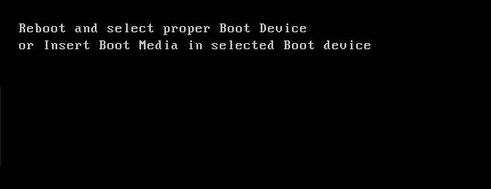
i use Usb image writer in linux
if i make usb bootable with linux then it works
if I make it with windows I get error
this is my bios/sys conf/boot options
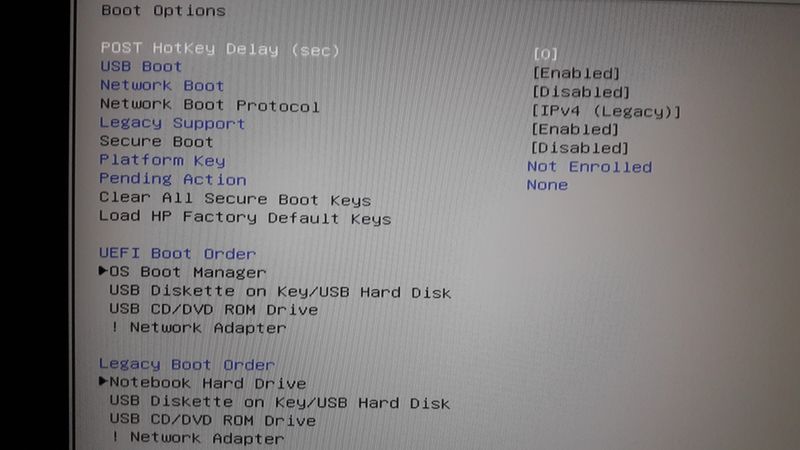
7 REPLIES 7


12-09-2018 07:31 AM - edited 12-09-2018 07:32 AM
HP Recommended
Hi:
See if this works...
Have the installation media in a USB port.
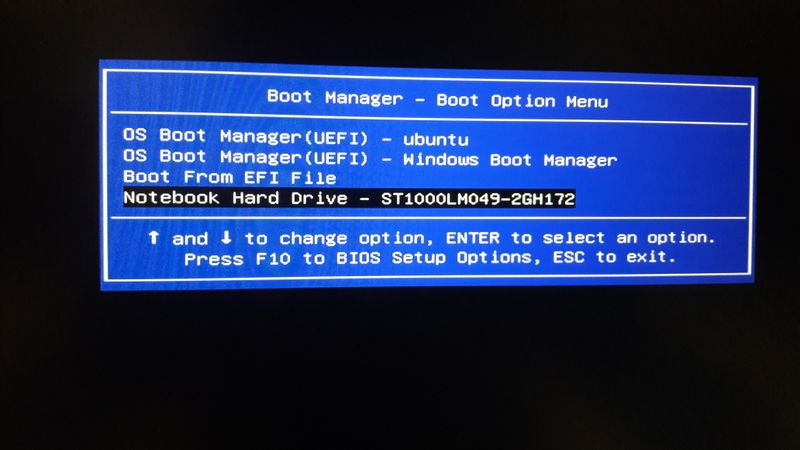
Turn on the PC, and tap the ESC key at the beginning of the HP welcome screen to get the menu of options.
Select the F9, boot options menu, and from that select the legacy USB Diskette on Key/USB hard disk device, and press the Enter key.
Did you make the W10 installation media using the Media Creation tool at the link below?
https://www.microsoft.com/en-us/software-download/windows10
Follow these steps to create installation media (USB flash drive or DVD) you can use to install a new copy of Windows 10, perform a clean installation, or reinstall Windows 10. Before you download the tool make sure you have: An internet connection (internet service provider fees may apply) ...
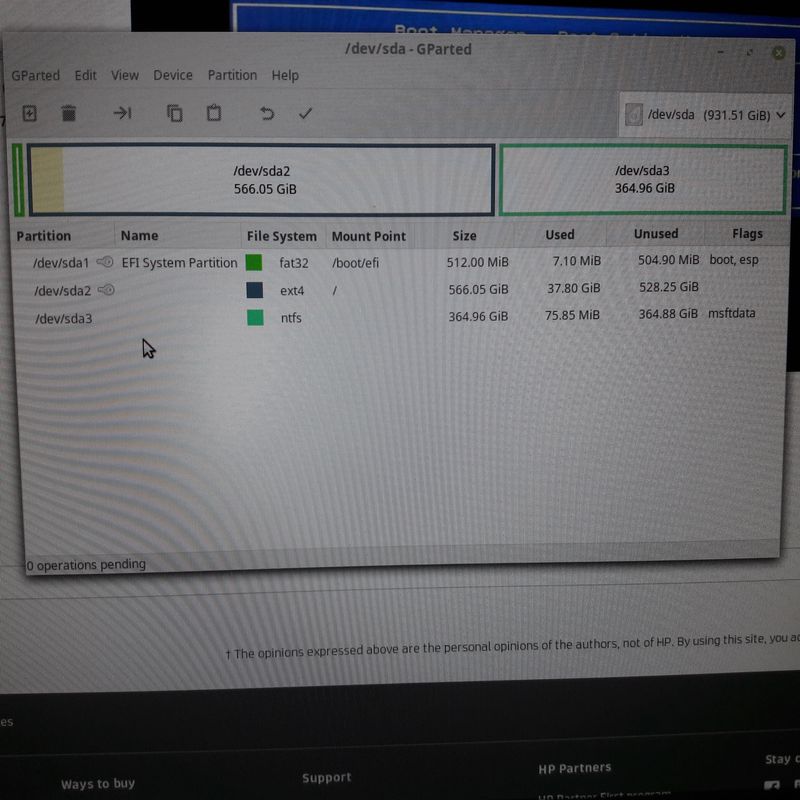
12-09-2018 10:43 AM
HP Recommended
So, it doesn't even show the USB flash drive as an option to boot from.
Unfortunately, I don't have any other suggestions for you to try.
Since your notebook is brand new, and presumably under warranty, I recommend you contact HP technical support and submit a support case under the warranty.
https://www8.hp.com/us/en/contact-hp/ww-contact-us.html
There has to be a way to get W10 to install from the flash drive.
† The opinions expressed above are the personal opinions of the authors, not of HP. By using this site, you accept the Terms of Use and Rules of Participation.


Didn't find what you were looking for?
Ask the community
† The opinions expressed above are the personal opinions of the authors, not of HP. By using this site, you accept the <a href="https://www8.hp.com/us/en/terms-of-use.html" class="udrlinesmall">Terms of Use</a> and <a href="/t5/custom/page/page-id/hp.rulespage" class="udrlinesmall"> Rules of Participation</a>.