
-
×InformationNeed Windows 11 help?Check documents on compatibility, FAQs, upgrade information and available fixes.
Windows 11 Support Center. -
-
×InformationNeed Windows 11 help?Check documents on compatibility, FAQs, upgrade information and available fixes.
Windows 11 Support Center. -
- HP Community
- Notebooks
- Notebook Boot and Lockup
- Re: Blacks screen windows won’t boot

Create an account on the HP Community to personalize your profile and ask a question
Your account also allows you to connect with HP support faster, access a personal dashboard to manage all of your devices in one place, view warranty information, case status and more.

It has been a while since anyone has replied. Simply ask a new question if you would like to start the discussion again.

11 REPLIES 11

08-26-2022 07:10 PM
 HP Recommended
Hello @Neoistired
Sorry to hear that you are having problems ... I would like to help you.
(1) Test your hardware Using the HP PC Hardware Diagnostics (UEFI)
https://support.hp.com/us-en/document/ish_2854458-2733239-16
See section <Running HP PC Hardware Diagnostics UEFI tests when Windows doesn't start>
See how it works:
https://www.youtube.com/watch?v=14GKIpGPNRM
(2) Please report your results ( error messages, take pictures )

This video shows how to test your HP computer hardware using HP PC Hardware Diagnostics UEFI. If you suspect that your computer has hardware issues, follow the steps in this video to isolate and identify them using the HP PC Diagnostics UEFI. Chapters: 00:00 Introduction 00:18 Download and install
08-26-2022 07:17 PM
HP Recommended
Hello @Neoistired
Follow the HP standard procedure:
(1) https://www.youtube.com/watch?v=qpiGUojtr3E
(2) Please report your results
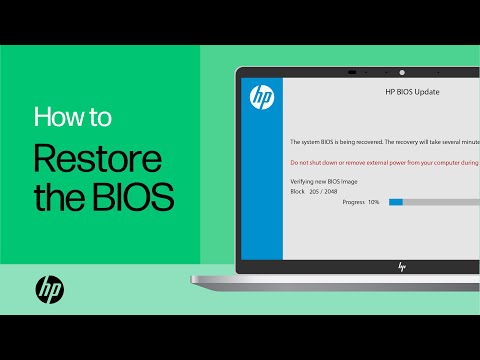
Shop official HP computer accessories: https://www.hp.com/us-en/shop/vwa/accessories-88342--1 In this video, you will see how to restore the BIOS on your HP computer. Many HP computers allow you to recover the last known working version of the BIOS from the hard drive in case of an issue. Follow ...
08-26-2022 08:37 PM
HP Recommended
Hello @Neoistired
(1) Power off notebook
(2) Connect <external monitor> via vga/hdmi cable.
(3) Power on notebook
(4) What happens ?
(5) Please report your results
08-26-2022 08:46 PM
HP Recommended
Hello @Neoistired
(1) Use another computer to download and prepare <USB flash drive>
HP Notebook System BIOS Update (AMD Processors) | F.19 Rev.A | 14.1 MB | Aug 30, 2021 | Download |
---> BIOS Recovery Reinstall with USB
(2) Please report your results
08-27-2022 01:44 AM
HP Recommended
@Neoistired wrote:i don’t have access to another computer
Hello @Neoistired
Then please ask a friend/neighbor/acquaintance

Be alert for scammers posting fake support phone numbers and/or email addresses on the community.
If you think you have received a fake HP Support message, please report it to us by clicking on "Flag Post".
† The opinions expressed above are the personal opinions of the authors, not of HP. By using this site, you accept the Terms of Use and Rules of Participation.


Didn't find what you were looking for?
Ask the community
† The opinions expressed above are the personal opinions of the authors, not of HP. By using this site, you accept the <a href="https://www8.hp.com/us/en/terms-of-use.html" class="udrlinesmall">Terms of Use</a> and <a href="/t5/custom/page/page-id/hp.rulespage" class="udrlinesmall"> Rules of Participation</a>.