
-
×InformationNeed Windows 11 help?Check documents on compatibility, FAQs, upgrade information and available fixes.
Windows 11 Support Center. -
-
×InformationNeed Windows 11 help?Check documents on compatibility, FAQs, upgrade information and available fixes.
Windows 11 Support Center. -
- HP Community
- Notebooks
- Notebook Hardware and Upgrade Questions
- Re: BIOS application error 501

Create an account on the HP Community to personalize your profile and ask a question
Your account also allows you to connect with HP support faster, access a personal dashboard to manage all of your devices in one place, view warranty information, case status and more.
Common problems for Battery
We would like to share some of the most frequently asked questions about: Battery Reports, Hold a charge, Test and Calibrating Battery . Check out this link: Is your notebook plugged in and not charging?

It has been a while since anyone has replied. Simply ask a new question if you would like to start the discussion again.

10-02-2022 05:02 AM
 HP Recommended
Product: HP pavilion g6 notebook pc
Operating System: Microsoft Windows 10 (64-bit)
Hello all, today i tried open Bios on my notebook for installing other OS, but got issue:
"The HP BIOS Application selected is corrupt or missing. Please install the application and try again.
BIOS Application Error (501)"
However Windows opens after pressing ENTER, but i need open BIOS.
How i can fix this problem ?
16 REPLIES 16

10-02-2022 11:22 AM
HP Recommended
Hello @heymoud
Sorry to hear that you are having problems ... I would like to help you.
Let me check your current system configuration. |
(1) Run msinfo32
- Select <System Summary>:
--->>> Copy/paste following key/value pairs:
OS Name |
Version |
System Model |
System SKU ( equals HP product number (p/n) ) |
Processor |
BIOS Version/Date |
(2) Please report your results
10-02-2022 01:25 PM
HP Recommended
OS name : Microsoft windows 10 pro
Version : 10.0.19043 Build 19043
System model : HP Pavilion g6 notebook pc
System SKU : QJ326EA#ABE
Processor : AMD A4-3300M APU with Radeon (tm) HD Graphics, 1900 MHz , 2 core(s), 2 logical processor....
BIOS version/date: Insyde F.6A 13 /05/ 2013
10-02-2022 03:18 PM - edited 10-02-2022 03:21 PM
HP Recommended
Hello @heymoud
Try ...
(1) Download and install BIOS Update
HP Notebook System BIOS Update (AMD Processors) | F.6A Rev.A | 7.2 MB | Jun 11, 2013 | Download |
Why should you install the update ? https://support.hp.com/us-en/document/ish_4123786-2338478-16 Quote: " Updating the BIOS is recommended as standard maintenance of the computer. It can also help resolve the following issues:
" |
(3) Reboot
(4) Let BIOS be installed until it's completely done !
(5) Please report your results
10-02-2022 03:24 PM
HP Recommended
Hello @heymoud
If it still fails ...
(1) Power off computer
(2) Disconnect charger
(3) Press and hold <power> button for 30 seconds
(4) Connect charger
(5) Follow the HP standard procedure
https://www.youtube.com/watch?v=qpiGUojtr3E
(6) Please report your results
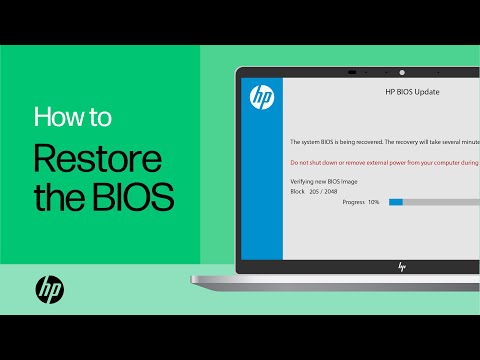
Shop official HP computer accessories: https://www.hp.com/us-en/shop/vwa/accessories-88342--1 In this video, you will see how to restore the BIOS on your HP computer. Many HP computers allow you to recover the last known working version of the BIOS from the hard drive in case of an issue. Follow ...
10-03-2022 01:57 PM
HP Recommended
Hello @heymoud
(1) Enter <BIOS>
- Turn off computer and wait five seconds
- Turn on computer, and then immediately press [ESC] key repeatedly until the Startup Menu opens
- Press [F10] to enter <BIOS>
(2) Please send pictures of < all > BIOS settings
( if serial number, device id, UUID, System Board CT Number is displayed, please blur )

Be alert for scammers posting fake support phone numbers and/or email addresses on the community.
If you think you have received a fake HP Support message, please report it to us by clicking on "Flag Post".
† The opinions expressed above are the personal opinions of the authors, not of HP. By using this site, you accept the Terms of Use and Rules of Participation.


Didn't find what you were looking for?
Ask the community
† The opinions expressed above are the personal opinions of the authors, not of HP. By using this site, you accept the <a href="https://www8.hp.com/us/en/terms-of-use.html" class="udrlinesmall">Terms of Use</a> and <a href="/t5/custom/page/page-id/hp.rulespage" class="udrlinesmall"> Rules of Participation</a>.