• ×
    Information
    Need Windows 11 help?
    Check documents on compatibility, FAQs, upgrade information and available fixes.
    Windows 11 Support Center.
  • post a message
  • ×
    Information
    Need Windows 11 help?
    Check documents on compatibility, FAQs, upgrade information and available fixes.
    Windows 11 Support Center.
  • post a message
Guidelines
Join the HP Community Solve‑a‑thon | Help Others & Share Your Solutions | Live on Zoom | 2:30 PM to 2:30 AM IST | Every Wednesday Click here to know more
Common problems for Battery
We would like to share some of the most frequently asked questions about: Battery Reports, Hold a charge, Test and Calibrating Battery . Check out this link: Is your notebook plugged in and not charging?
HP Recommended
17-by4083st Touchscreen
Microsoft Windows 10 (64-bit)

I would like to upgrade the exist 128 GB OPTANE memory on M2. connector to a MAXIMUM GB supported by the mother board.

May I replace it with 1TB PM991 NVMe memory module?

I found YouTube video technician who was upgrading the memory module HP notebook (different model) mentioning that 512 GB PCIe  NVMe is the MAX you can do on HP notebook.

Please advise before I buy it.

1 ACCEPTED SOLUTION

Accepted Solutions
HP Recommended

@PeteTheGolfer 


It specs

     https://support.hp.com/au-en/document/c07118092


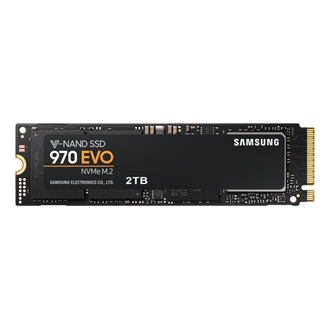
It does not have Optane at all, it only has 128 GB PCIe® NVMe™ TLC M.2 SSD for storage. You can upgrade 128 GB PCIe® NVMe™ TLC M.2 SSD to 500GB or 1TB or 2TB using

                       https://www.samsung.com/au/memory-storage/970-evo-nvme-m2-ssd/MZ-V7E2T0BW/

                      https://www.crucial.com/products/ssd/crucial-p2-ssd

      Or similar from reputable vendors.


Regards.


BH
***
**Click the KUDOS thumb up on the left to say 'Thanks'**
Make it easier for other people to find solutions by marking a Reply 'Accept as Solution' if it solves your problem.


View solution in original post

3 REPLIES 3
HP Recommended

@PeteTheGolfer 


It specs

     https://support.hp.com/au-en/document/c07118092


It does not have Optane at all, it only has 128 GB PCIe® NVMe™ TLC M.2 SSD for storage. You can upgrade 128 GB PCIe® NVMe™ TLC M.2 SSD to 500GB or 1TB or 2TB using

                       https://www.samsung.com/au/memory-storage/970-evo-nvme-m2-ssd/MZ-V7E2T0BW/

                      https://www.crucial.com/products/ssd/crucial-p2-ssd

      Or similar from reputable vendors.


Regards.


BH
***
**Click the KUDOS thumb up on the left to say 'Thanks'**
Make it easier for other people to find solutions by marking a Reply 'Accept as Solution' if it solves your problem.


HP Recommended

If I understand you correctly, I can go on and safely replace it with a reputable SSD 970 EVO NVMe M.2 1TB to do my upgrade. Right?

Thanks for your prompt response.

Peter

HP Recommended

Thanks for explanation, well appreciated.

1TB NVMe™ TLC M.2 SSD is the one I am going with. I will update my success after I install it.

Thank you,

Pete

† The opinions expressed above are the personal opinions of the authors, not of HP. By using this site, you accept the <a href="https://www8.hp.com/us/en/terms-of-use.html" class="udrlinesmall">Terms of Use</a> and <a href="/t5/custom/page/page-id/hp.rulespage" class="udrlinesmall"> Rules of Participation</a>.
-->