
-
×InformationNeed Windows 11 help?Check documents on compatibility, FAQs, upgrade information and available fixes.
Windows 11 Support Center. -
-
×InformationNeed Windows 11 help?Check documents on compatibility, FAQs, upgrade information and available fixes.
Windows 11 Support Center. -
- HP Community
- Notebooks
- Notebook Hardware and Upgrade Questions
- Re: Updates cancelled.

Create an account on the HP Community to personalize your profile and ask a question
Your account also allows you to connect with HP support faster, access a personal dashboard to manage all of your devices in one place, view warranty information, case status and more.
Common problems for Battery
We would like to share some of the most frequently asked questions about: Battery Reports, Hold a charge, Test and Calibrating Battery . Check out this link: Is your notebook plugged in and not charging?

It has been a while since anyone has replied. Simply ask a new question if you would like to start the discussion again.

06-29-2019 08:32 AM
 HP Recommended
Product: Spectre
Operating System: Microsoft Windows 10 (64-bit)
Why are the updates cancelled before being installed on my Spectre?
Solved! Go to Solution.
1 ACCEPTED SOLUTION
Accepted Solutions
07-01-2019 06:57 PM
HP Recommended
Hi....I did what you suggested and ran a couple of recent updates and everything went well!! Hopefully the fix will work in the future. Thanks for your help!!
5 REPLIES 5


07-01-2019 11:49 AM
HP Recommended
@bigalx Welcome to HP Forums Community!
How are you installing these updates? is it via the HP Support Assistant? or is it the Windows updates?
If it is the HP Support Assistant, try the below steps, and if its the Windows Updates I suggest you restart the device, create a new admin user account and check if that works:
-
In Windows, search for an open Uninstall a program.
-
On the Programs and Features window, select HP Support Assistant, then click Uninstall.
Figure : Uninstall HP Support Assistant

-
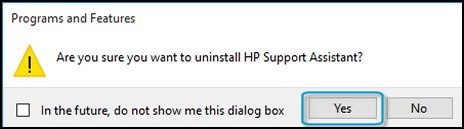
Click Yes on the Programs and Features screen to confirm you want to uninstall HP Support Assistant.
Figure : Uninstall confirmation
-
Restart your computer to complete the process.
I suggest you reinstall the application using this link: Click here to install the latest version to resolve this issue.
Let me know how that pans out,
If you feel I was helpful, simply click on Accept as Solution to help the community grow,
That said, I will have someone follow-up on this to ensure you've been helped,
Just in case you don't get back to us within 24 - 48hrs, and have a good day, ahead.
Riddle_Decipher
I am an HP Employee
Learning is a journey, not a destination.
Let's keep asking questions and growing together.
07-01-2019 06:42 PM
HP Recommended
@bigalx Thank you for responding!
Please take your time and get back to us with the results,
We will be eagerly awaiting your response and would be glad to help.
Feel free to post your query for any other assistance as well,
It's been a pleasure interacting with you and I hope you have a great day, ahead.
Have a great day!
Riddle_Decipher
I am an HP Employee
Learning is a journey, not a destination.
Let's keep asking questions and growing together.



Be alert for scammers posting fake support phone numbers and/or email addresses on the community.
If you think you have received a fake HP Support message, please report it to us by clicking on "Flag Post".
† The opinions expressed above are the personal opinions of the authors, not of HP. By using this site, you accept the Terms of Use and Rules of Participation.


Didn't find what you were looking for?
Ask the community
† The opinions expressed above are the personal opinions of the authors, not of HP. By using this site, you accept the <a href="https://www8.hp.com/us/en/terms-of-use.html" class="udrlinesmall">Terms of Use</a> and <a href="/t5/custom/page/page-id/hp.rulespage" class="udrlinesmall"> Rules of Participation</a>.