• ×
    Information
    Need Windows 11 help?
    Check documents on compatibility, FAQs, upgrade information and available fixes.
    Windows 11 Support Center.
  • post a message
  • ×
    Information
    Need Windows 11 help?
    Check documents on compatibility, FAQs, upgrade information and available fixes.
    Windows 11 Support Center.
  • post a message
Guidelines
Join the HP Community Solve‑a‑thon | Help Others & Share Your Solutions | Live on Zoom | 2:30 PM to 2:30 AM IST | Every Wednesday Click here to know more
Check out our WINDOWS 11 Support Center info about: OPTIMIZATION, KNOWN ISSUES, FAQs, VIDEOS AND MORE.
HP Recommended
HP Laptop - 15z-ef100 CTO
Microsoft Windows 11

 I need your help my pc computer screen turned black and then when I tried to press the power button it blinked and then wouldn't turn on it was fully charged

2 REPLIES 2
HP Recommended

Hello @AprilGraham 

Sorry to hear that you are having problems ... I would like to help you.

Follow the HP standard procedures:

(1https://www.youtube.com/watch?v=sj6kYmT7GLs

(2https://www.youtube.com/watch?v=qpiGUojtr3E

(3) Please report your results

This video shows how to test your HP computer hardware using HP PC Hardware Diagnostics UEFI. If you suspect that your computer has hardware issues, follow the steps in this video to isolate and identify them using the HP PC Diagnostics UEFI. Chapters: 00:00 Introduction 00:18 Download and install
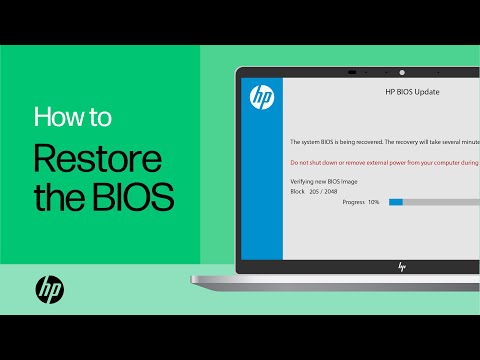
Shop official HP computer accessories: https://www.hp.com/us-en/shop/vwa/accessories-88342--1 In this video, you will see how to restore the BIOS on your HP computer. Many HP computers allow you to recover the last known working version of the BIOS from the hard drive in case of an issue. Follow ...
HP Recommended

The most common cause of error are Connection problems with your monitor or screen. Display adapter driver update issues. Issues with recent system updates or installations.

† The opinions expressed above are the personal opinions of the authors, not of HP. By using this site, you accept the <a href="https://www8.hp.com/us/en/terms-of-use.html" class="udrlinesmall">Terms of Use</a> and <a href="/t5/custom/page/page-id/hp.rulespage" class="udrlinesmall"> Rules of Participation</a>.