• ×
    Information
    Need Windows 11 help?
    Check documents on compatibility, FAQs, upgrade information and available fixes.
    Windows 11 Support Center.
  • post a message
  • ×
    Information
    Need Windows 11 help?
    Check documents on compatibility, FAQs, upgrade information and available fixes.
    Windows 11 Support Center.
  • post a message
Guidelines
Join the HP Community Solve‑a‑thon | Help Others & Share Your Solutions | Live on Zoom | 2:30 PM to 2:30 AM IST | Every Wednesday Click here to know more
Check some of the most frequent questions about Instant Ink: HP INSTANT INK, HP+ PLANS: INK AND TONER.


Check out our Black or Color Ink Not Printing, Other Print Quality Issues info about: Print quality and Cartridge Issues.
HP Recommended
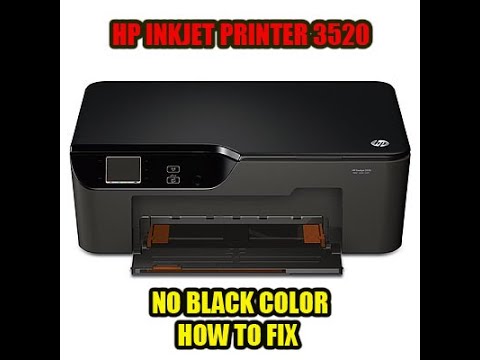
HP Deskjet 3520 e-All-in-One Printer

Black ink not printing. I have:

  • run Clean Printerhead 
  • run quality report
  • run black cartridge across warm paper towel
  • followed this video: https://www.youtube.com/watch?v=thrZtvAhKm0&t=419s 
  • followed this video: https://www.youtube.com/watch?v=hvn0r6TJbW4&t=175s 
  • followed this video: https://www.youtube.com/watch?v=thrZtvAhKm0&t=430s
  • which includes running printer carriage over warm wet paper towel in printer
  • removing printer cartridge holder/print head from printer 
  • cleared the printer head with isopropyl alcohol
  • cleared the printer head with water, forcing water through black ink printer head
  • ensured the printer head it totally dry
  • reassembled correctly (color inks work)
  • checked for an installed most current drivers
  • reran the system's Clean Printerhead function each time
  • run the Print Quality report each time
  • I'm on my third black ink cartridge since initial fail
  • Just about run through an entire set of color ink cartridges with this troubleshooting 
  • color print ink comes through strong on test print
  • zero on black ink printing, nothing


I've had this printer a while, and this troubleshooting has taken a while, so unless there is know know issue - it's time for a new printer. If I could get a replacement printer head assembly for cheap by tomorrow, I'd try that, but ebay is my best bet, and that's a week out, at best. 


This video lets you see the steps of solving the issue not being able to print black (& colors). It's quite a common problem found on the HP Photosmart 5510 printer. To fix this we need to clean the print head, how this is done for the HP 5510 is shown in this repair video. What you need cleaning
How to fix a printer with no black color or either any color. If the ink was hard dry inside the print nozzle you have to disassemble the print head and soak it into the water for 10 min. Watch my other videos how to fix: vacuum cleaner: https://youtu.be/Egnmf2GBj3I jbl onbeat venue repair: ...
† The opinions expressed above are the personal opinions of the authors, not of HP. By using this site, you accept the <a href="https://www8.hp.com/us/en/terms-of-use.html" class="udrlinesmall">Terms of Use</a> and <a href="/t5/custom/page/page-id/hp.rulespage" class="udrlinesmall"> Rules of Participation</a>.