• ×
    Information
    Need Windows 11 help?
    Check documents on compatibility, FAQs, upgrade information and available fixes.
    Windows 11 Support Center.
  • post a message
  • ×
    Information
    Need Windows 11 help?
    Check documents on compatibility, FAQs, upgrade information and available fixes.
    Windows 11 Support Center.
  • post a message
Guidelines
Printing Blank Pages via USB OTG? Here’s How to Fix Your OfficeJet! Click here to check it out!
Check some of the most frequent questions about Instant Ink: HP INSTANT INK, HP+ PLANS: INK AND TONER.


Check out our Black or Color Ink Not Printing, Other Print Quality Issues info about: Print quality and Cartridge Issues.
HP Recommended

Officejet 5740 printer...copies flawlessly, but, does not print well...very faint and sporatic. A new cartridge was just installed

1 REPLY 1
HP Recommended

Hi @JSW63,


Welcome to the HP Support Community. 


I'd be happy to help you! 


I understand that you are facing issues with the print quality.


Update the firmware: Click here


Step 1: Reinstall the print driver (Windows only)


If you cannot print color from a Windows computer, uninstall and reinstall the printer software. Skip this step if your printer is able to print in color.

Remove the printer from the devices list.

For steps on removing the printer from the devices list, go to Uninstall HP printer software and drivers.

Go to HP Customer Support - Software and Driver Downloads, and then install the latest software for your printer.

Try to print. If these steps resolved the issue, you do not need to continue troubleshooting.

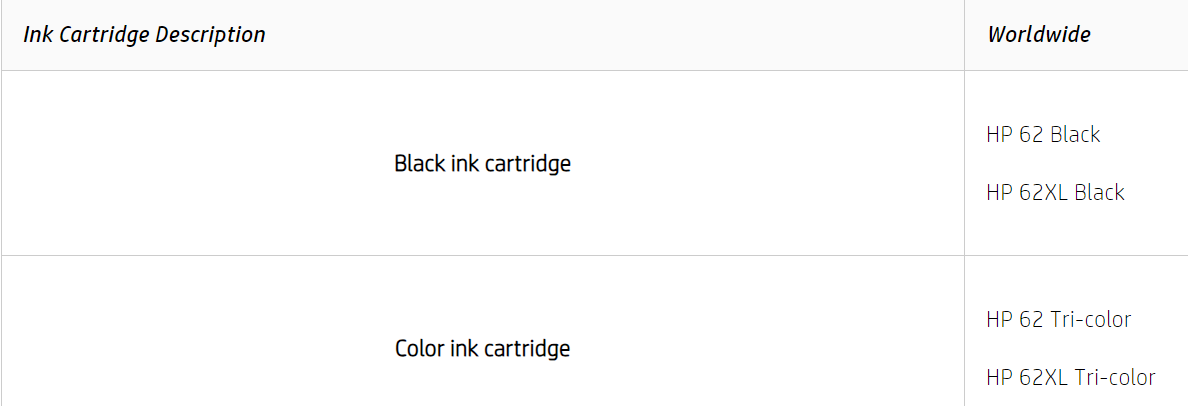
Step 2: Use genuine HP ink cartridges


HP recommends that you use genuine HP ink or toner supplies. HP cannot guarantee the quality or reliability of non-HP or refilled cartridges. If you do not use genuine HP cartridges, the steps in this document might not resolve the issue. To check the authenticity of your cartridges, go to the HP anti-counterfeit webpage (in English).


Purchase replacement cartridges and other supplies from the HP Store or local retailers.

Step 3: Allow the printer to rest

Many print quality problems, such as poor black text or issues that occur with a newly installed ink cartridge, clear up with the automatic servicing routine. There is nothing you need to do. The print quality should start improving in a few hours.


Click here for the remaining steps. 


Hope this helps! Keep me posted for further assistance.


 Please mark this post as Accepted Solution” if the issue is resolved and if you feel this reply was helpful click “Yes”.

Nal_NR-
HP Community Moderator


† The opinions expressed above are the personal opinions of the authors, not of HP. By using this site, you accept the <a href="https://www8.hp.com/us/en/terms-of-use.html" class="udrlinesmall">Terms of Use</a> and <a href="/t5/custom/page/page-id/hp.rulespage" class="udrlinesmall"> Rules of Participation</a>.