• ×
    Information
    Need Windows 11 help?
    Check documents on compatibility, FAQs, upgrade information and available fixes.
    Windows 11 Support Center.
  • post a message
  • ×
    Information
    Need Windows 11 help?
    Check documents on compatibility, FAQs, upgrade information and available fixes.
    Windows 11 Support Center.
  • post a message
Guidelines
Join the HP Community Solve‑a‑thon | Help Others & Share Your Solutions | Live on Zoom | 2:30 PM to 2:30 AM IST | Every Wednesday Click here to know more
Check some of the most frequent questions about Instant Ink: HP INSTANT INK, HP+ PLANS: INK AND TONER.


Check out our WINDOWS 11 Support Center info about: OPTIMIZATION, KNOWN ISSUES, FAQs AND MORE.

HP Recommended
HP Color LaserJet Pro M452nw
Microsoft Windows 11

I need to factory restore a Color LaserJet Pro M452nw printer.

I know its IP address for the EWS but have no record of the password.

The default password does not work.

1 REPLY 1
HP Recommended

Hello @RBITC, Welcome to the HP Support Community.

Since the HP Color LaserJet Pro M452nw is an older model, its EWS security works differently from newer LaserJet models. The M452 user guide confirms that the EWS administrator password is set under System > Administration > Product Security.


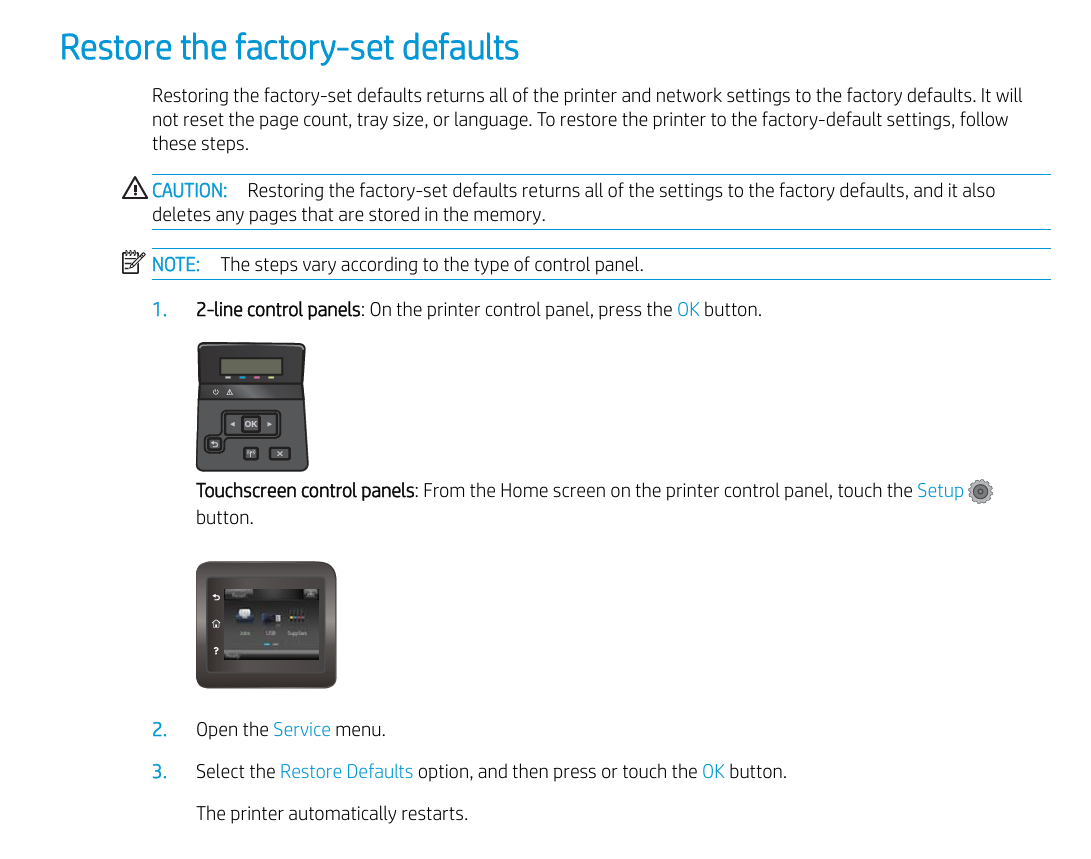
To factory reset your HP Color LaserJet Pro M452nw when you do not know the EWS password, you must use the physical control panel on the printer itself
 

Locating the Default PIN (Alternative)

If you try to access the HP Embedded Web Server (EWS) again after the reset, note that newer firmware versions do not use a blank password or "admin". Look for a sticker/label inside the cartridge access door or front door which lists a factory-default PIN or password.

 
Please check the link for more information - HP LaserJet Pro - Restore the factory-set defaults | HP® Support

User guide - HP Color LaserJet Pro M452 User Guide - ENWW


Have a great day!

I'm an HP Employee.


If this reply helped resolve your issue, please select the Accept as Solution as it helps others in the community quickly find the answer they’re looking for.


And if you found this reply helpful, clicking Yes below is a great way to let us know we’re providing the support you need, as it encourages us to keep improving and sharing helpful guidance.

† The opinions expressed above are the personal opinions of the authors, not of HP. By using this site, you accept the <a href="https://www8.hp.com/us/en/terms-of-use.html" class="udrlinesmall">Terms of Use</a> and <a href="/t5/custom/page/page-id/hp.rulespage" class="udrlinesmall"> Rules of Participation</a>.
-->