• ×
    Information
    Need Windows 11 help?
    Check documents on compatibility, FAQs, upgrade information and available fixes.
    Windows 11 Support Center.
  • post a message
  • ×
    Information
    Need Windows 11 help?
    Check documents on compatibility, FAQs, upgrade information and available fixes.
    Windows 11 Support Center.
  • post a message
Guidelines
Join the HP Community Solve‑a‑thon | Help Others & Share Your Solutions | Live on Zoom | 2:30 PM to 2:30 AM IST | Every Wednesday Click here to know more
Check some of the most frequent questions about Instant Ink: HP INSTANT INK, HP+ PLANS: INK AND TONER.


Check out our WINDOWS 11 Support Center info about: OPTIMIZATION, KNOWN ISSUES, FAQs AND MORE.
HP Recommended
laserjet M234sdw

Hello,


I bought a reconditioned printer. I tried to acces web config but the admin password is not working. I'm triying with the one printed in a label inside the printer, but no luck. I reset to factory default, but It seems not working or the default passrowd is not the one printed...


Do you have any idea of what can I do?

1 ACCEPTED SOLUTION

Accepted Solutions
HP Recommended

Hello and thanks for your replay.


I finally resolved my problem but with a bit different procedure.


I call spanish HP support and they told me to unplug the printer, then keep pressing the "- Button" and the "X button" at the same time, then plug again the printer and if everything is ok, in the display, should appear "NU" or "NV"


This rocedure is for a factory reset, not only network.

View solution in original post

2 REPLIES 2
HP Recommended

Try this hope it works.


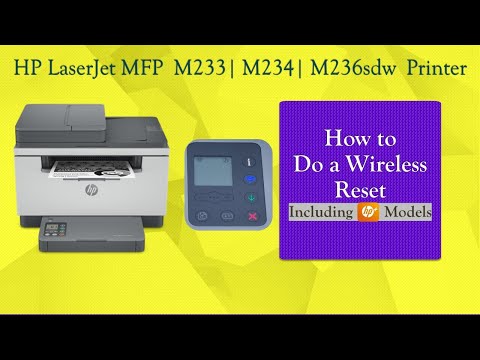
Turn the product on while you press and hold the Resume button for 10-20 seconds. The Attention light turns on. Release the Resume button. The Attention and Ready lights cycle while the product restores factory defaults.
https://www.youtube.com/watch?v=JZ-lC9mbWIs

HP Recommended

Hello and thanks for your replay.


I finally resolved my problem but with a bit different procedure.


I call spanish HP support and they told me to unplug the printer, then keep pressing the "- Button" and the "X button" at the same time, then plug again the printer and if everything is ok, in the display, should appear "NU" or "NV"


This rocedure is for a factory reset, not only network.

† The opinions expressed above are the personal opinions of the authors, not of HP. By using this site, you accept the <a href="https://www8.hp.com/us/en/terms-of-use.html" class="udrlinesmall">Terms of Use</a> and <a href="/t5/custom/page/page-id/hp.rulespage" class="udrlinesmall"> Rules of Participation</a>.