• ×
    Information
    Need Windows 11 help?
    Check documents on compatibility, FAQs, upgrade information and available fixes.
    Windows 11 Support Center.
  • post a message
  • ×
    Information
    Need Windows 11 help?
    Check documents on compatibility, FAQs, upgrade information and available fixes.
    Windows 11 Support Center.
  • post a message
Guidelines
Join the HP Community Solve‑a‑thon | Help Others & Share Your Solutions | Live on Zoom | 2:30 PM to 2:30 AM IST | Every Wednesday Click here to know more
Check some of the most frequent questions about Instant Ink: HP INSTANT INK, HP+ PLANS: INK AND TONER.


Check out our WINDOWS 11 Support Center info about: OPTIMIZATION, KNOWN ISSUES, FAQs AND MORE.
HP Recommended

HO Envy 6020e - suddenly lost connection between printer and router. Have tried all the suggestions with wireless still flashing near router.

1 ACCEPTED SOLUTION

Accepted Solutions
HP Recommended

Hi,

Thanks for using the HP Support Community.


When there is an Internet Service Provider | Router change | password change (for the network) or when moving to a new location or Internet location lost, a wireless reset is needed for the printer with a re-setup using the HP app to get the printer connected to the network again.  


Here's how to reset the wireless to defaults:


Reset wireless:

HP Envy 6000 | 6400 Printer series:

https://youtu.be/TWBAFvOJuGk


For more resources on the printer:

https://www.youtube.com/playlist?list=PLUV0sXfF6zPh6CvwM2cDtFruOzbfD2fEk


Hope that helps!

I am an HP Employee. Although I am speaking for myself and not for HP.
Click Helpful = Yes to say Thank You.
Question / Concern Answered, Click "Accept as Solution"

View solution in original post

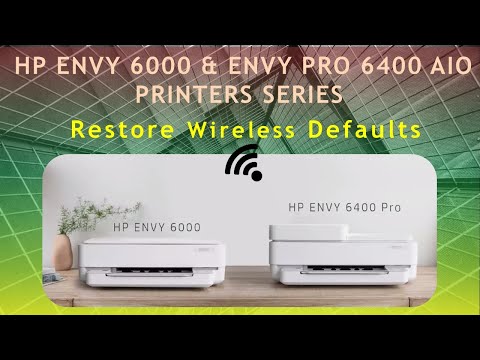
Click on the link to subscribe and get the latest video uploads: https://goo.gl/y4Rcn1 Remember to like and share the video if you know of friends that would find this useful. Click on the bell so you will not miss out on any new videos. This tutorial shows how to Restore the wireless settings ...
1 REPLY 1
HP Recommended

Hi,

Thanks for using the HP Support Community.


When there is an Internet Service Provider | Router change | password change (for the network) or when moving to a new location or Internet location lost, a wireless reset is needed for the printer with a re-setup using the HP app to get the printer connected to the network again.  


Here's how to reset the wireless to defaults:


Reset wireless:

HP Envy 6000 | 6400 Printer series:

https://youtu.be/TWBAFvOJuGk


For more resources on the printer:

https://www.youtube.com/playlist?list=PLUV0sXfF6zPh6CvwM2cDtFruOzbfD2fEk


Hope that helps!

I am an HP Employee. Although I am speaking for myself and not for HP.
Click Helpful = Yes to say Thank You.
Question / Concern Answered, Click "Accept as Solution"
Click on the link to subscribe and get the latest video uploads: https://goo.gl/y4Rcn1 Remember to like and share the video if you know of friends that would find this useful. Click on the bell so you will not miss out on any new videos. This tutorial shows how to Restore the wireless settings ...
† The opinions expressed above are the personal opinions of the authors, not of HP. By using this site, you accept the <a href="https://www8.hp.com/us/en/terms-of-use.html" class="udrlinesmall">Terms of Use</a> and <a href="/t5/custom/page/page-id/hp.rulespage" class="udrlinesmall"> Rules of Participation</a>.