• ×
    Information
    Need Windows 11 help?
    Check documents on compatibility, FAQs, upgrade information and available fixes.
    Windows 11 Support Center.
  • post a message
  • ×
    Information
    Need Windows 11 help?
    Check documents on compatibility, FAQs, upgrade information and available fixes.
    Windows 11 Support Center.
  • post a message
Guidelines
Here is the solution for the error: "Encryption Credentials have expired" when attempting to print or scan from Mac OS or iOS devices: Click here to view the troubleshooting steps!
Check some of the most frequent questions about Instant Ink: HP INSTANT INK, HP+ PLANS: INK AND TONER.


Check out our WINDOWS 11 Support Center info about: OPTIMIZATION, KNOWN ISSUES, FAQs AND MORE.
HP Recommended

I bought the printer, registered it, subscribed to Instant ink.  Then I get a message on the printer screen "Setup Incomplete".  Is there any way to speak with a human at HP?  The HP chatbot is incompetent.  I used Copilot earlier today and was able to download a firmwar update and get scan/email working.  10 minutes later the printer screen tells me the printer SetUp is incomplete

1 REPLY 1
HP Recommended

Hi @TranscendEquity 

In the printer screen press the button for "Exit"

  • ferRX_0-1756371679145.png


Then it will show you the Date and Time screen and simply click on Continue button

  • ferRX_1-1756371731728.png

Also you can follow steps in the next video:

>> https://www.youtube.com/watch?v=XoesWvNrntI&ab_channel=CopyPrintScan

* Click YES   to say thank you, 

* Click Accepted as Solution when question is answered.

Best regards,

ferRX.

dodecaedroh.gif


@ferRX / I am a volunteer posting answers on my own time.
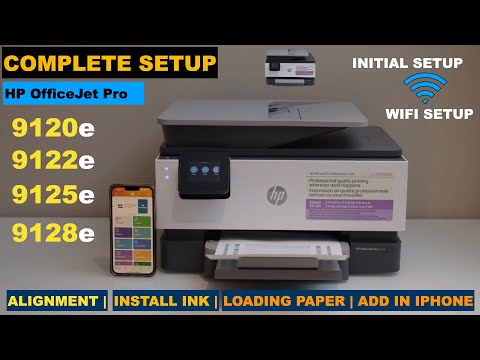
This video reviews the method to do the complete setup including initial setup, installing, loading paper, and wifi setup of the HP OfficeJet Pro 9120e Series all-in-one printer. This also works with the HP OfficeJet Pro 9122e, 9125e, and 9128e all-in-one printer. Welcome To My Youtube Channel - ...
† The opinions expressed above are the personal opinions of the authors, not of HP. By using this site, you accept the <a href="https://www8.hp.com/us/en/terms-of-use.html" class="udrlinesmall">Terms of Use</a> and <a href="/t5/custom/page/page-id/hp.rulespage" class="udrlinesmall"> Rules of Participation</a>.