• ×
    Information
    Need Windows 11 help?
    Check documents on compatibility, FAQs, upgrade information and available fixes.
    Windows 11 Support Center.
  • post a message
  • ×
    Information
    Need Windows 11 help?
    Check documents on compatibility, FAQs, upgrade information and available fixes.
    Windows 11 Support Center.
  • post a message
Guidelines

Featured blog article:

Check some of the most frequent questions about Instant Ink: HP INSTANT INK, HP+ PLANS: INK AND TONER.


Check out our WINDOWS 11 Support Center info about: OPTIMIZATION, KNOWN ISSUES, FAQs AND MORE.

HP Recommended
HP OfficeJet J4580
Microsoft Windows 10 (64-bit)

Hi,


Does anyone know how to find a driver for the HP OfficeJet J4580? I have windows 11 and can't find the software on the Support page.


Thanks,

1 REPLY 1
HP Recommended


Hi  @OJ_AIO_J4500_Fu 
 
Welcome to the HP Support Community!

Thanks for reaching out!


I understand your concern , don’t worry let me check and help you with this.


The HP OfficeJet J4580 is an older printer model, and you may not immediately see the driver recommended for your current operating system. However, when visiting the HP support page- https://support.hp.com/ , you can manually select a different operating system version to view the available drivers.

  1. Go to the HP Support website:  https://support.hp.com/ 
  2. Search for HP OfficeJet J4580.
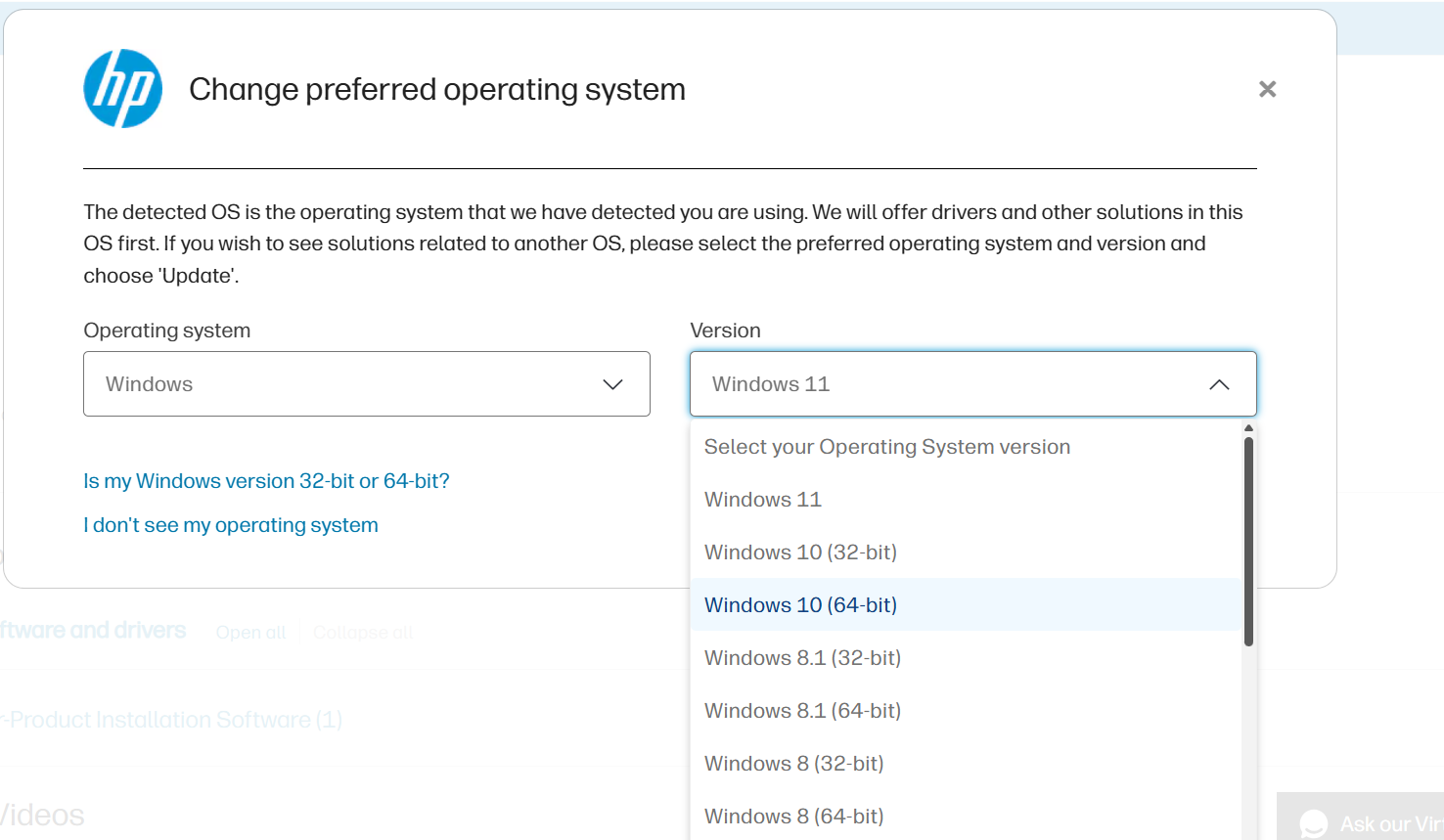
  3. On the Software and Drivers page, select Choose a different OS.
  4. From the drop-down menu, select Windows 10 (64-bit) or the version that matches your system, as shown in the screenshot.
  5. Click Update to display the available driver and software downloads.

  If a full-feature driver is not available, you can also try adding the printer through Settings > Bluetooth & devices > Printers & scanners > Add device, as Windows Update may automatically install a compatible driver.


I hope this helps. 


I'm an HP Employee.


If this reply helped resolve your issue, please select the Accept as Solution as it helps others in the community quickly find the answer they’re looking for.


And if you found this reply helpful, clicking Yes below is a great way to let us know we’re providing the support you need, as it encourages us to keep improving and sharing helpful guidance.

† The opinions expressed above are the personal opinions of the authors, not of HP. By using this site, you accept the <a href="https://www8.hp.com/us/en/terms-of-use.html" class="udrlinesmall">Terms of Use</a> and <a href="/t5/custom/page/page-id/hp.rulespage" class="udrlinesmall"> Rules of Participation</a>.
-->