-
×InformationNeed Windows 11 help?Check documents on compatibility, FAQs, upgrade information and available fixes.
Windows 11 Support Center. -

-
×InformationNeed Windows 11 help?Check documents on compatibility, FAQs, upgrade information and available fixes.
Windows 11 Support Center. -
- HP Community
- Printers
- Printer Wireless, Networking & Internet
- Re: Print error message on HP pro 9010. 9DB8B6

Create an account on the HP Community to personalize your profile and ask a question
05-13-2026 02:38 AM
Same error message on every print request. Tried desk and laptop computers, both Win11. all devices on same home network, same result.
Tried connecting printer to computer with USB cable. Printed correctly 2 documents, then error message again.
Is it something to do with Win 11 update installed this week? Just an idea.
Hoping for a quick result.
Solved! Go to Solution.
Accepted Solutions
05-14-2026 08:04 AM
Hi @Penguin218
Welcome to the HP Support Community.
Thank you for posting your query.
I understand that you see an error meesage reflected on your HP OfficeJet Pro 9010. I would request you to Print a Printer Status Report, Print a Print Quality Diagnostic Page share it. Which will help me isolate the issue with the error displayed.
A Printer Status Report lists the printer serial number, estimated ink levels, ink cartridge numbers, printer usage, and connectivity, scan, and fax settings.
- Load plain white paper in the input tray.
- From the home screen on the printer control panel, swipe down to open the Dashboard, and then touch the Setup icon
. - Swipe up on the display to touch Reports, and then touch Printer Status Report.

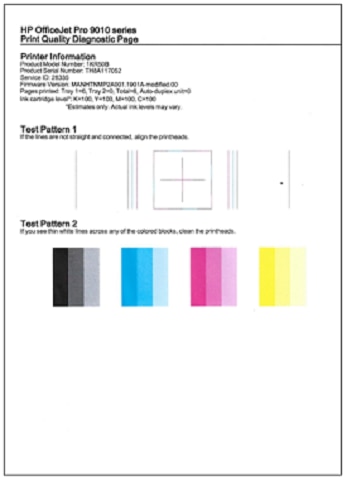
A Print Quality Diagnostic Page helps identify the source of print quality issues.
- Load plain white paper in the input tray.
- From the home screen on the printer control panel, swipe down to open the Dashboard, and then touch the Setup icon
. - Swipe up on the display, touch Reports, and then touch Print Quality Report.
- A Print Quality Diagnostic Page prints.

Please share the Results with so I can get back to you with the steps to resolve the issue.
Take care and have an amazing day!
I'm an HP Employee.
If this reply helped resolve your issue, please select the Accept as Solution as it helps others in the community quickly find the answer they’re looking for.
And if you found this reply helpful, clicking Yes below is a great way to let us know we’re providing the support you need, as it encourages us to keep improving and sharing helpful guidance.
05-14-2026 08:04 AM
Hi @Penguin218
Welcome to the HP Support Community.
Thank you for posting your query.
I understand that you see an error meesage reflected on your HP OfficeJet Pro 9010. I would request you to Print a Printer Status Report, Print a Print Quality Diagnostic Page share it. Which will help me isolate the issue with the error displayed.
A Printer Status Report lists the printer serial number, estimated ink levels, ink cartridge numbers, printer usage, and connectivity, scan, and fax settings.
- Load plain white paper in the input tray.
- From the home screen on the printer control panel, swipe down to open the Dashboard, and then touch the Setup icon
. - Swipe up on the display to touch Reports, and then touch Printer Status Report.

A Print Quality Diagnostic Page helps identify the source of print quality issues.
- Load plain white paper in the input tray.
- From the home screen on the printer control panel, swipe down to open the Dashboard, and then touch the Setup icon
. - Swipe up on the display, touch Reports, and then touch Print Quality Report.
- A Print Quality Diagnostic Page prints.

Please share the Results with so I can get back to you with the steps to resolve the issue.
Take care and have an amazing day!
I'm an HP Employee.
If this reply helped resolve your issue, please select the Accept as Solution as it helps others in the community quickly find the answer they’re looking for.
And if you found this reply helpful, clicking Yes below is a great way to let us know we’re providing the support you need, as it encourages us to keep improving and sharing helpful guidance.