-
×InformationNeed Windows 11 help?Check documents on compatibility, FAQs, upgrade information and available fixes.
Windows 11 Support Center. -

-
×InformationNeed Windows 11 help?Check documents on compatibility, FAQs, upgrade information and available fixes.
Windows 11 Support Center. -
- HP Community
- Printers
- Printer Wireless, Networking & Internet
- Re: printer not connecting to wifi

Create an account on the HP Community to personalize your profile and ask a question
04-01-2026 07:56 PM
We have had really bad storms lately and now my printer will not identify my wifi, I have followed all the instructions of turning the printer off and router. And still nothing.
Solved! Go to Solution.
Accepted Solutions
04-02-2026 09:29 AM
Hi,
Thanks for using the HP Support Community.
What's the printer model? Depending on the model, we can use do a wireless reset on the printer and use HP App to setup and connect printer to the network. The wireless reset (and even setup) can be done on printers with a Control panel.
When there is an Internet Service Provider | Router change | password change (for the network) or when moving to a new location, a wireless reset is needed for the printer with a re-setup using the HP app to get the printer connected to the network again. Your case is unique but a reset might resolve the issue.
Here's some examples on how to reset the wireless to defaults (different printers have different steps):
Reset wireless:
HP DeskJet 2800 printer series:
HP Smart Tank 670 | 6001 Printer series:
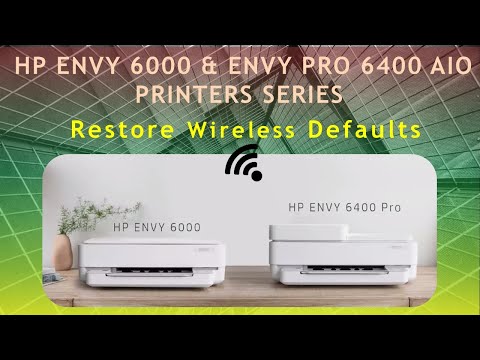
HP Envy 6000 | 6400 Printer series:
HP Color LaserJet Pro 3300 Printer series:
https://www.youtube.com/watch?v=z89Wp-Vi_5U
Hope that helps!
Click Helpful = Yes to say Thank You.
Question / Concern Answered, Click "Accept as Solution"
04-02-2026 09:29 AM
Hi,
Thanks for using the HP Support Community.
What's the printer model? Depending on the model, we can use do a wireless reset on the printer and use HP App to setup and connect printer to the network. The wireless reset (and even setup) can be done on printers with a Control panel.
When there is an Internet Service Provider | Router change | password change (for the network) or when moving to a new location, a wireless reset is needed for the printer with a re-setup using the HP app to get the printer connected to the network again. Your case is unique but a reset might resolve the issue.
Here's some examples on how to reset the wireless to defaults (different printers have different steps):
Reset wireless:
HP DeskJet 2800 printer series:
HP Smart Tank 670 | 6001 Printer series:
HP Envy 6000 | 6400 Printer series:
HP Color LaserJet Pro 3300 Printer series:
https://www.youtube.com/watch?v=z89Wp-Vi_5U
Hope that helps!
Click Helpful = Yes to say Thank You.
Question / Concern Answered, Click "Accept as Solution"