• ×
    Information
    Need Windows 11 help?
    Check documents on compatibility, FAQs, upgrade information and available fixes.
    Windows 11 Support Center.
  • post a message
  • ×
    Information
    Need Windows 11 help?
    Check documents on compatibility, FAQs, upgrade information and available fixes.
    Windows 11 Support Center.
  • post a message
Guidelines
Seize the moment! nominate yourself or a tech enthusiast you admire & join the HP Community Experts!
Check some of the most frequent questions about Instant Ink: HP INSTANT INK, HP+ PLANS: INK AND TONER.


Check out our Black or Color Ink Not Printing, Other Print Quality Issues info about: Print quality and Cartridge Issues.
HP Recommended
Deskjet f4235
Microsoft Windows 10 (64-bit)

Since installing Windows 10 (I'm not sure of operating system-settings says Windows 10 Pro, version 1803) I no longer automatically get the HP  printing preferences menu when I select "print".  A generic looking print menu with limited options appears.  I can get the old menu by going through control panel, selecting printer then properties but that is a big waste of time.  I also know how to make permanent changes in preferences this way, but I want the old menu to appear anytime I wish to print.  I have been told that Windows 10 will not allow this.  Please help.

4 REPLIES 4
HP Recommended

@ERIC1294


A warm welcome to HP Community!

Does the generic print menu appear on all the applications?

Would you be able to post a screenshot of the generic print menu.

Senan6806


I am an HP Employee

HP Recommended

print menu.jpg

HP Recommended

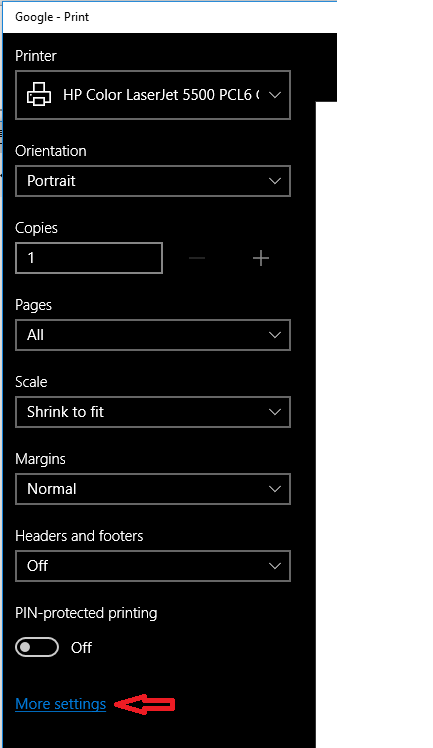
Best I can do for a screen shot.  This menu appears in all cases when I print.


HP Recommended

@ERIC1294


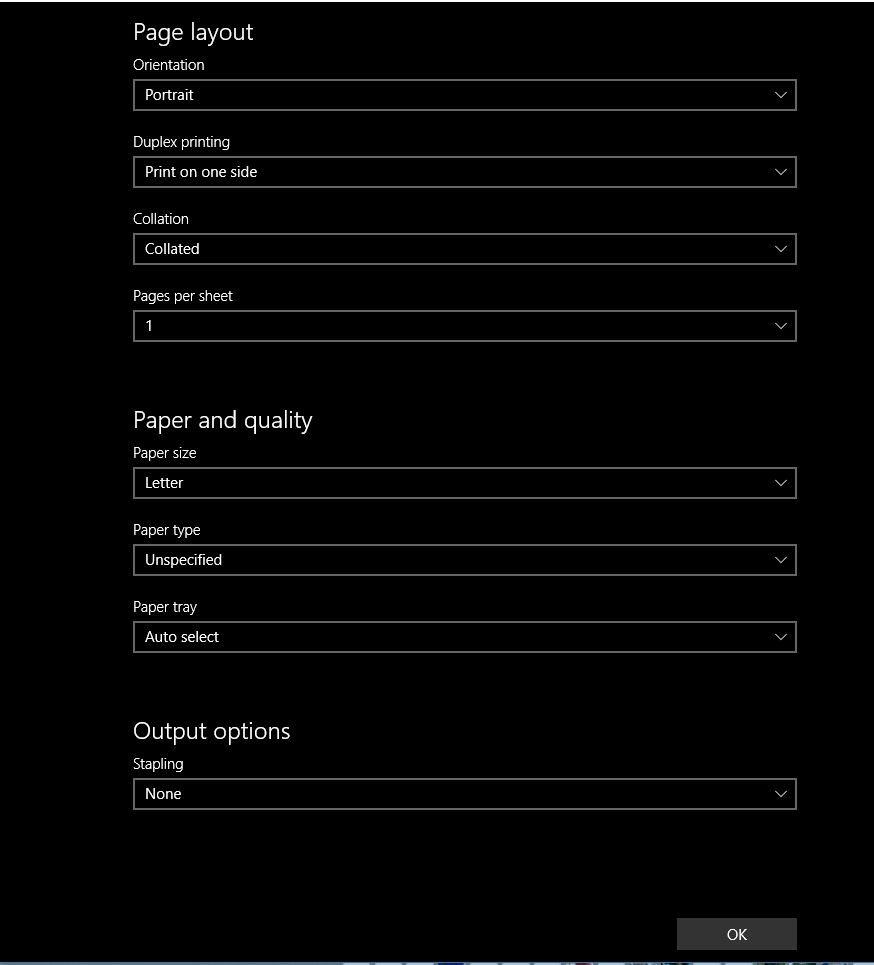
Thanks! Most Windows 10 native apps like Microsoft Edge, Photos etc, uses the above print options and the printing preferences option is replaced with More settings like the screenshot below. I believe the native apps are designed to only use those print options.


However, you should be able to access the Printing preferences from applications such as Microsoft paint, Internet Explorer, Microsoft office and other 3rd party applications.


Senan6806


I am an HP Employee

† The opinions expressed above are the personal opinions of the authors, not of HP. By using this site, you accept the <a href="https://www8.hp.com/us/en/terms-of-use.html" class="udrlinesmall">Terms of Use</a> and <a href="/t5/custom/page/page-id/hp.rulespage" class="udrlinesmall"> Rules of Participation</a>.