• ×
    Information
    Need Windows 11 help?
    Check documents on compatibility, FAQs, upgrade information and available fixes.
    Windows 11 Support Center.
  • post a message
  • ×
    Information
    Need Windows 11 help?
    Check documents on compatibility, FAQs, upgrade information and available fixes.
    Windows 11 Support Center.
  • post a message
Guidelines
Seize the moment! nominate yourself or a tech enthusiast you admire & join the HP Community Experts!
Common problems HP Solution Center not working : Adobe Flash Player Error and Unable to scan
We would like to share some of the most frequently asked questions about HP Solution Center not working : Adobe Flash Player Error and Unable to Scan.
HP Recommended

I have just bought a DeskJet 2820e but can find no way of using the scanning facility. Please advise.

1 ACCEPTED SOLUTION

Accepted Solutions
HP Recommended

Hi,

Thanks for using the HP Support Community.


Please download HP Smart app from Microsoft store (for PC), Apple Store (For Mac & iPhone) and Play Store (for Android phones).


Setup and connect the printer to the network, then use HP Scan (on HP Smart app) to scan.  This example will show how it's done:


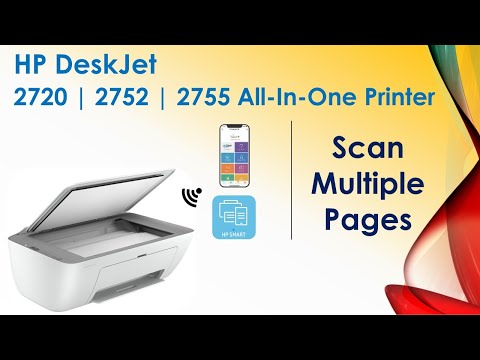
Scan multiple pages with HP Smart app

https://www.youtube.com/watch?v=GVISsdkIhDw


For more resources on the HP DeskJet 2820e printer:

https://www.youtube.com/playlist?list=PLUV0sXfF6zPiYDbIGBt9q7ov9H9v26_PM


Hope that helps!


I am an HP Employee. Although I am speaking for myself and not for HP.
Click Helpful = Yes to say Thank You.
Question / Concern Answered, Click "Accept as Solution"

View solution in original post

These videos teaches the viewers the setup and use of HP DeskJet 2800 Printer Series. Tips & Tricks on the best way to use the printer as well as Troubleshoo...
1 REPLY 1
HP Recommended

Hi,

Thanks for using the HP Support Community.


Please download HP Smart app from Microsoft store (for PC), Apple Store (For Mac & iPhone) and Play Store (for Android phones).


Setup and connect the printer to the network, then use HP Scan (on HP Smart app) to scan.  This example will show how it's done:


Scan multiple pages with HP Smart app

https://www.youtube.com/watch?v=GVISsdkIhDw


For more resources on the HP DeskJet 2820e printer:

https://www.youtube.com/playlist?list=PLUV0sXfF6zPiYDbIGBt9q7ov9H9v26_PM


Hope that helps!


I am an HP Employee. Although I am speaking for myself and not for HP.
Click Helpful = Yes to say Thank You.
Question / Concern Answered, Click "Accept as Solution"
These videos teaches the viewers the setup and use of HP DeskJet 2800 Printer Series. Tips & Tricks on the best way to use the printer as well as Troubleshoo...
† The opinions expressed above are the personal opinions of the authors, not of HP. By using this site, you accept the <a href="https://www8.hp.com/us/en/terms-of-use.html" class="udrlinesmall">Terms of Use</a> and <a href="/t5/custom/page/page-id/hp.rulespage" class="udrlinesmall"> Rules of Participation</a>.