-
×InformationNeed Windows 11 help?Check documents on compatibility, FAQs, upgrade information and available fixes.
Windows 11 Support Center. -

-
×InformationNeed Windows 11 help?Check documents on compatibility, FAQs, upgrade information and available fixes.
Windows 11 Support Center. -
- HP Community
- Printers
- Scanning, Faxing, and Copying
- Re: Is Scan to Computer from the Printer's Screen not compat...

Create an account on the HP Community to personalize your profile and ask a question
09-04-2020 11:21 AM
Does the Scan to Computer function from the Printers screen not available for Mac users?
I just bought the Officejet Pro 8035. I've gone through all the installation steps and have made sure that all the functions work other than fax. The problem is when I tried to scan documents using the ADF and the printer's panel. I select 'Scan' > 'Computer' and I then get a message that say 'Setup Required'. Below is the complete message.
! Setup Required
To scan to a computer, use the HP software on your computer to set up this feature first.
1. Visit 123.hp.com/setup on a Windows computer, and then download the HP software (full software and drivers).
2. Open the software, and then select "Print, Scan & Fax" > "Scan" > "Manage Scan to Computer".
Tip: To scan to macOS computers, use HP Smart. (You can get this app at 123.hp.com)
Based on the Tip listed it sounds like this feature isn't available on Mac Computers. Is this correct or is there a way to fix the issue?
09-06-2020 02:29 PM
@crstyrdz21, Welcome to the HP Support Community!
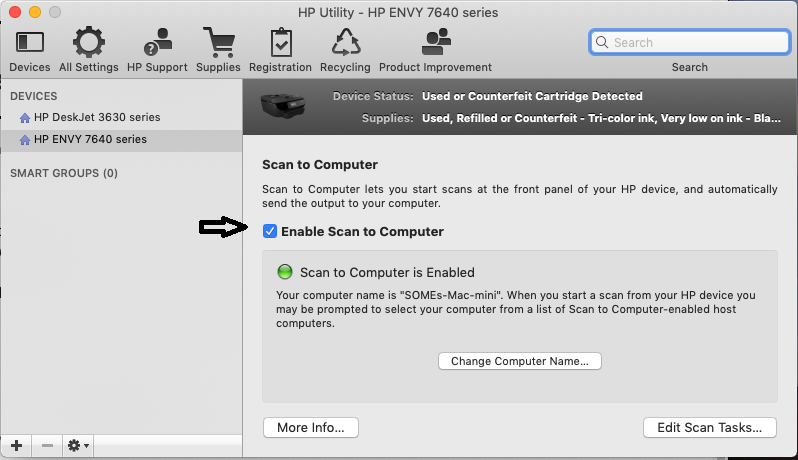
You may use the 'scan to computer' feature with a MAC. Yes, the HP Utility must be installed on the MAC before you can use this feature.
Click here to download the HP Utility. Open the app.
Under Scan Settings, click Scan to Computer, then make sure the Enable Scan to Computer check box is selected.

Try to scan.
Hope this helps! Keep me posted.
Please click “Accept as Solution” if you feel my post solved your issue, it will help others find the solution.
Click the “Kudos, Thumbs Up" on the bottom right to say “Thanks” for helping!
Have a great day!
KUMAR0307
I am an HP Employee
09-09-2020 03:40 PM
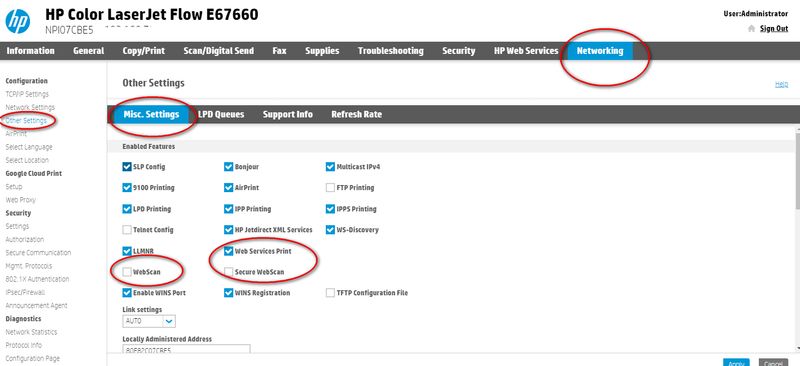
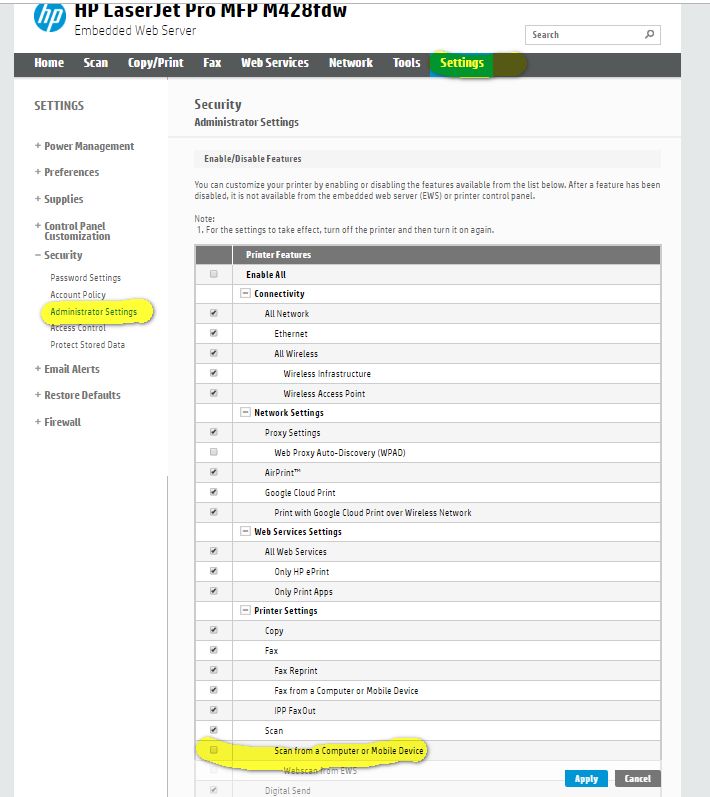
Not sure if the setting applies to the officejet but on many machines there is a setting you need to turn on to allow scanning to computer.
I am a volunteer, offering my knowledge to support fellow users, I do not work for HP nor speak for HP.
09-10-2020 02:01 AM
Hi,
Scan to computer is not available for Mac OS for the printer, scanning can be done form the HP Smart or HP Easy Scan app on your Mac, Scan to Computer for the printer is only supported on Windows PCs.
Shlomi
Click the Yes button to reply that the response was helpful or to say thanks.
If my post resolve your problem please mark it as an Accepted Solution 🙂